


Participant
May 31, 2025
Answered

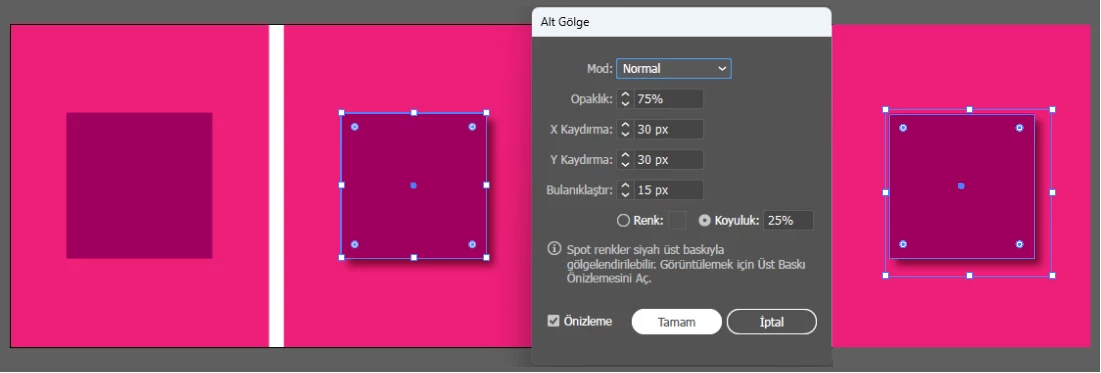
When I give a drop shadow to a shape in illustrator, the shape's border lines grow and change.

  • May 31, 2025
  • 1 reply
  • 258 views

Hi, when I apply a drop shadow to an object in Adobe Illustrator, the object's frame reshapes according to the drop shadow. The object's dimensions are distorted. It looks like the object is expanded along with the shadow. But I don't do anything like that. The object's borders don't change when I preview. This happens when I apply the drop shadow. How can I fix this?

I used translation. I hope it's understood. Thanks.
Correct answer Kurt Gold

You can turn off "Use Preview Bounds" in the flyout menu of the Align panel (or in the application preferences).

1 reply

Kurt Gold
Community Expert
Kurt GoldCommunity ExpertCorrect answer
Community Expert
May 31, 2025

You can turn off "Use Preview Bounds" in the flyout menu of the Align panel (or in the application preferences).

erygunduzAuthor
Participant
May 31, 2025

Great, solved. I thought the program was broken. I didn't think it was due to the settings. Thank you very much.