Participant
March 25, 2023
Answered

when I open a file it says the file cannot be found

  • March 25, 2023
  • 1 reply
  • 373 views

I use Adobe Illustrator 27.3.1 © 2023 on a Mac OSX Ventura 13.1. I duplicate a file (56 in all). I do some reduction work (reducing the image by 70%). I save the file, and the next day I try to open it, and it says that the file cannot be found. What can I do? Very few of the images are found.
This topic has been closed for replies.
Correct answer Imaginerie

Where exactly do you save the files? On the cloud , or on your computer.
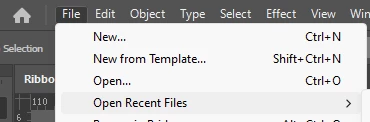
Can you see those files when you try to open the recent files?


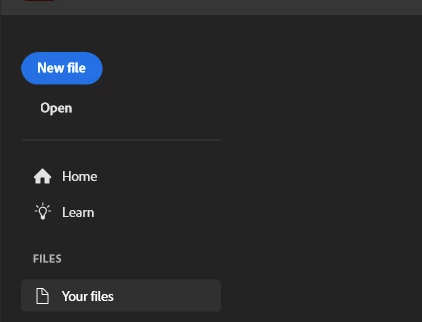
or when you click on the house icon, top left


You can test and see if you see them when you click on "your files"
(after clicking the "house" icon)


if you see them here, they are saved on the cloud.

Just in case, can you screenshot the window when you save? (assuming you save as an .ai, on your computer)
Just talk us through exactly what you are doing step by step so we can identify what may be wrong.

1 reply

Imaginerie
Community Expert
ImaginerieCommunity ExpertCorrect answer
Community Expert
March 26, 2023

Where exactly do you save the files? On the cloud , or on your computer.
Can you see those files when you try to open the recent files?


or when you click on the house icon, top left


You can test and see if you see them when you click on "your files"
(after clicking the "house" icon)


if you see them here, they are saved on the cloud.

Just in case, can you screenshot the window when you save? (assuming you save as an .ai, on your computer)
Just talk us through exactly what you are doing step by step so we can identify what may be wrong.