


Participant
Oct 27, 2026 3:41 PM UTC
Answered

When I open a new document in Adobe, the whole workspace is covered in a pattern of tiny dots.
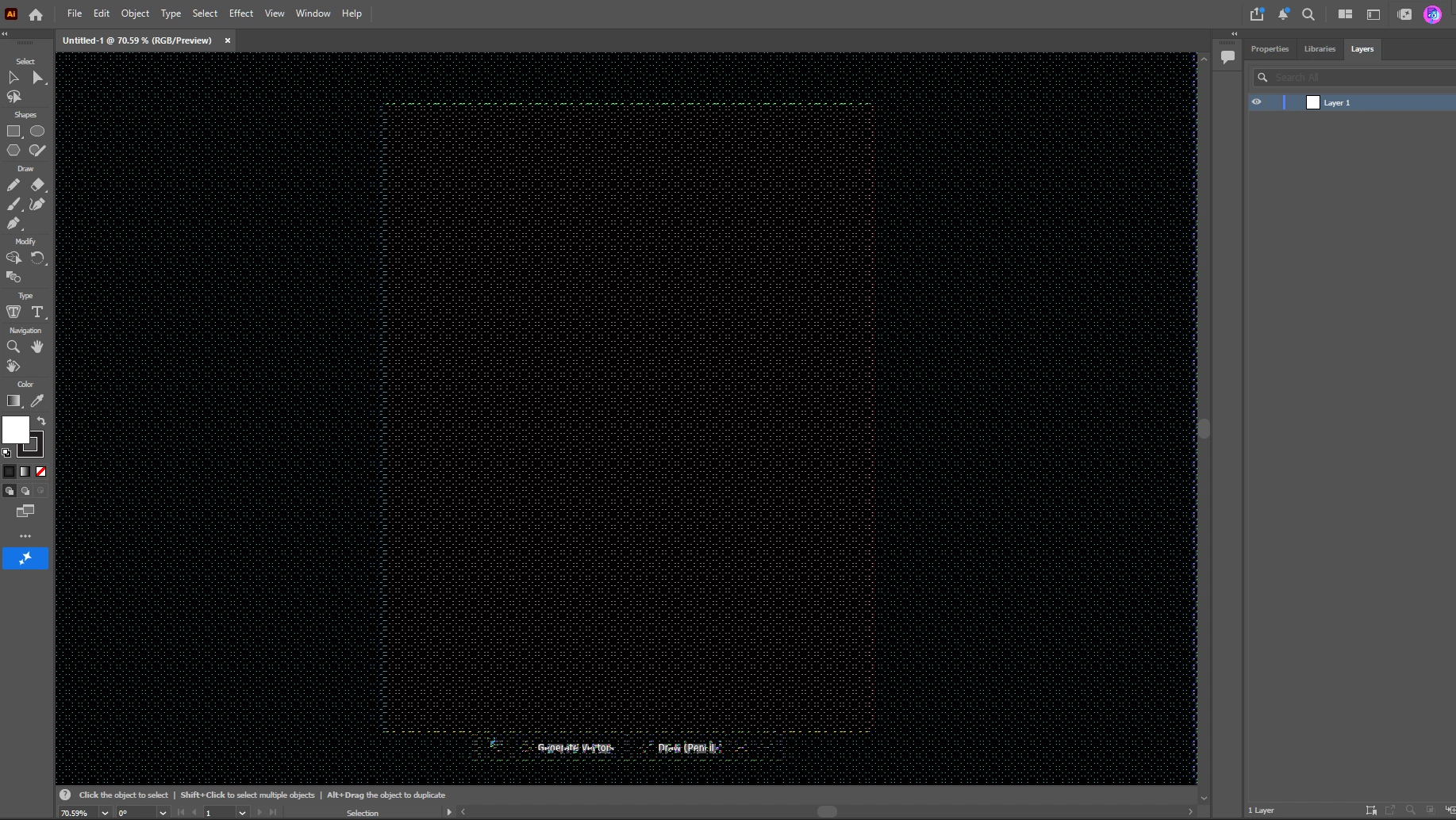

My workspace after creating a new document.  When I open existing documents, this strange pattern is on top of the existing document.


This is affecting both new documents and opening existing ones.

I have updated Adobe Illustrator to the most recent version.  

On my monitor the art board looks red and the workspace appears green.  The windows and tools and surrounding borders of the program appear unaffected.

    Ton Frederiks
    Ton FrederiksCorrect answer
    Community Expert
    Oct 27, 2026 4:28 PM UTC

    ​@Amiable_Lily463b next to the suggestions by Anubhav, You may check if the GPU Preview is causing this. Ctrl E switches between GPU and CPU Preview.

    5 replies

    Participant
    Oct 28, 2026 3:03 PM UTC

    I was able to resolve the issue by unchecking “GPU Performance” in the Performance Preferences settings.


    Thanks for your help!

    Translate
    Harshika Verma
    Community Manager
    Community Manager
    Oct 30, 2026 1:52 PM UTC

    Awesome. Glad to hear you’re able to resolve the issue, and thanks for confirming here. Please feel free to reach out to us in the future for any assistance. 

    We would be happy to help.
     

    Thanks,

    Harshika

    Translate
    Participant
    Oct 27, 2026 5:20 PM UTC

    I’ll have to get an IT admin to rename the UXP folder, so I’m waiting on that.

    But, I have just discovered that it only happens when my laptop is attached to my desktop set-up.  If the laptop is not attached, files open up like normal with no weird effect on the workspace. 

    The desktop setup has a little brick thing with all the connections to monitors/peripherals and my laptop plugs into the brick.

    Translate
    Ton Frederiks
    Community Expert
    Ton FrederiksCommunity ExpertCorrect answer
    Community Expert
    Oct 27, 2026 4:28 PM UTC

    ​@Amiable_Lily463b next to the suggestions by Anubhav, You may check if the GPU Preview is causing this. Ctrl E switches between GPU and CPU Preview.

    Translate
    Anubhav M
    Community Manager
    Community Manager
    Oct 27, 2026 3:53 PM UTC

    Hello ​@Amiable_Lily463b 


    I’m sorry to hear about your experience. Would you mind trying the following steps and checking if they help:
     
    - Close all Adobe applications.
    - Rename the UXP folder to UXP.old from the following location:
    (Windows) Navigate to C:\Program Files\Common Files\Adobe\UXP 
    - Relaunch Illustrator


    Looking forward to hearing from you.
    Anubhav

    Translate