



dclevela3130w7
Known Participant
January 28, 2026
Answered

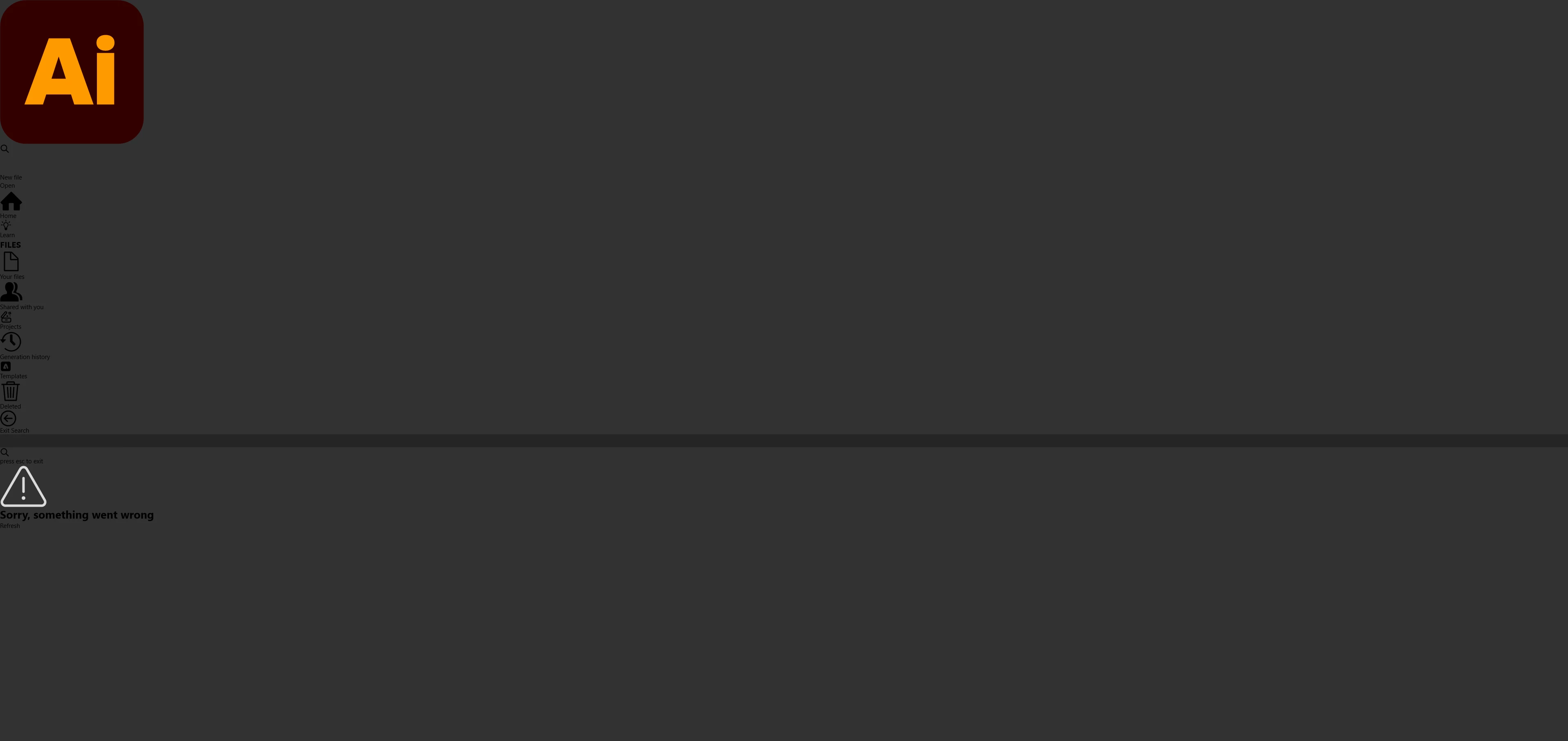
When I start Illustrator, the home screen is all messed up, like it's missing css or something.
  • January 28, 2026
  • 1 reply
  • 70 views

I can’t really add anymore detail other than to provide a screenshot and ask why my Adobe Illustrator opening screen looks like this? Doesn’t happen with Photoshop, but it DOES happen with Premier. So it seems random on which programs it does it too.

    Correct answer Anubhav M

    Hello ​@dclevela3130w7 


    That does seem strange. Would you mind trying the following steps and checking if they help:

    - Close all Adobe applications.

    - Rename the UXP folder to UXP.old from the following location:

    (Windows) Navigate to C:\Program Files\Common Files\Adobe\UXP

    (macOS) Navigate to Macintosh HD/Library/Application Support/Adobe/UXP

    - Relaunch Illustrator


    Looking forward to hearing from you.
    Anubhav

    1 reply

    Anubhav M
    Community Manager
    Anubhav MCommunity ManagerCorrect answer
    Community Manager
    January 28, 2026

    Hello ​@dclevela3130w7 


    That does seem strange. Would you mind trying the following steps and checking if they help:

    - Close all Adobe applications.

    - Rename the UXP folder to UXP.old from the following location:

    (Windows) Navigate to C:\Program Files\Common Files\Adobe\UXP

    (macOS) Navigate to Macintosh HD/Library/Application Support/Adobe/UXP

    - Relaunch Illustrator


    Looking forward to hearing from you.
    Anubhav

    dclevela3130w7
    Known Participant
    January 28, 2026

    That fixed it. thank you. I guess something in there was messed up. Much appreciated!