Shami1323345466
Participant
July 5, 2018
Answered

When increase the stroke my logo goes out of shape due to overlapping paths. Can I merge?

  • July 5, 2018
  • 1 reply
  • 344 views

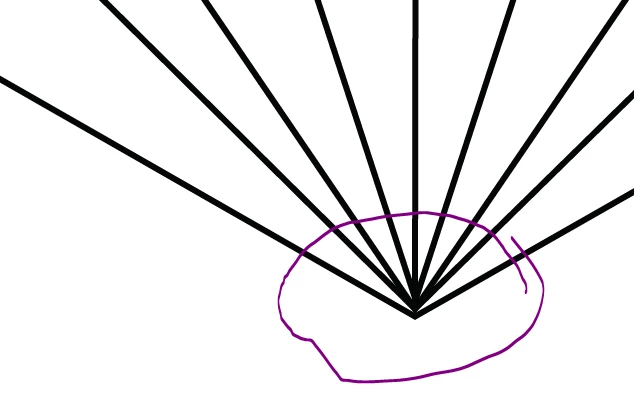
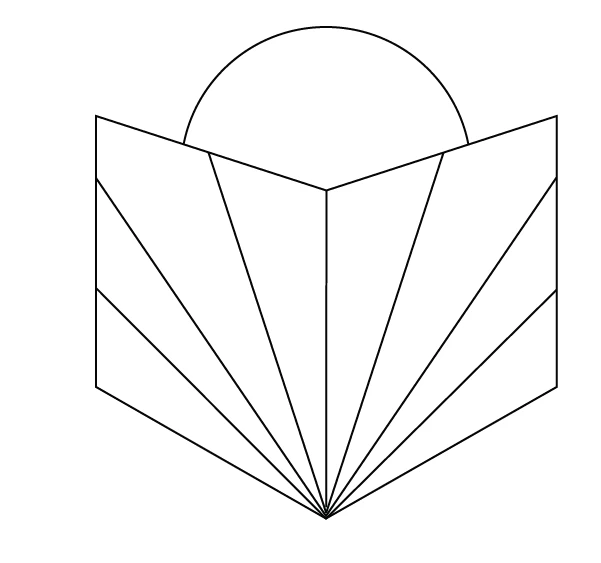
I'm designing this logo below in Illustrator CC. Every time I increase the stroke the part highlighted below goes out position. So I thought I need to join the paths. Would this be the correct thing to do? I have tried to do this using join (ctrl+J) but it isn't working can someone please help?

Thank you. I can show more examples.
This topic has been closed for replies.
Correct answer Omar.Fathy

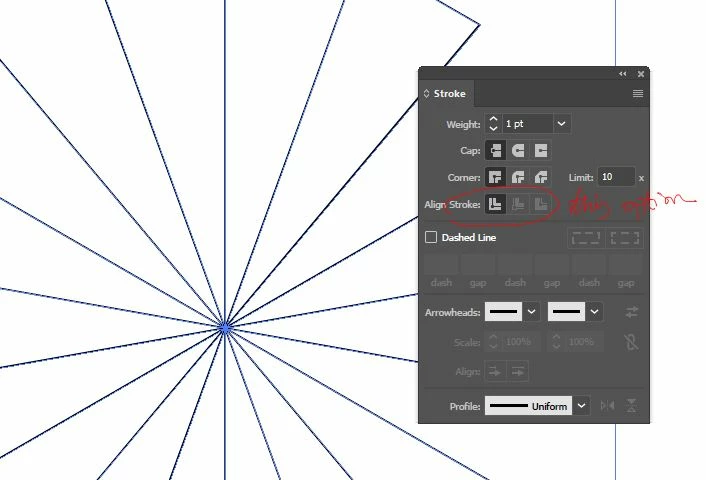
The problem is in the stroke align. Can you check it and tell us what this option is ?!

Select your line/lines and check it:

If it isn't set to align to center for all lines, this problem happens.
Also you may need to use the Scissors Tool to cut the closed paths. So let us see first!

1 reply

Omar.Fathy
Community Expert
Omar.FathyCommunity ExpertCorrect answer
Community Expert
July 5, 2018

The problem is in the stroke align. Can you check it and tell us what this option is ?!

Select your line/lines and check it:

If it isn't set to align to center for all lines, this problem happens.
Also you may need to use the Scissors Tool to cut the closed paths. So let us see first!