





Question
When mapping a raster symbol onto a 3D object, why is it so pixelated?
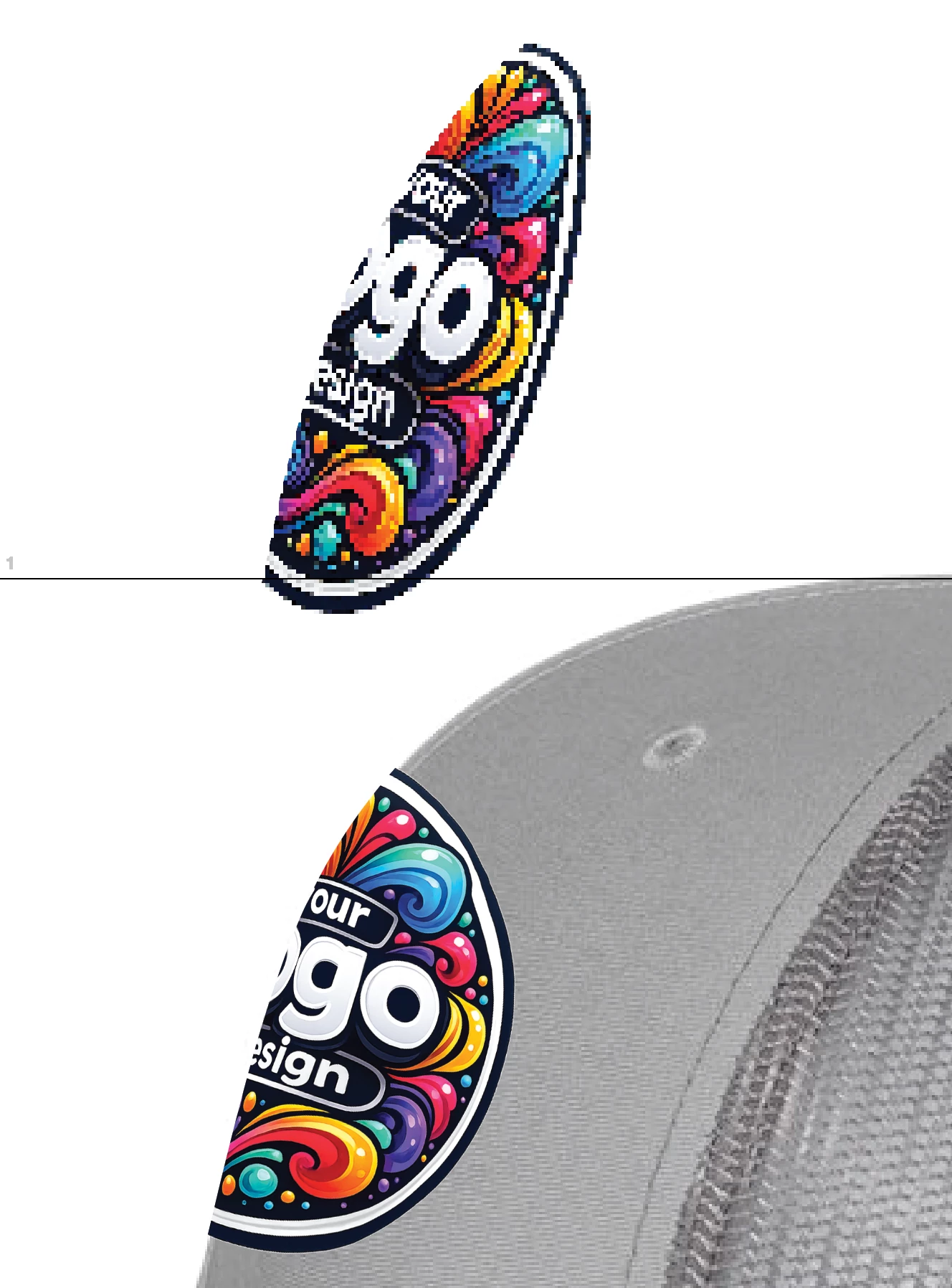
I am trying to add a logo onto the surface of a cap I tried the mockup tool, but that only works with vector artwork. I also tried the 3D classic route, where I make the logo into a symbol and map it onto the surface of the hat. But it looks awful. That’s the top image in this screenshot below.
I also tried using envelope distort with a clipping path, which turned out very crisp, but it’s much more difficult to get the angles correct. I’d prefer to use the symbol mapping option, but I don’t know why it’s so pixelated.
My document raster effects setting is 300 DPI and I have anti-aliasing checked.
Any advice?
 AdChoices