Participant
January 29, 2023
Question

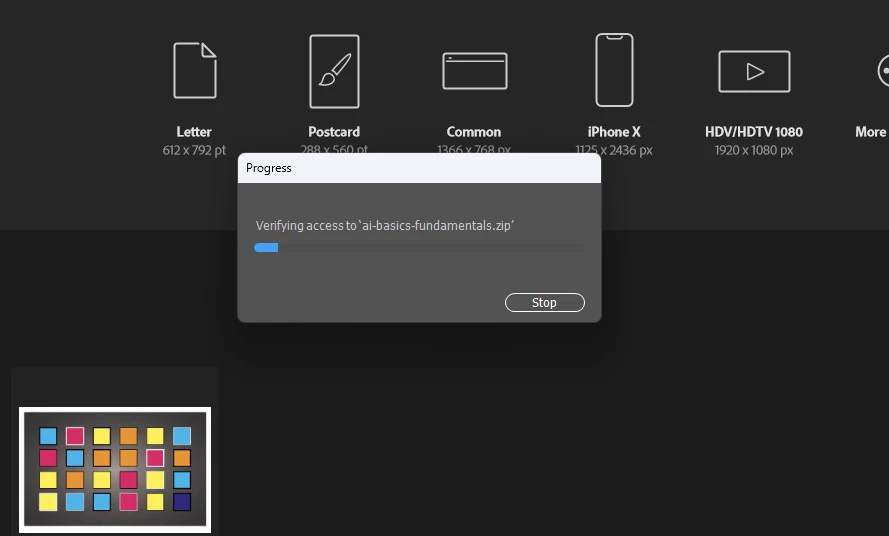
Whenever i try to open a new file in illustrator this loading window pops up and it crashes

  • January 29, 2023
  • 3 replies
  • 214 views

This topic has been closed for replies.

3 replies

Kevin Stohlmeyer
Community Expert
Community Expert
January 31, 2023

Did you unzip the tutorial files before attemping to open?

Illustrator cannot directly open zip files.

Anubhav M
Community Manager
Community Manager
January 31, 2023

Hello @Tejas28153515w6r3,


Sorry to hear about this experience. Would you mind trying the suggestions shared in this help article (https://helpx.adobe.com/illustrator/kb/fix-crash-on-launch-issues.html) and checking if it helps?

Also, kindly share the crash report by following the steps shared in this help article (https://helpx.adobe.com/illustrator/kb/crash-next-steps.html). While submitting the report, kindly use the same email account used here in the community so we can locate it quickly.


Looking forward to your response.


Thanks,

Anubhav

Mike_Gondek10189183
Community Expert
Community Expert
January 29, 2023


PREFS  RESET MAC (thorough method)

Quit Illustrator

Finder >> Shift Command G

~/Library/Preferences/Adobe Illustrator 27 Settings/en_US/Adobe Illustrator Prefs

rename Adobe Illustrator 27 to Adobe Illustrator 27old


OOBE RESET MAC

  1. Quit the Creative Cloud desktop app  (100% you must do this)
  2. The \Users\<user folder>\Library\ is hidden by default for macOS 10.7 and above. Option click on the GO in the mac finder to reveal the Library folder.
  3. /Users/<user folder>/Library/Application Support/Adobe/OOBE
  4. Delete all the files within the OOBE folder, but do not delete the folder itself.


Participant
January 29, 2023

Do you have a solution for windows?
