Carla_Maglione
Participant
July 18, 2020
Answered

Where are the other graphics? The .ai file is viewed as a pdf file.

  • July 18, 2020
  • 1 reply
  • 619 views

Hello. I have a problem opening an .ai file
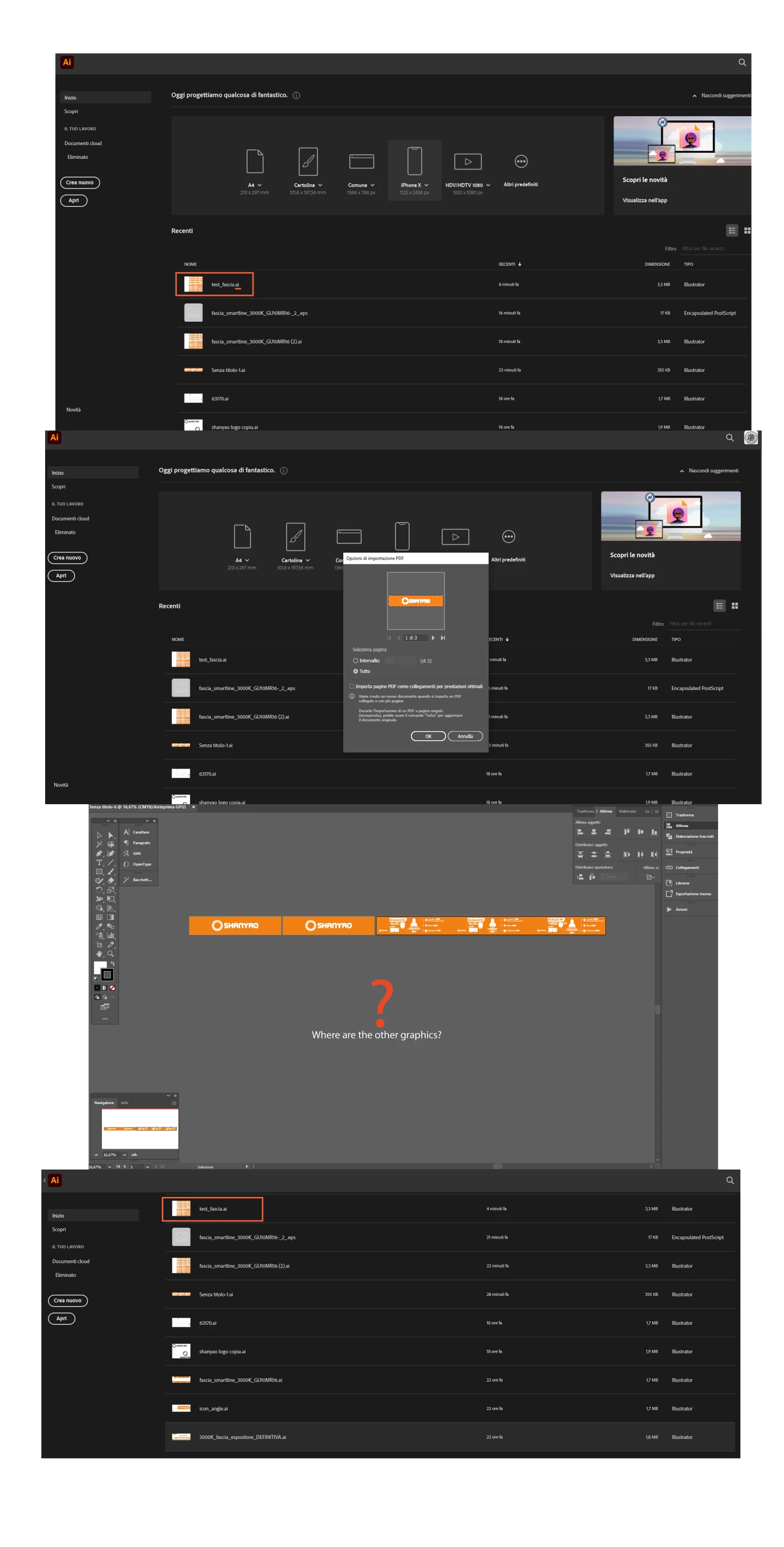
When I try to open the .ai file it is read to me as a PDF (see screenshot)
Once opened, however, all my graphic design is not displayed, the elements drawn outside the drawing board are not seen.
When I close the file, however, in the Illustrator screen / Latest open files ... In the preview you can see the graphic elements I'm looking for. (see screenshot)
This topic has been closed for replies.
Correct answer Monika Gause

In the PDF the content outside the artboards is never even saved.

Please see this about Illustrator files: https://youtu.be/IpDh8Y7q8yE

1 reply

Monika Gause
Community Expert
Monika GauseCommunity ExpertCorrect answer
Community Expert
July 18, 2020

In the PDF the content outside the artboards is never even saved.

Please see this about Illustrator files: https://youtu.be/IpDh8Y7q8yE

Carla_Maglione
Participant
July 20, 2020

Hello Monika... thanks for the reply. I am aware of this however my file is an .ai and not a PFD.
I believe there was an error saving the file, and that the damaged files were lost.
Thanks again.

Monika Gause
Community Expert
Community Expert
July 20, 2020

Did you watch the video? It explains the matter.

There are 2 files inside your file. The AI is lost due to the crash. Illustrator opens the PDF and it's just a plain vanilla PDF, not a special kind of PDF.