Participant
September 3, 2021
Question

While double click to edit/ rename a Layer name it becomes Blank in Illustrator on macOS on M1 Mac

  • September 3, 2021
  • 1 reply
  • 263 views

Hi all,


I don't really know what the correct question about this.

So, whenever i want to edit/changes layer name, by double click on the layer name, it become blank.
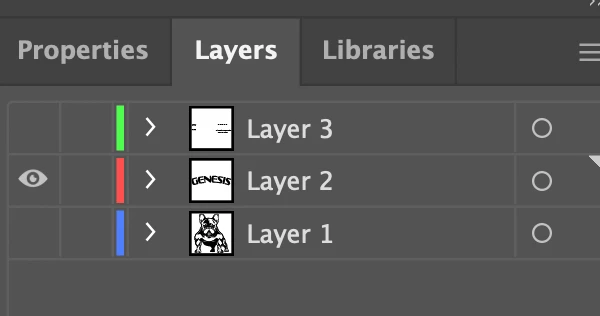
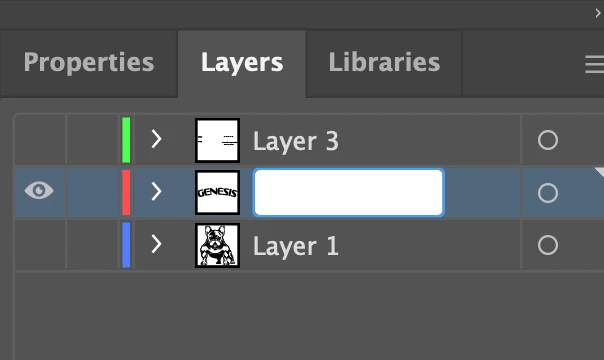
 

It's may not a big problem for rename. But if i want to edit a value for example the transparent value, it's really confused me since i don't really remember the previous value.


Do anyone know how to turn it back like in previous Ai which still have the value appear like this?

I'm using the latest version of Adobe Illustrator for M1.


Thank you very much


{Renamed by MOD}

This topic has been closed for replies.

1 reply

Anshul_Saini
Community Manager
Community Manager
September 3, 2021

Hi there,


We are sorry to hear about your experience. Old Illustrator versions are not fully supported on M1-based Mac devices. Illustrator versions above v25.3.1 are natively supported on M1-based Mac devices.  Generally, when you double-click the layer, all the text gets highlighted like this.


If it is not happening like this, I will request you to share a few more details like:

  • The exact version of macOS and Illustrator
  • Are you using a Touchpad or mouse?
  • When did this start happening? Are there any recent changes made to your system? For example, any antivirus, system updates, or web extensions installed recently.
  • Does resetting Illustrator Preferences ( https://helpx.adobe.com/illustrator/using/setting-preferences.html) help to resolve the issue?
    Disclaimer: Please note that resetting preferences will remove all the custom settings, and Illustrator will launch with default settings. You can also take a backup of the folders in case you want to. Location is mentioned in the article.


We are here to help. We Just need more information.


Thanks & Regards,

Anshul Saini

RadenMasTAuthor
Participant
September 5, 2021

Hi, i'm using Adobe Illustrator 2021 with magic mouse on iMac M1.

This problem happened from the earlier. I thought it was normal since it's a new computer and i'm usually using Adobe Illustrator 2019.

There also some problems i notice like doing this B step, sometimes is not possible.

I don't have any changes on the preferences.


Thank you very much for your responds.

Monika Gause
Community Expert
Community Expert
September 5, 2021

So your problem is with the layer renaming? Or something with the drawing?