Participant
March 2, 2020
Question

White appearing as black for color fills

  • March 2, 2020
  • 5 replies
  • 3686 views

I am having an issue with Illustrator showing white as black for the color fills in my artwork. It keeps happening randomly and stopping after a while. This stopped when I changed tools.. You can see in the photo that the items are selected and in the top left corner the fill indicated as white but appearing as black.
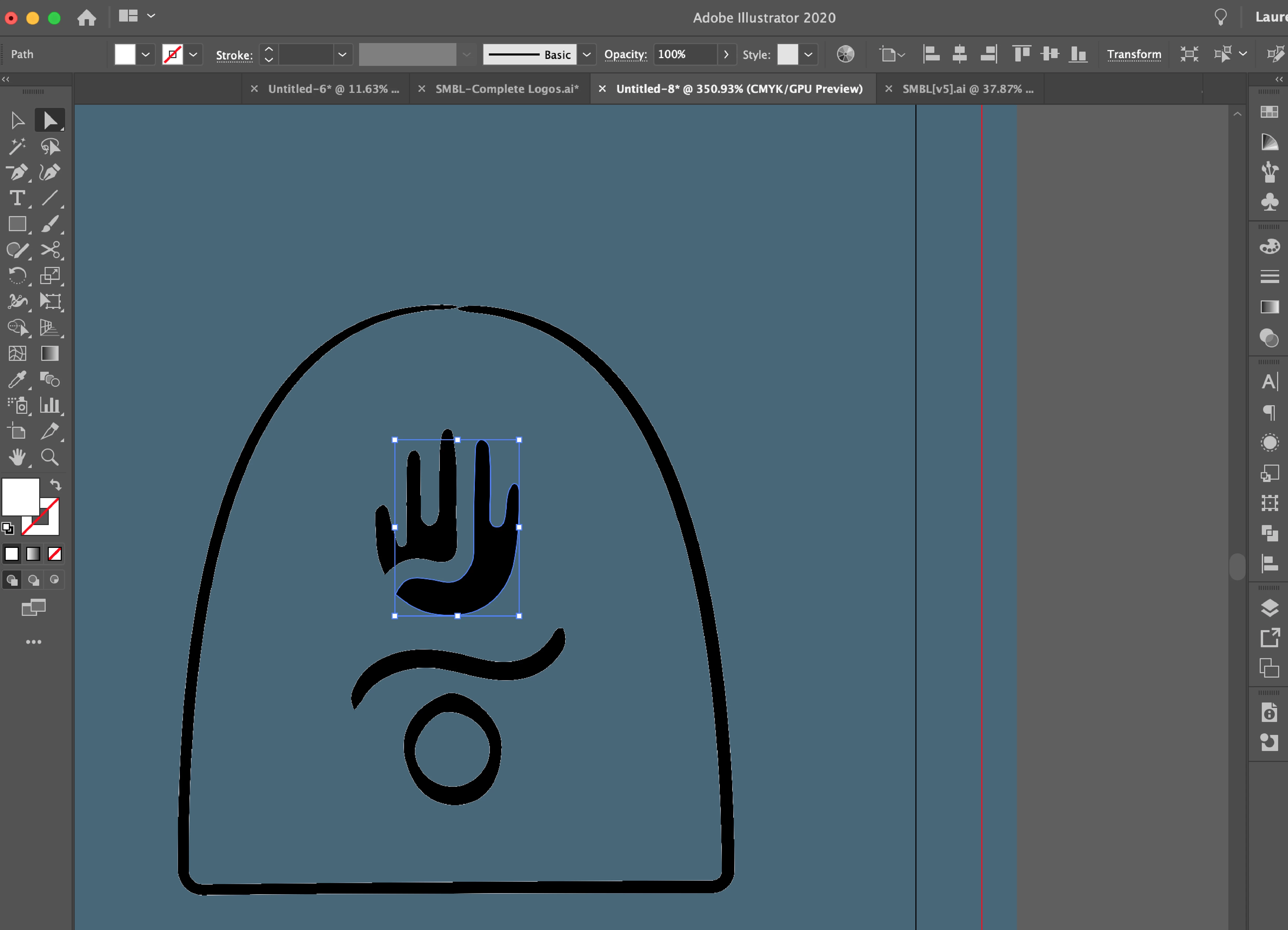
 

This topic has been closed for replies.

5 replies

Jacob Bugge
Community Expert
Community Expert
November 10, 2020

Phil, Andy, Taylor,


Mayby far too far out, but what happens if you Ctrl/Cmd+E (toggles between GPU and CPU)?


ellenk20330004
Participating Frequently
November 12, 2020

I was having the same issue and this worked for me. Thank you!!

Participant
November 10, 2020

I am having the same issue currently, I've never had it happen before. 


Participant
June 30, 2020

I'm experiencing the same bug. Happens every once in a while. Still no idea why it does it, or how to stop it, or why it suddenly starts working properly again. Sometimes quitting an restarting helps, sometimes not.

Monika Gause
Community Expert
Community Expert
June 30, 2020

Please show  a screenshot with Appearance panel.

Simmer1
Community Expert
Community Expert
March 2, 2020

Hi,

Have you checked your appearances window that will show you exactly whats going on?


Ton Frederiks
Community Expert
Community Expert
March 2, 2020

Can you show the Appearance panel?

Maybe there are multiple fills with another one, below the visible fill selected.