



White background added when exporting as SVG
Hello! I've created line drawing icons in Procreate, saved those files as PSDs, and then opened them in Illustrator with the hopes of exporting them as SVGs with transparent backgrounds. A few weeks ago I was able to export these transparent SVGs with no problem, but recently, everything has come out with a white background added in.
I'm new to this but have seen people requesting workflow for solutions, so here's mine:
- I right-click the PSD file in my downloads folder and click "open in illustrator"
- I turn on the transparency grid, and check that the file has no background. It looks like this:
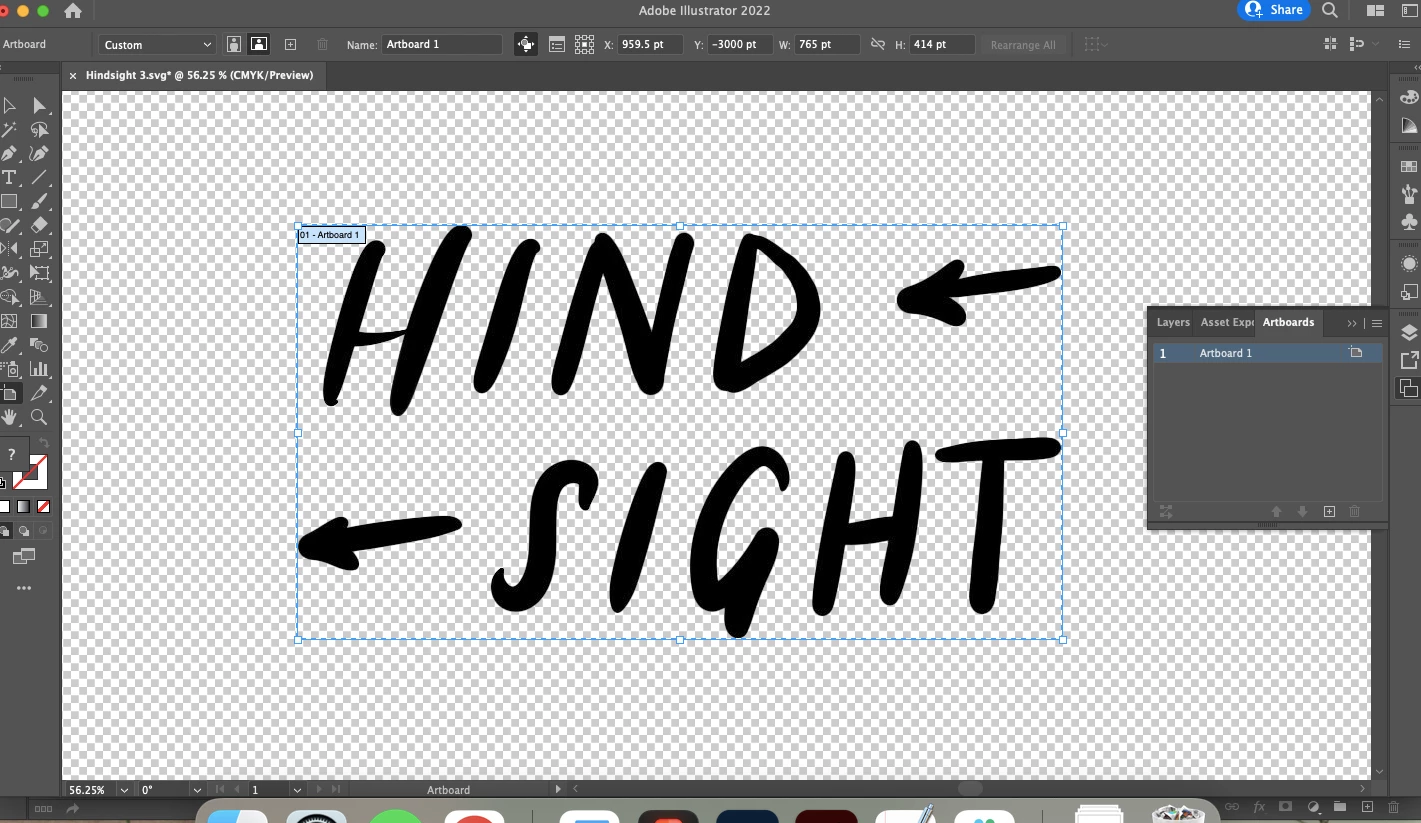 - I click "Export" > "Export As > SVG. Sometimes I click "use artboards," and sometimes I don't — I've been trying a couple different things. These are the settings the SVG exports with:
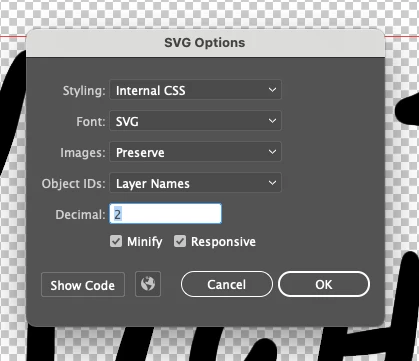
- I click "OK," and the file appears as an .SVG, but when I upload it to Google Drive / drop the file into other softwares, it appears with a white background. I really need it to have a transparent background.
Any help would be much appreciated. Thank you!
 AdChoices