
Participant
March 5, 2017
Question

White box around .eps Logos

  • March 5, 2017
  • 2 replies
  • 1463 views

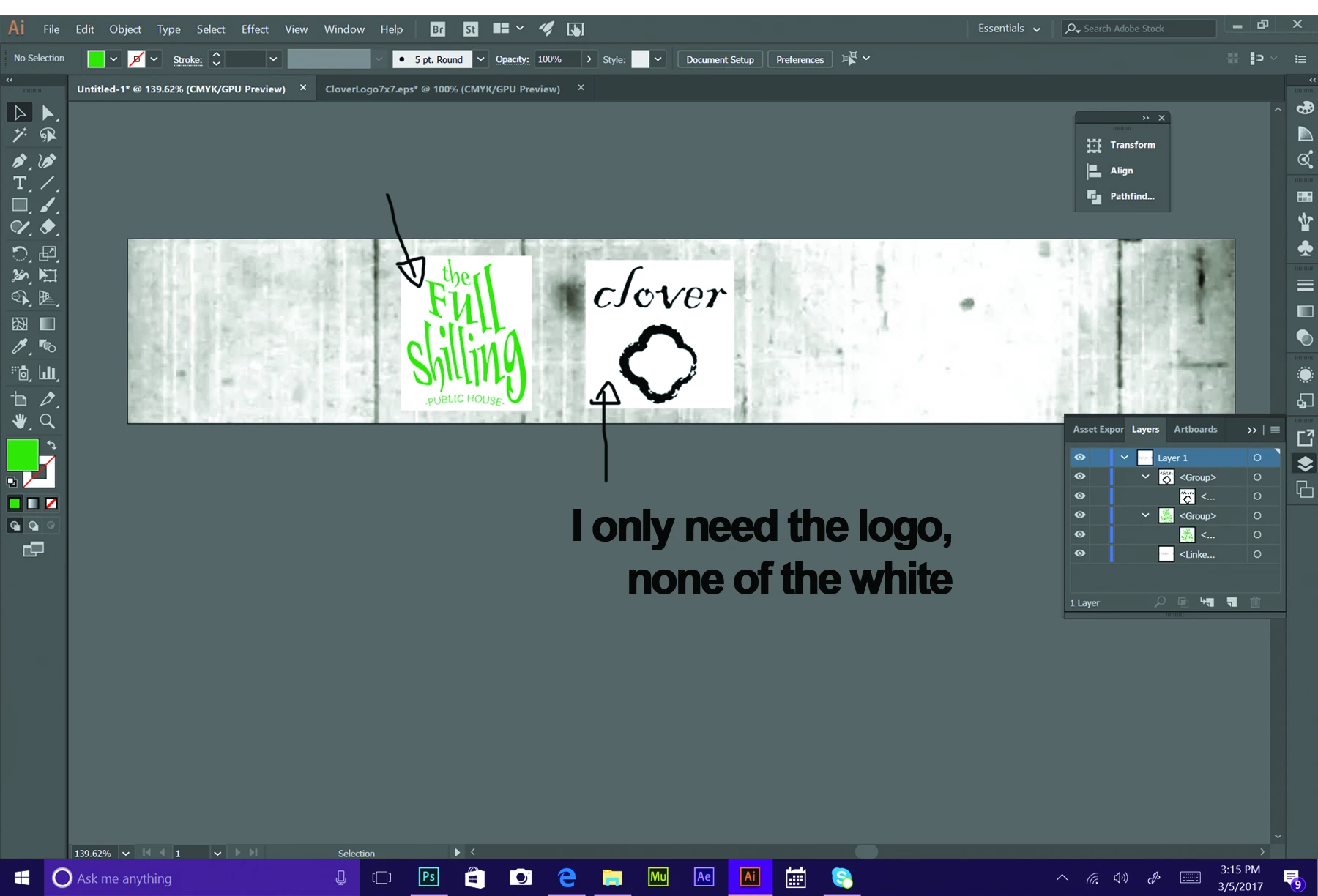
I received some .eps Logos from the previous designer at my company. I need to lay the logos over an image, however, there is a white box around logos that I cannot seem to get rid of. I am very new to illustrator and have no idea where to start. I already tried to release the clipping mask, but it didn't work. It wasn't even an option when I tried to select the command. Posting pics to show what I mean. Thank you in advance!
This topic has been closed for replies.

2 replies

Sebastian Bleak
Community Expert
Community Expert
March 6, 2017

You can use the direct selection tool to select the white, then delete it. If the logos are not vectors, the direct selection tool will not help. If these logos are raster based images, you can try using the Image Trace in Ai or use Photoshop to remove the backgrounds.

Hope this helps! Best wishes

Ton Frederiks
Community Expert
Community Expert
March 5, 2017

In the layers panel you can see that the objects are a group.

What is the content of those groups?

Can you delete the white if they are ungrouped?

koraaaAuthor
Participant
March 5, 2017

There is only one image in the group. It seems the logo part and white background are collapsed into one single layer. I tries ungrouping it to no avail.

Ton Frederiks
Community Expert
Community Expert
March 5, 2017

If it is an image you cannot get rid of the background in Illustrator, which is a vector application.

You will need an image editor like Photoshop to get rid of the background.

Or ask the one who created the logo for a vector version.