


Participant
Jan 23, 2025 5:52 PM UTC
Answered

White box around png in Illustrator
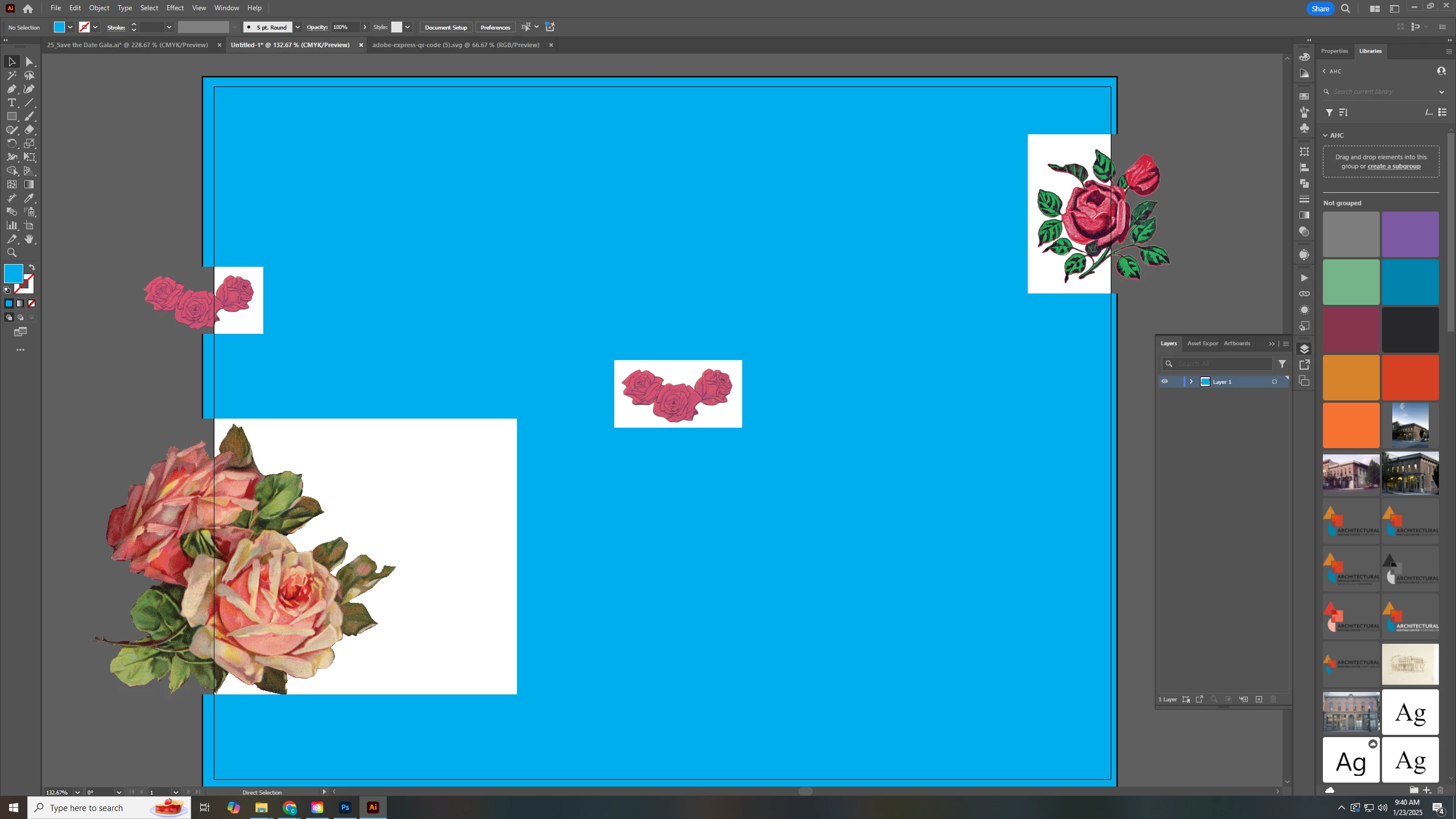
All of my imported and placed pngs have a white box that removes anything under it. You can see from my screenshot that once its off the artboard the white box goes away. This happened after Illustrator crashed.


I have updated and restarted my computer, but the issue still remains. I've never seen anything like this before. Please help!

Ton Frederiks
Ton FrederiksCorrect answer
Community Expert
Jan 23, 2025 6:42 PM UTC

Is it still the same when you use CPU Preview? Ctrl E to switch.

If it looks good in CPU Preview, try updating your graphics card.

3 replies

Ton Frederiks
Community Expert
Ton FrederiksCommunity ExpertCorrect answer
Community Expert
Jan 23, 2025 6:42 PM UTC

Is it still the same when you use CPU Preview? Ctrl E to switch.

If it looks good in CPU Preview, try updating your graphics card.

Translate
Participant
Jan 23, 2025 6:59 PM UTC

It looks good in CPU Preview. Thank you!

Translate
Ton Frederiks
Community Expert
Community Expert
Jan 23, 2025 7:27 PM UTC

I don't have a Windows system, but it may be worth checking if your graphics card has game optimized settings , then try to use some other setting for Illustrator. 

Translate