Participant
July 1, 2020
Answered

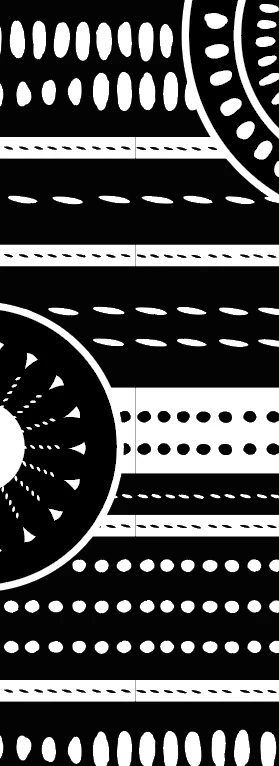
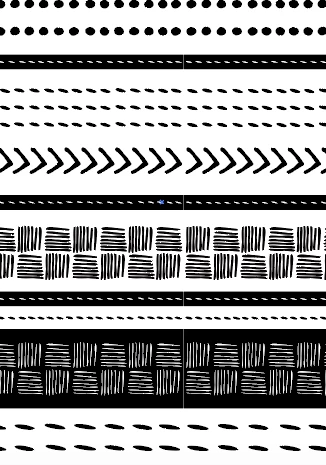
White lines on pattern and not solution
  • July 1, 2020
  • 2 replies
  • 763 views

Hi all!

I got these white lines and can't find the solution. I've read all the previous resolved cases and tried everything but nothing.

I do patterns all the time but only in a few cases I got this problem, and this one is the worst. Thing is I have to deliver the patterns to my client in an Illustrator file, I can't try exporting, etc.

Help please!!!

Thanks in advanced

Sandra  

This topic has been closed for replies.
Correct answer Ton Frederiks

An anti-aliasing problem that could be solved by creating the pattern without a white background.

If needed the background could be added later as an additional fill in the Appearance panel.

Anti aliasing problems cannot always be solved, they appear and disappear when zooming in or out.

When printing to low resolution printers or exporting as an image they can become visible.

Often rasterizing/exporting with anti aliasing set to Art Optimized will make these lines disappear.

2 replies

Ton Frederiks
Community Expert
Ton FrederiksCommunity ExpertCorrect answer
Community Expert
July 9, 2020

An anti-aliasing problem that could be solved by creating the pattern without a white background.

If needed the background could be added later as an additional fill in the Appearance panel.

Anti aliasing problems cannot always be solved, they appear and disappear when zooming in or out.

When printing to low resolution printers or exporting as an image they can become visible.

Often rasterizing/exporting with anti aliasing set to Art Optimized will make these lines disappear.

Ton Frederiks
Community Expert
Community Expert
July 1, 2020

If you have tried everything, maybe you could share a problem Illustrator file, so we can have a look at it?

(CC file sharing, Dropbox, Google sharing, WeTransfer...)