
Known Participant
April 25, 2018
Answered

White space when removing hyphenation?

  • April 25, 2018
  • 1 reply
  • 320 views

Hello everyone,

I'm VERY new to Illustrator, so hopefully this question isn't too dumb.

I've just learned (thanks to these forums) how to put text inside of individual letters, however - now I'm running into an issue with hyphenation and awkward line breaks.

Here is a photo of how my text looks with the hyphens:
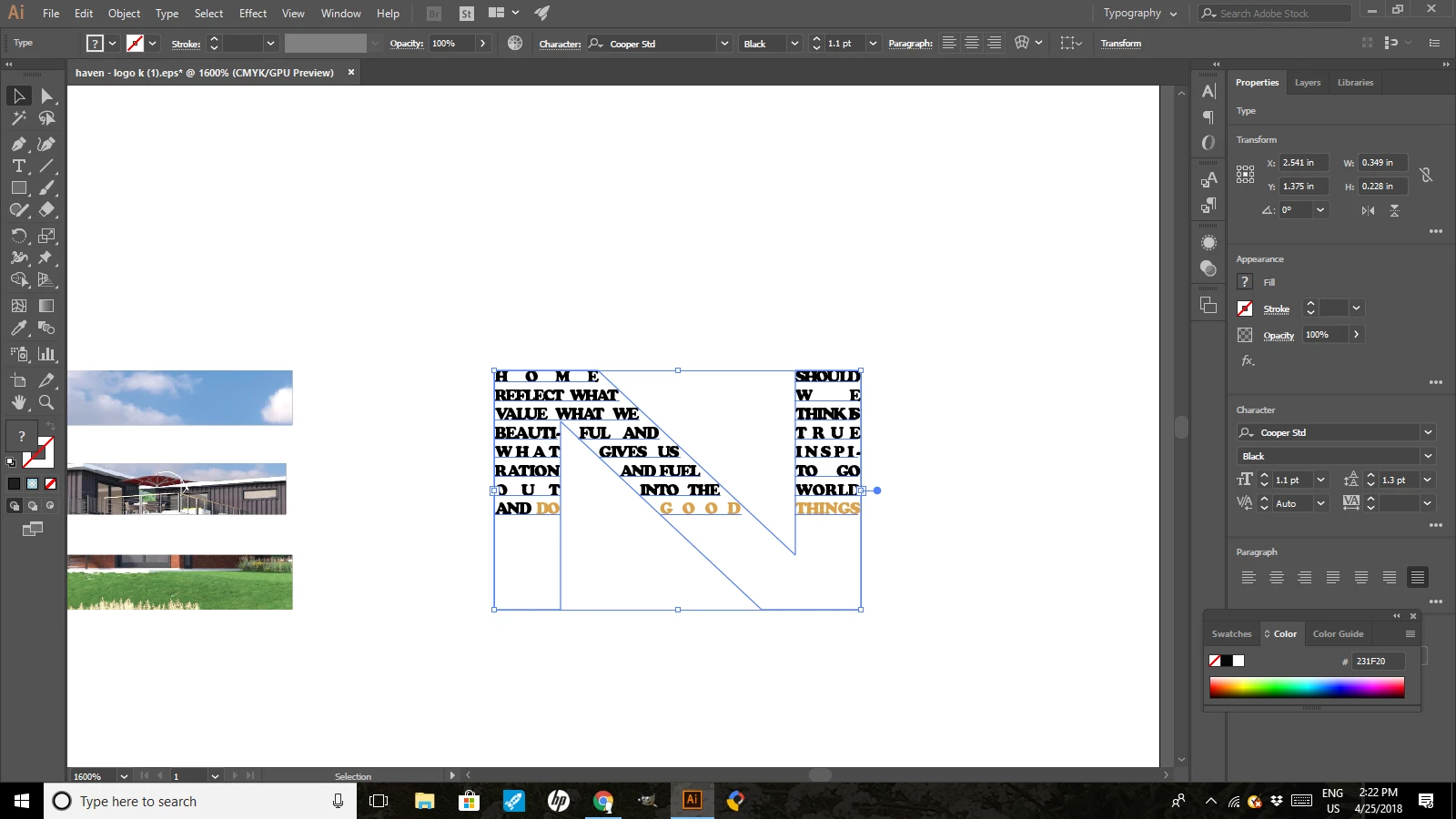
Removing the hyphenation seemed like a simple enough process. So I clicked the hyphenation box in the Paragraphs panel to remove hyphenation, but when I did a huge white space formed and no amount of backspacing or redoing the text seems to solve it.
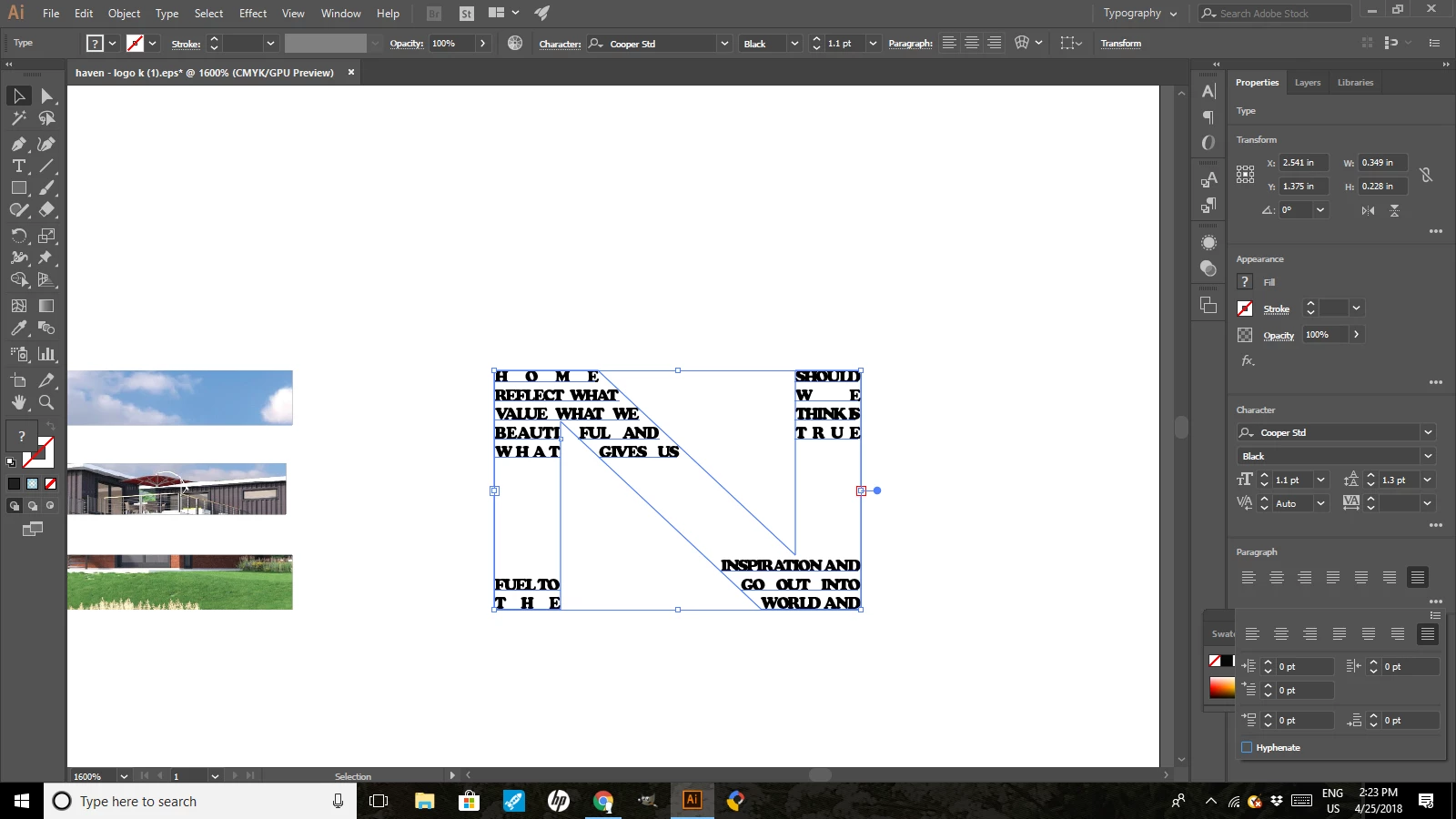
Any ideas on how to remove hyphenation AND this awkward white space that then forms?

Thanks SO much in advance.

x Tiffany

This topic has been closed for replies.
Correct answer jane-e

The long word "inspiration" can't fit until the wide part of the N, so it waits until there is room for it.

In the first example the same word starts on the far right and continues on the far left.

Your text is simply following the rules you are giving it:

  1. type size
  2. all caps
  3. justified
  4. no hyphenation
  5. letter and word spacing
  6. narrow width of the column (as defined by the "N"

Make changes to one or more of these to get your text to flow!

1 reply

jane-e
Community Expert
jane-eCommunity ExpertCorrect answer
Community Expert
April 25, 2018

The long word "inspiration" can't fit until the wide part of the N, so it waits until there is room for it.

In the first example the same word starts on the far right and continues on the far left.

Your text is simply following the rules you are giving it:

  1. type size
  2. all caps
  3. justified
  4. no hyphenation
  5. letter and word spacing
  6. narrow width of the column (as defined by the "N"

Make changes to one or more of these to get your text to flow!