Known Participant
November 18, 2017
Answered

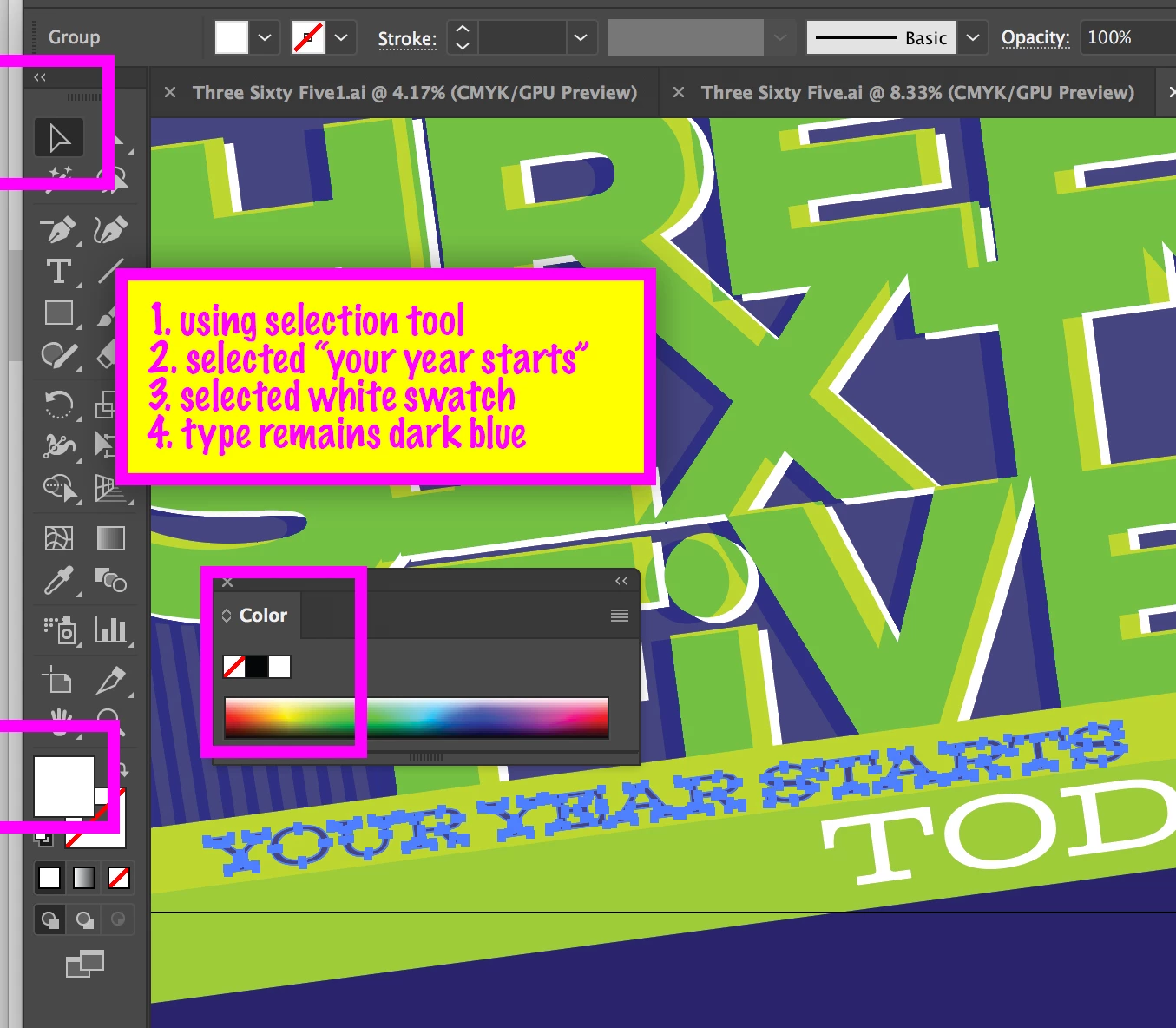
Why am I having to ungroup for eyedropper tool or selecting a swatch to apply color now?

  • November 18, 2017
  • 8 replies
  • 9833 views

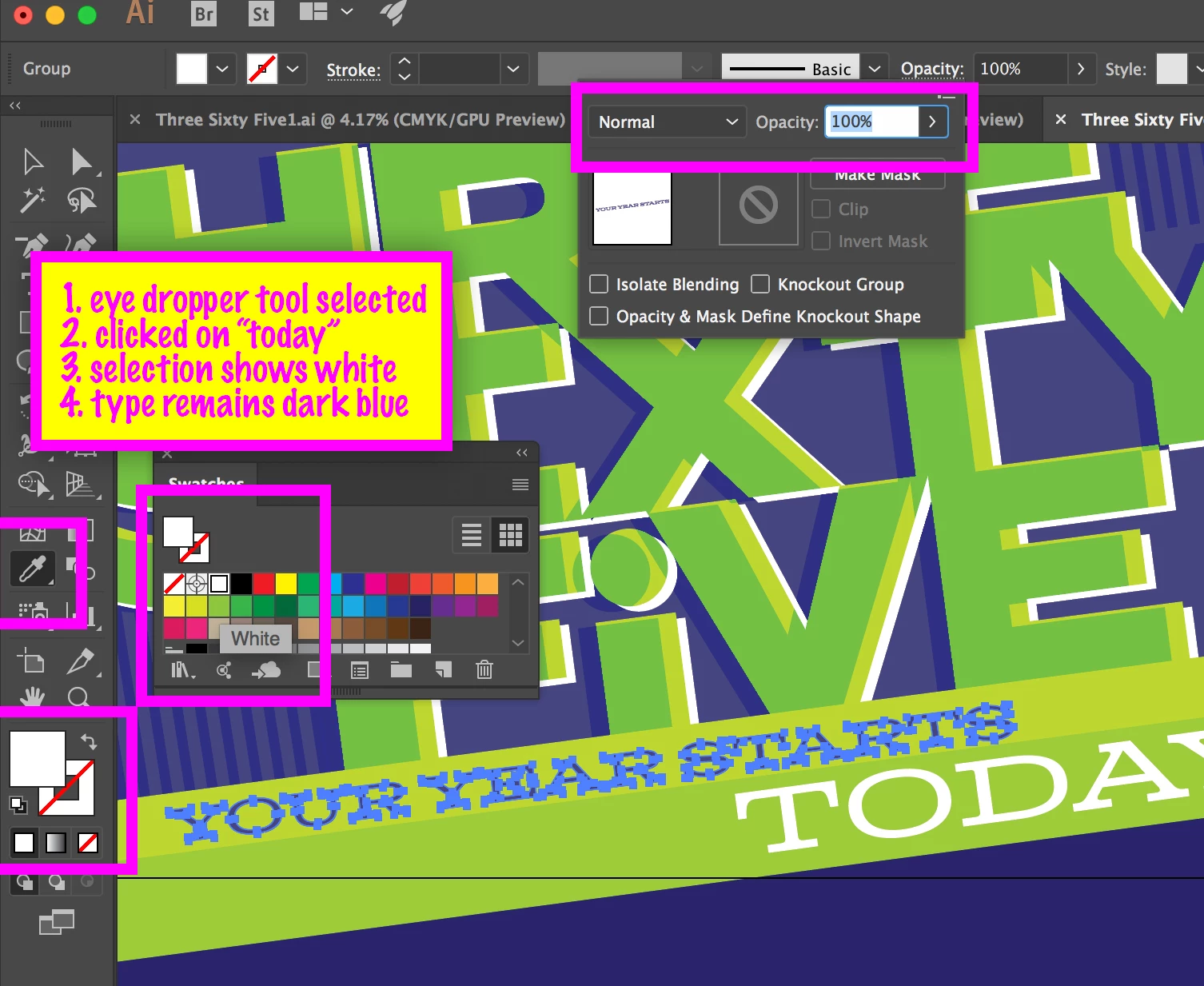
I have never had to ungroup objects to get the eye dropper tool to apply selected attributes to an object.

This no longer works without ungrouping objects.

I have never had to ungroup objects to change the color of an object selecting a color from swatches.

This no longer works without ungrouping objects.

These issues have started this past week and it's driving me crazy. I have not changed anything to my knowledge. Ideas?
Correct answer Ton Frederiks

Updated to that version and you are correct.

I did report the issue to Illustrator feedback. Thank you for suggesting that. We'll see what happens next.

(sorry for the INDD screen shot, should have used an AI screenshot from earlier post)


Looks solved in 22.1

8 replies

July 26, 2024

I'm a bit scared because it's 2024 and I JUST started having this problem a few months ago. I have done all the updates but even so... this was a problem in 2017...... why is it a problem in 2024?! 

Monika Gause
Community Expert
Community Expert
July 26, 2024

@hulmerous  schrieb:

I'm a bit scared because it's 2024 and I JUST started having this problem a few months ago. I have done all the updates but even so... this was a problem in 2017...... why is it a problem in 2024?! 


So it does not work for you even when you hold down shift?

Did you take a look at the object in the appearance panel?


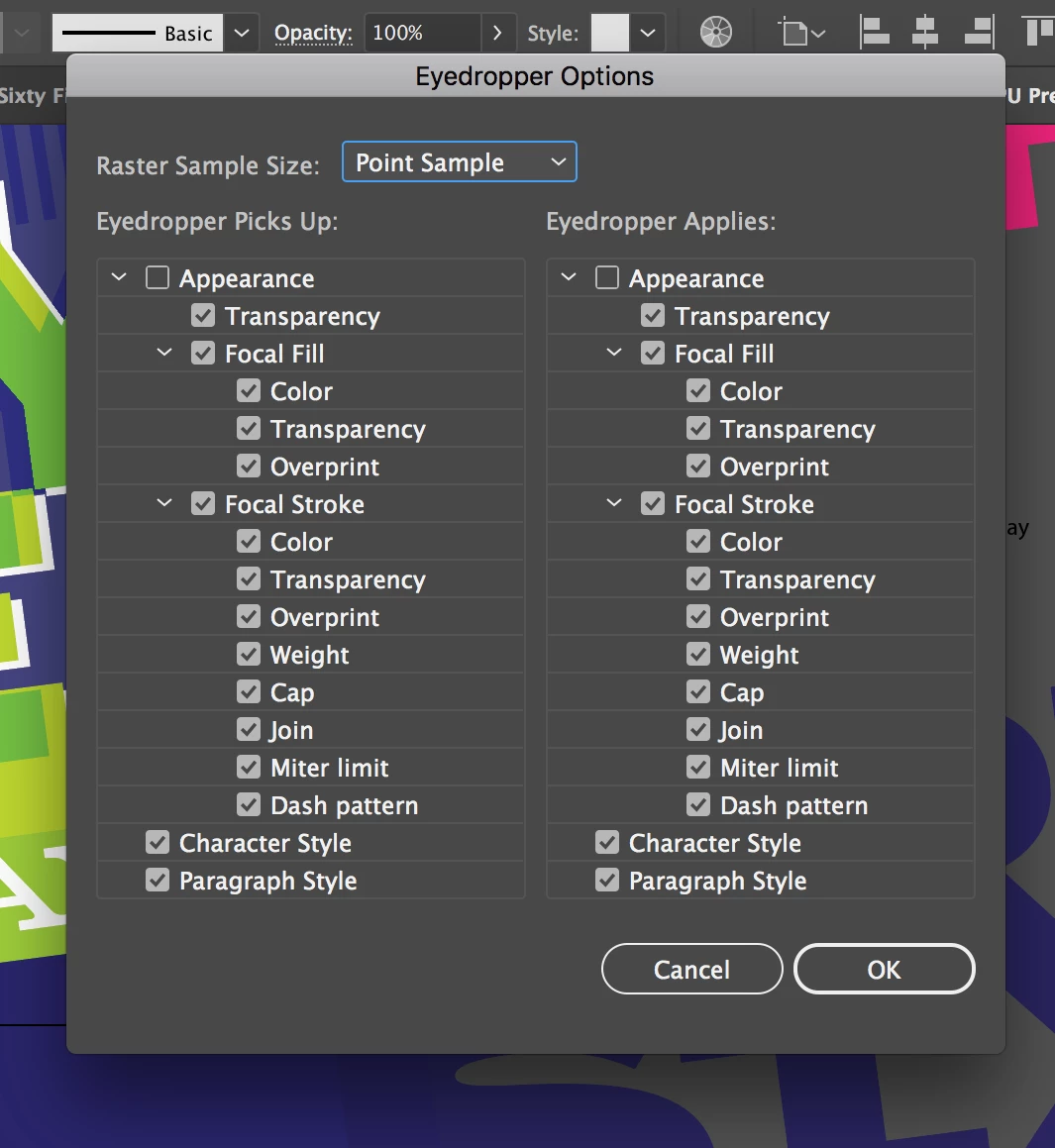
This is not "a problem", it's the way it's supposed to work. The eyedropper tool can copy colors, text formatting, complex appearances. And you have to "tell" it exactly what of this stuff you want to copy. The eyedropper needs to be set up properly for the tast you are about to do.

Participating Frequently
February 6, 2025

can you elaborate on how this could possibly be "the way it's supposed to work" ? if i select a group of objects and use the eyedropper tool to pick up another color, it only tracks that the desired outcome would be that the color then becomes applied to all of the objects in the selected group.


Participant
September 20, 2023

The problem persisted. 2 solutions:
a) make your group a compound path , and recolouring works 
b) open your appearance panel, and make sure you drag the Fill layer ABOVE the stroke layer. Everything works fine after that!  

Monika Gause
Community Expert
Community Expert
September 20, 2023

Pressing shift did not work for you?

Participating Frequently
July 25, 2023

6 years later and no fix. Now on Version 27.7 and still this bug exists.

Have tried uninstalling, clearing cache, holding shift when selecting colour with eyedropper etc you name it i've tried it with no results. Ungrouping objects that contain multiple objects is a pain and time consuming, only other option is to create every colour I want as a swatch and selecting from the swatches panel - which again, is time consuming. Very frustrating.

Monika Gause
Community Expert
Community Expert
July 25, 2023

Pressing shift while picking up the color with the eyedropper does not help?

Participating Frequently
July 25, 2023

Unofrtunately not, I have had it work once or twice but then reverts back to not working again - very unusual. No changes to appearance or workspace so can only conclude it is an error/glitch of some sort

Participant
September 6, 2022

Why has this been marked as solved? I am still having this issue and nothing I do resolves it. If items are grouped and I try to use the eyedropper tool, nothing happens. The color in the properties panel changes, but the color of the object does not reflect this change.

Participant
May 14, 2021

i am also having this issue.  why is this marked as solved?

Monika Gause
Community Expert
Community Expert
May 14, 2021

THis thread is 4 years old. It seems to have been solved and then not.


If you want to report it, please go over there: http://illustrator.uservoice.com

Inspiring
June 10, 2022

More specifically here:

https://illustrator.uservoice.com/forums/601447-illustrator-bugs/suggestions/35249575-eyedropper-doesn-t-work-on-groups-adobe-illustrat


Although Adobe doesn't seem to be addressing this issue that is now over 5 years old.

Participant
September 19, 2020

Having the exact same problem with 24.3 and MacOS Catalina. I don't have this problem on my work computer but on my personal one. Tried installing an older version of Illustrator but the problem continued and it seems like this has already been an issue for years now. It is extremely annoying!

Taqi Vaheed
Participant
April 11, 2020

I have the same problem with version 24.0.1 CC 2020. Did you find a solution for this? The eyedropper has the same function with text and groups.

Participating Frequently
August 5, 2020

I am having the same issue now with 24.2.3. I never had this issue before upgrading my OS to Catalina, but now that I have, the eye dropper will only change the color of objects in a group if I first ungroup them (and then regroup after the change). Additionally, if I use the Direct Selection tool (a), I get the annoying "bonk" noise whenever I move an object within a group (even though it moves it just fine).


Subterranean Wolf
Participating Frequently
September 7, 2020

I'm also having this issue. I'm on Catalina with Illustrator 24.3. Never seen this before. Just like everyone else, my grouped objects ignore the eyedropper, even though the fill and stroke on the left of the program changes. However, I'm noticing some weird behavior. Some of my grouped objects DO acknowledge the eyedropper but only for certain things and only sometimes. I have seven seperate grouped objects (each being made up of the same three rectangles, blue with black .5 pt stroke). One of them absolutely refuses anything from the eyedropper. The others at first only obeyed two things: the stroke of any other object (keeping the fill the same), and the background. However, after messing around with it some more, it got even more weird. When I directly selected a rectangle from the group closest to the one that refused everything, it itself suddenly started to refuse everything, as well as another group that I hadn't directly selected. Also, I made one group copy the 2 pt stroke from another object in the document, and another group have no stroke (from eyedropping the background), and when I tried to eyedrop the 2 pt stroke group to copy it to the no stroke group, instead of copying just the 2 pt stroke like I expected, it copied just the .5 stroke it used to have. I'm going to have to do a lot more experimenting to see what on earth the problem is but I have the feeling it's remembering what fill/stroke it had in the past and is messing up there somehow.

jane-e
Community Expert
Community Expert
November 18, 2017

In both cases, it's showing white. Hmm. Looking for possible reasons.

  • Look in your layers panel. Is there a white object with zero transparency on top?

  • Look in the appearance panel. Is there anything there? Are the appearances on the path, group, and / or layer?

  • Start a new document with simple shapes without multiple appearances. Does the same thing happen?

Is it any of these?

Known Participant
November 18, 2017

Does not appear to be making a differnce.

Monika Gause
Community Expert
Community Expert
November 18, 2017

As you can see in the appearance panel, the chosen color gets applied, but is below the "contents" which is the single paths.

Can you please show what happens in the appearance panel step by step from the point where you create the group?