Participant
February 14, 2023
Answered

Why are my pencil lines filling in when the fill is off
  • February 14, 2023
  • 8 replies
  • 1466 views


Hey, hoping someone can help 🙂


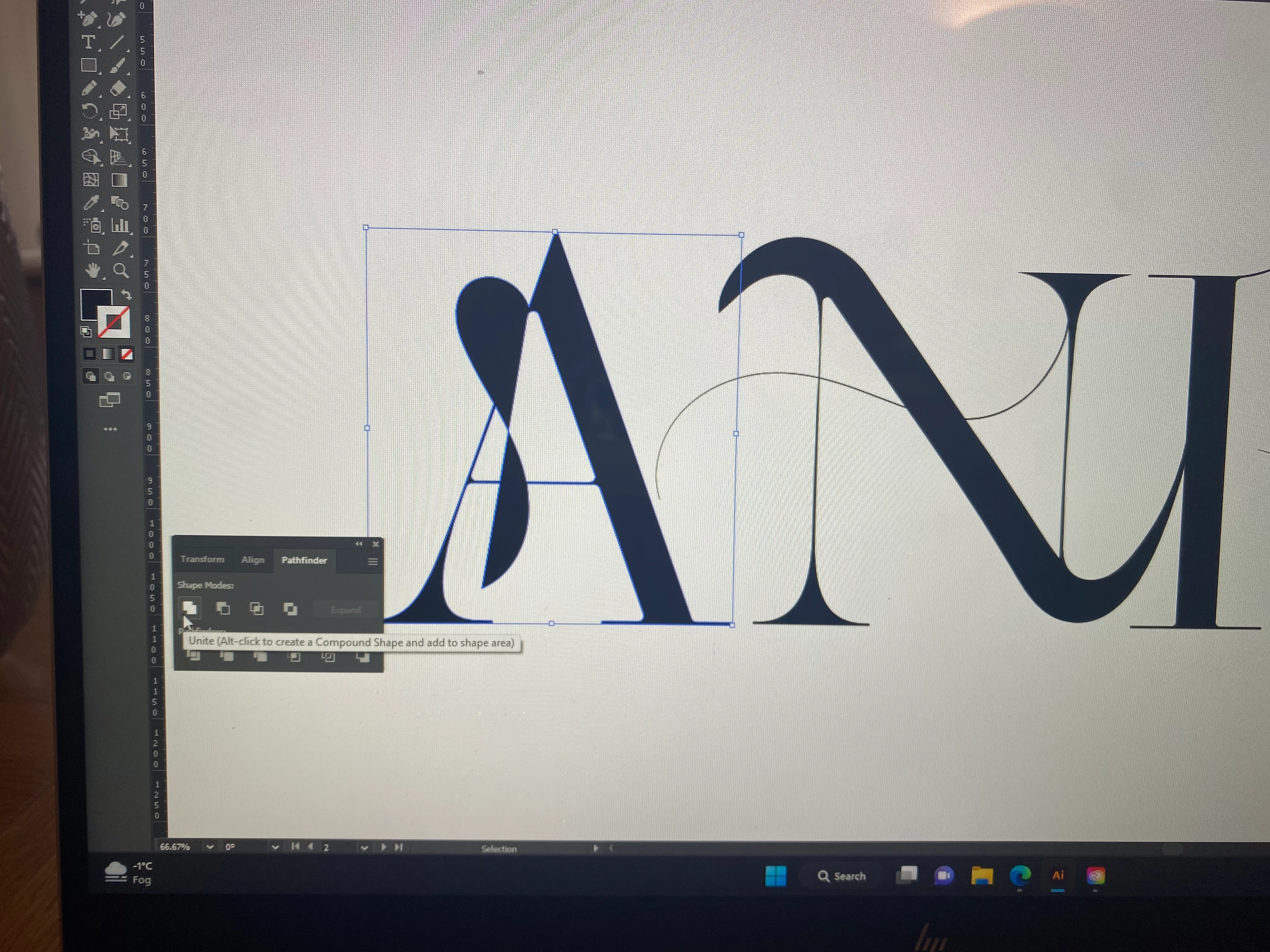
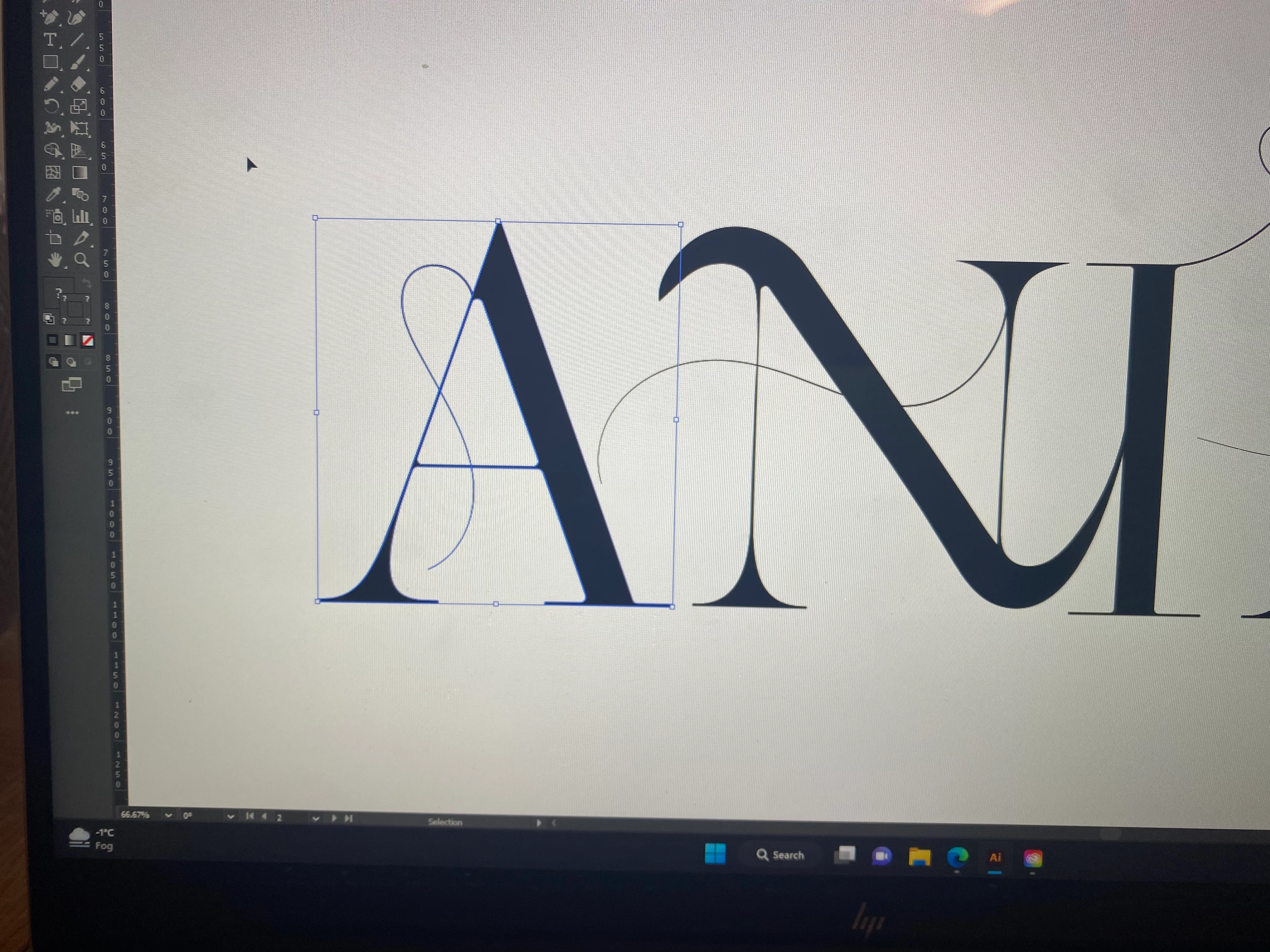
I'm manipulating font and I've added a few pencil lines coming off the letters. The stroke is black and the fill is off. When I go to unite the lines & letters to make one shape, the pencil lines fills themselves in & change the fill to black, when I need the letters to be filled but the pencil lines to stay stroke only


Even when I don't try to unite them and just try to change the colour, the pencil line's get filled in. I don't understand why this is happening and am unsure how to get it to stop, I want the lines to stay looking the same. Someone help!

This topic is closed to new replies. Start a new post to keep the conversation going.
Correct answer Monika Gause

If you want to unite the lines with the letter(s), you need to first expand the strokes: Object > Path > Outline stroke

8 replies

Monika Gause
Community Expert
Monika GauseCommunity ExpertCorrect answer
Community Expert
February 14, 2023

If you want to unite the lines with the letter(s), you need to first expand the strokes: Object > Path > Outline stroke

Participant
February 15, 2023

Thankyou so much this has worked now!

Ton Frederiks
Community Expert
Community Expert
February 14, 2023

Can you show the expanded layers panel with the line selected?

(and please use the screen capture of your system instead of taking a picture with your camera).

Participant
February 14, 2023


Like this?


I'm very new to illustator so still trying to get my head around everything

Ton Frederiks
Community Expert
Community Expert
February 14, 2023

Yes, thanks, that looks fine.

As you can see, the selected object does not show a fill. If you group it with the the A it should be fine.

I think the linesthat give you trouble are part of a compound path/group.

You can try to cut the lines, paste them back and group them with the letter.