
ciitsandinoflores
Participating Frequently
August 6, 2022
Answered

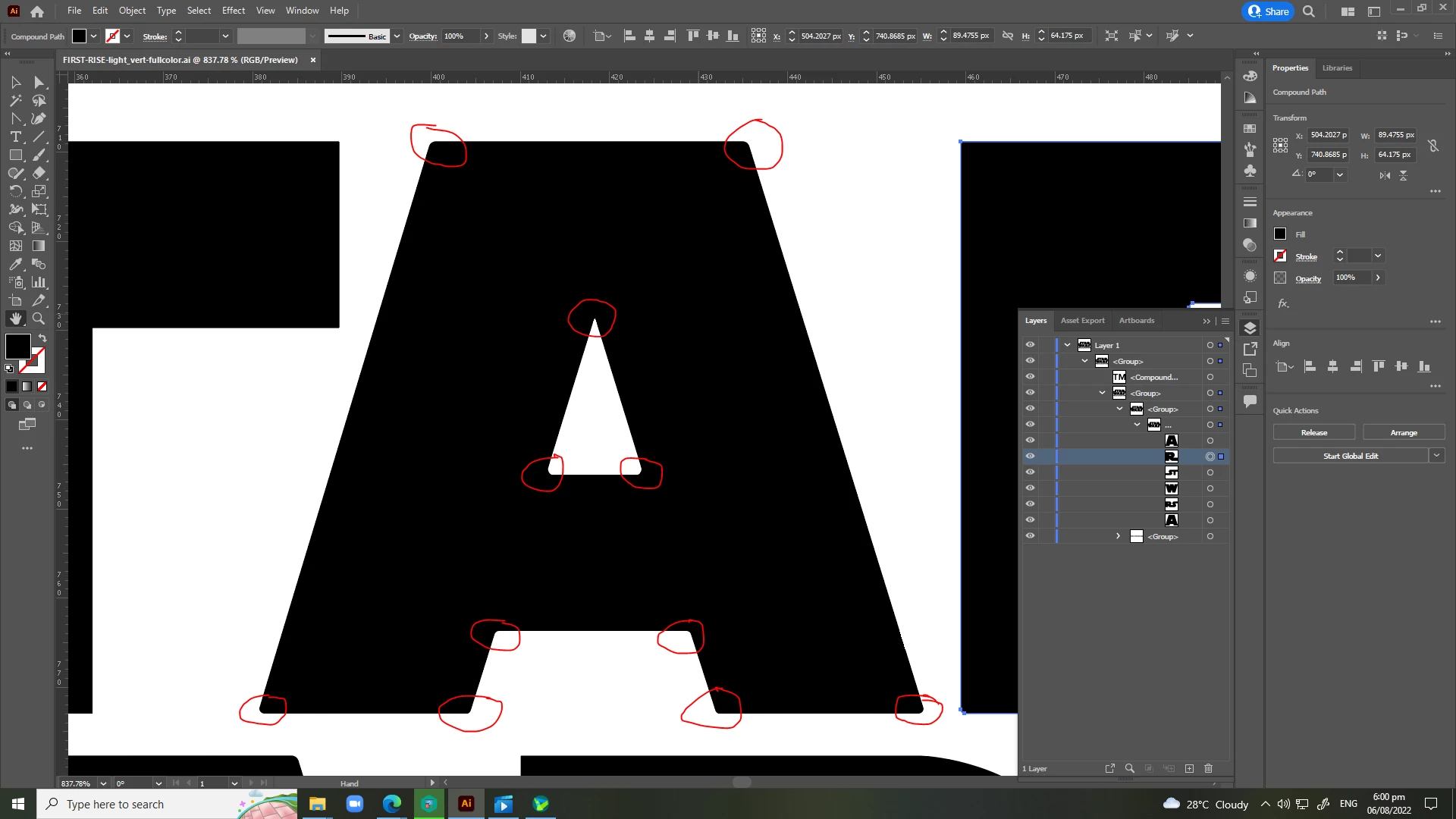
Why are my rounded corners not showing up using corner radius in adobe illustrator?
  • August 6, 2022
  • 3 replies
  • 3584 views

This topic has been closed for replies.
Correct answer Mohammad.Harb

Press Ctrl + Y to view the artwork in Outline mode

with the direct selection tool, select the line between the anchor points and delete it, then redraw the the line with the pen tool 

3 replies

Mohammad.Harb
Community Expert
Mohammad.HarbCommunity ExpertCorrect answer
Community Expert
August 6, 2022

Press Ctrl + Y to view the artwork in Outline mode

with the direct selection tool, select the line between the anchor points and delete it, then redraw the the line with the pen tool 

jane-e
Community Expert
Community Expert
August 6, 2022

@ciitsandinoflores 

You have the Hand tool selected. Use the Selection tool (black arrow) for all of the anchor points or the Direct Selection tool for selected anchor points.


The "A" is a compound path due to the Counter, so you may need to go into isolation mode first.


Jane


ciitsandinoflores
Participating Frequently
August 6, 2022

hello expert,

how to clean up and convert from rounded to sharp edge path using corner radius tool in adobe illustrator?

my problem is the corner radius path does not shown in adobe illustrator cc.


ex: i edited the star wars logo design.

Monika Gause
Community Expert
Community Expert
August 6, 2022

Please embed your images in your post.

ciitsandinoflores
Participating Frequently
August 6, 2022
