Inspiring
April 8, 2024
Question

why are width and length changed when I use offset path?

  • April 8, 2024
  • 2 replies
  • 789 views

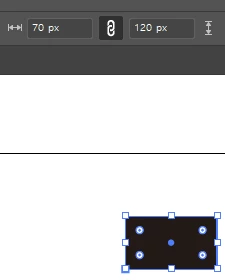
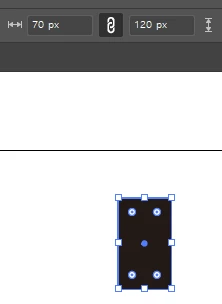
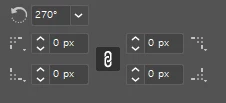
when I use offset path to square, width and length are changed each other and it is rotated 270 degrees.

but the ratio of square looks same.

it looks just bigger than before but when I check the size is changed.

why this problem happens?
 

as  you see the shape is different but it looks same size.

above square is applied with offset path


This topic has been closed for replies.

2 replies

Ares Hovhannesyan
Community Expert
Community Expert
April 8, 2024

You mean width and lenght or width and height?

Here what I get after offset +10pt

Monika Gause
Community Expert
Community Expert
April 8, 2024

It's weird.

Original :


Offset path (not the rotation)

Ares Hovhannesyan
Community Expert
Community Expert
April 8, 2024

I think this is a bug. But new dimension tool shows correct values.

Ton Frederiks
Community Expert
Community Expert
April 8, 2024

The dimension properties of the rectangle shape do not change when you rotate it.

See the expanded Transform panel.

Inspiring
April 8, 2024

I didn't rotate the rectangle.

When I used the offset path menu to the rectangle its shape became bigger but its width and length was changed and was automatically rotated 270 degrees.


Inspiring
April 8, 2024

if you wait for a while you can see the gif video