
Question
Why can't I Knockout after creating a clip mask
After asking my friend, I found that this problem seems to only exist on Mac systems.
① Establish a clipping mask group, ☑️ Knockout;
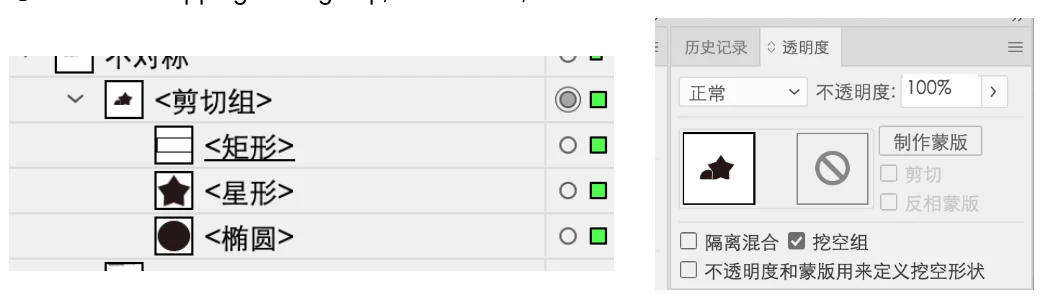
② Drawing shapes within the clipping mask group reduces transparency, but does not have knockout effect.
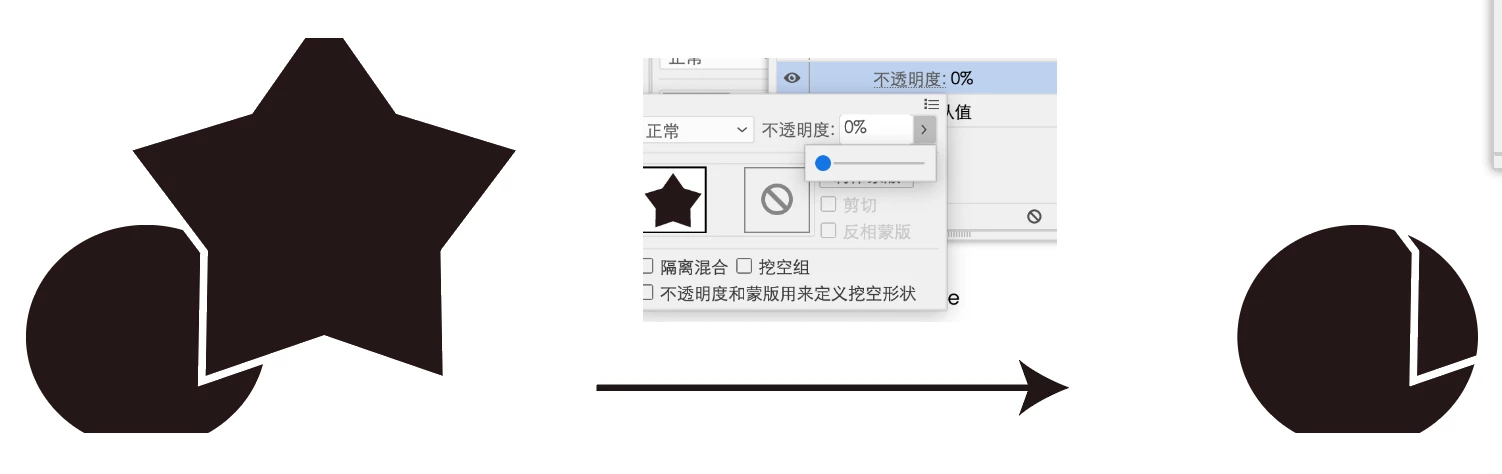
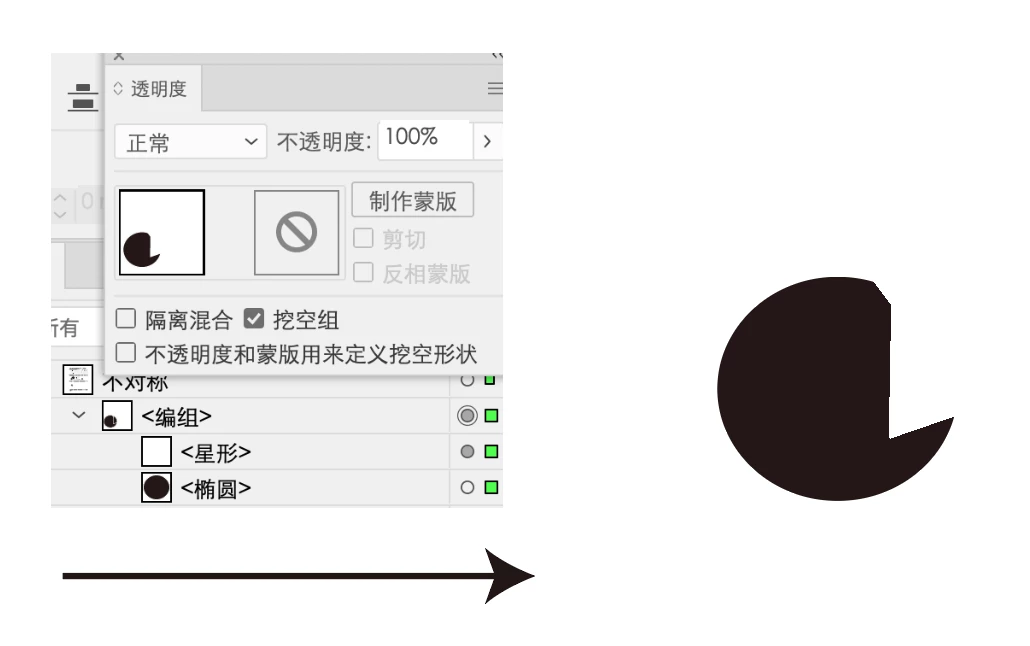
But if I remove the clipping group and change it to a regular group, I can achieve knockout effect.
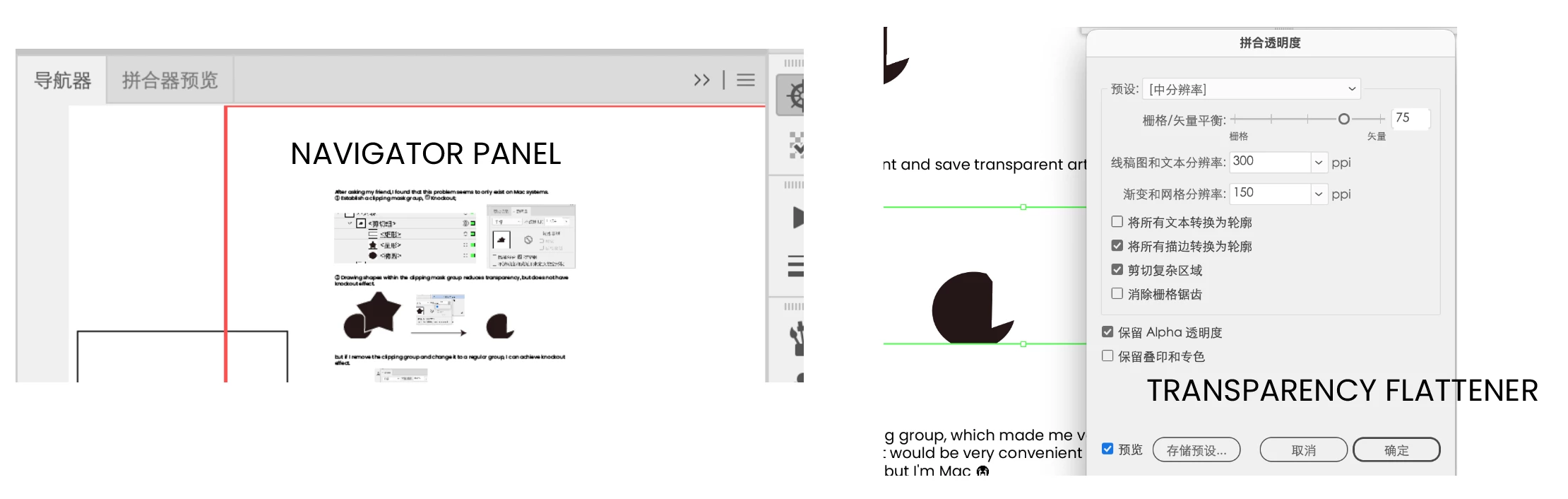
But previewing in the navigator panel is normal, and Transparency Flattener is also normal.
This is what I discovered while knockout in the combining group, which made me very distressed because if combining and knockout at the same time, it would be very convenient to achieve this kind of overlapping effect on a Windows computer, but I'm Mac😭
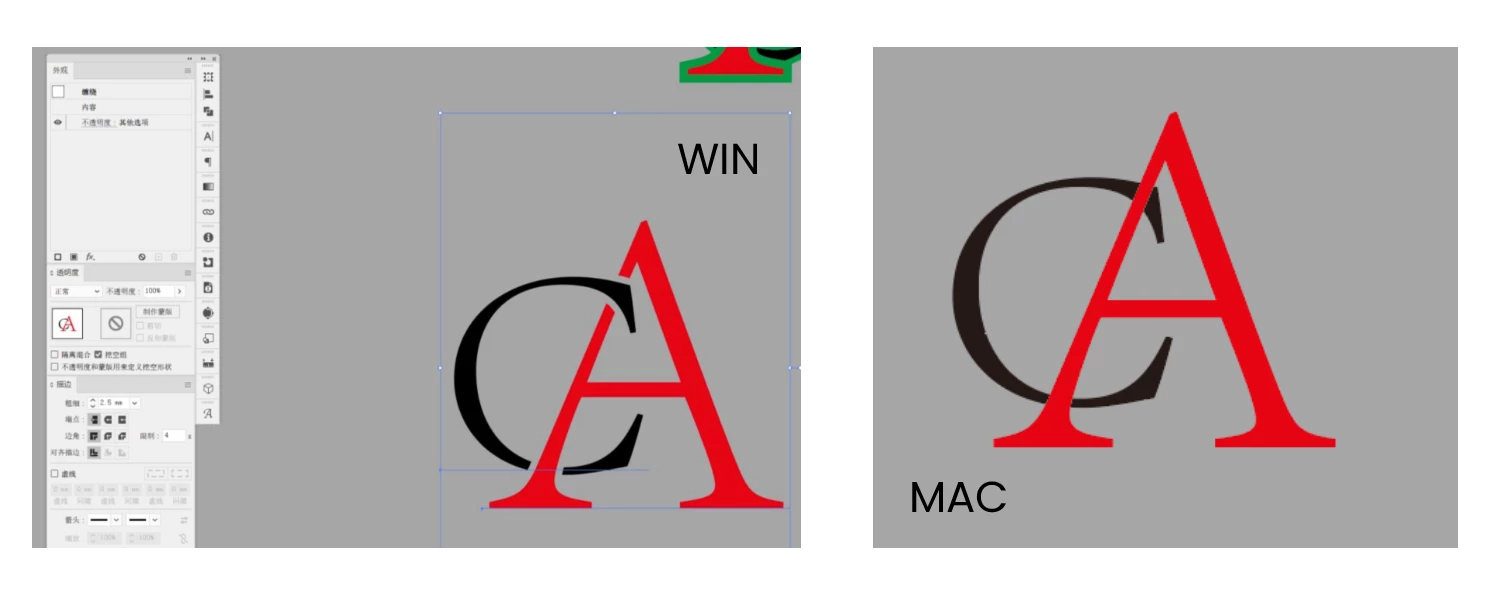
Can this problem be solved by modifying the settings?


 AdChoices