
andreaf23600721
Inspiring
September 26, 2020
Question

Why can't I see my fill color?

  • September 26, 2020
  • 3 replies
  • 3106 views

Hello everyone, I am making a color chart and I am changing the saturation on the colors and I dont know what happened but my fill isn't coming up. The color isn't coming up even though the fill is filled with the color. Could anyone let me know what I am doing wrong. Thank you.
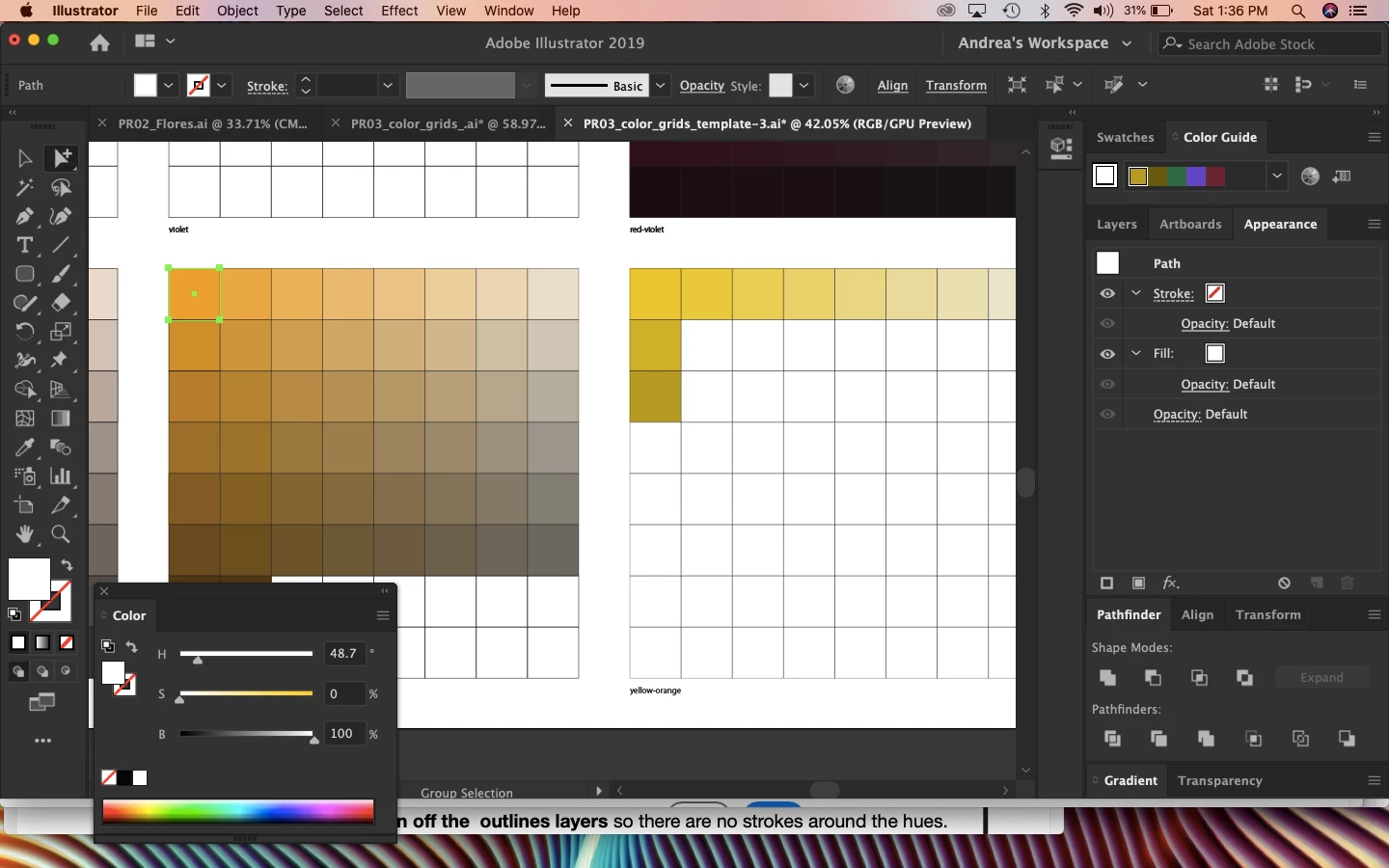
Here is a screen shot 

This topic has been closed for replies.

3 replies

barbara_a7746676
Community Expert
Community Expert
September 27, 2020

If the computer reboot that Monika suggested doesn't fix the problem, you could reset preferences (Preferences > General, and click the Reset Preferences button).

If that doesn't work you may need to uninstall / reinstall using the Adobe CC Cleaner tool. https://helpx.adobe.com/creative-cloud/kb/cc-cleaner-tool-installation-problems.html


ceyhun_akgun
Legend
September 26, 2020

Can there be a preliminary value in the Apperance panel?
Reset the Apperance panel, try the color fill again.

Graphic Designer Educator / PrePress Consultant
Monika Gause
Community Expert
Community Expert
September 26, 2020

So you are referring to the appearance panel?

Can you check the layers panel if there are 2 paths stacked on top?

If not: can you try a computer reboot?