

danielb94023111
Known Participant
July 30, 2024
Question

Why cant illustrate export the right size?

  • July 30, 2024
  • 2 replies
  • 1073 views

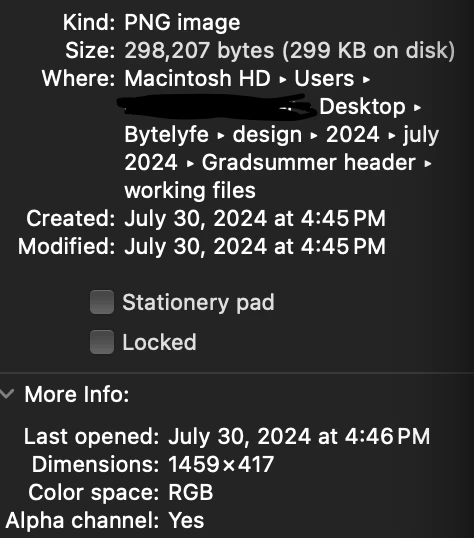
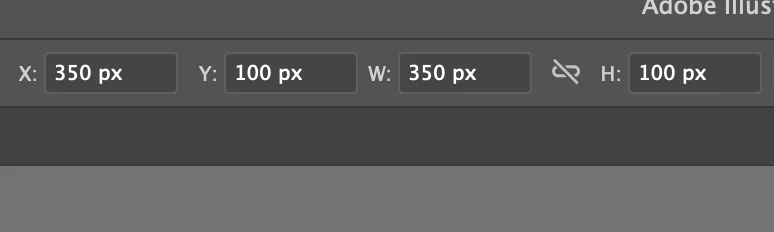
its set to 350 X 100 but it exsports at 145x 417
2 replies

Ton Frederiks
Community Expert
Community Expert
August 1, 2024

If you have a 350 X 100 pt or px size artboard in Illustrator and you export it at 72 ppi, you will get a 350 X 100 px image as result.

If you set the resolution higher, like your 300 ppi, you will generate more pixels, in your example 1458 X 417 pixels. It will print at the same size or if the resolution is interpreted correctly by the app that displays it, it will show at the correct size when cm, mm or inches are used.


danielb94023111
Known Participant
April 9, 2025

OK, but what if I wanted it at a higher resolution and 72?

Ton Frederiks
Community Expert
Community Expert
April 9, 2025

If you want to keep the same amount of pixels and have a higher resolution, the easiest way is to change it in Photoshop (Preview on Mac can change that as well), change the resolution without resampling. It is just additional information (how many of the current pixels should be squeezed into an inch), metadata, it does not change the image pixels. But it would be a good feature request.

Monika Gause
Community Expert
Community Expert
July 30, 2024

Please show your export settings.

danielb94023111
Known Participant
July 30, 2024


Monika Gause
Community Expert
Community Expert
July 30, 2024

Export at 72 ppi.

Then you get the same pixel dimensions
