tegano13625323
Participant
December 19, 2018
Question

Why do my colour values keep automatically changing in illustrator?

  • December 19, 2018
  • 2 replies
  • 769 views

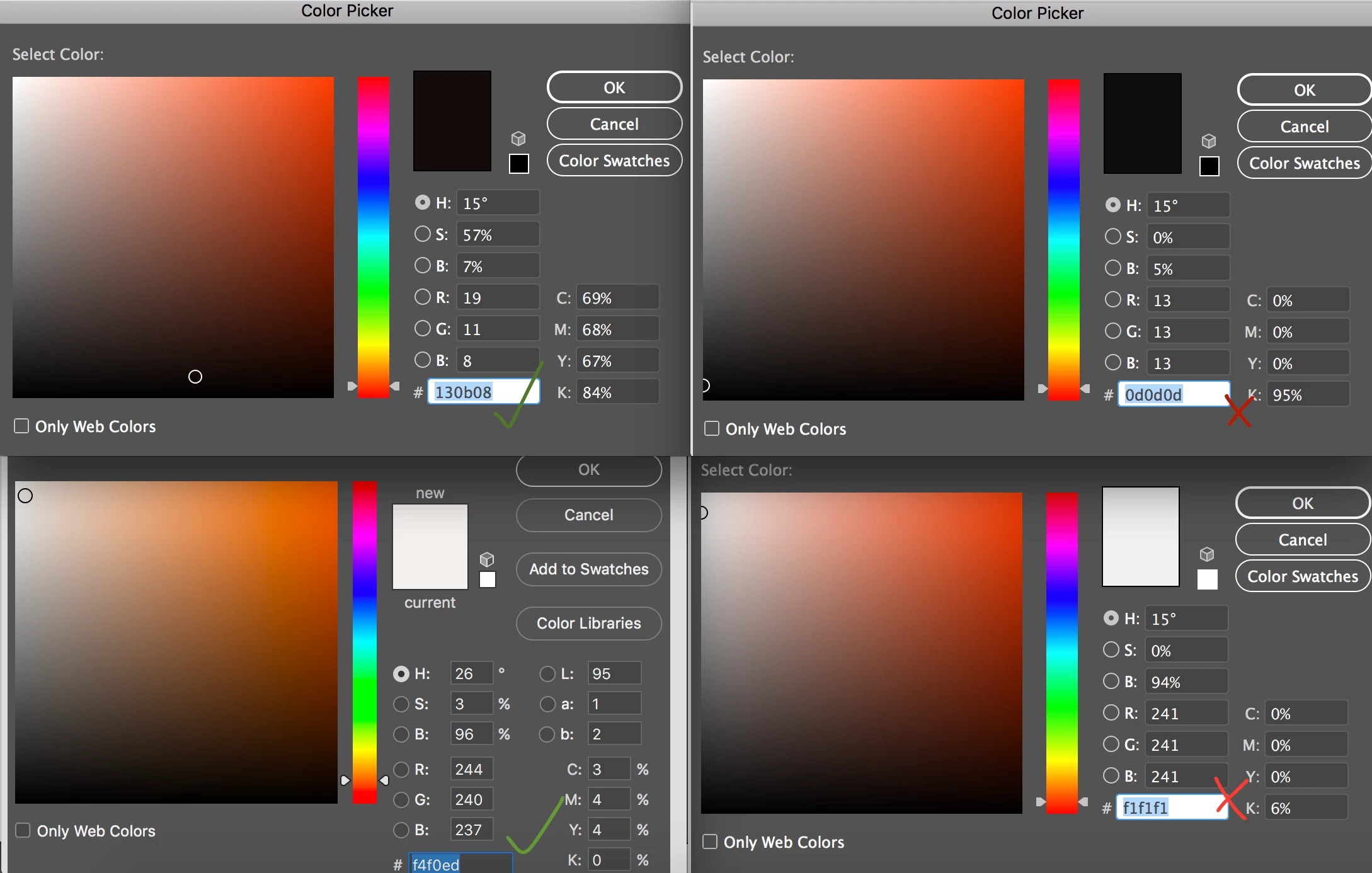
I have created vector files and would like them saved in a specific colour. However they keep reverting to a different colour value. The illustrator file colour mode is RGB. I have attached a screenshot of the two colours that I am having issues with, one 'white' & one 'black' - you can see on the left hand side is the value I am trying to use, with the right hand side the values that it keeps changing to.

I use Illustrator CC

Thank you
This topic has been closed for replies.

2 replies

Doug A Roberts
Community Expert
Community Expert
December 19, 2018

What are you doing step by step for this to happen?

Also, your bottom-left colour picker is from Photoshop. Where does that come in to this process?

tegano13625323
Participant
December 19, 2018

I was testing in both AI & PS - however the error remains the same. There is unfortunately no exact time it is occurring. I have a file that I have saved out as AI, EPS, SVG & PNG (Branding logo), in both the Black and white colours. The Black one errors out in the AI file, where as the White one errors out in the EPS file. Even though I physically change it and save again. Ill then re-open and it is back to reverting to the random colour.

Monika Gause
Community Expert
Community Expert
December 19, 2018

With which options exactly do you save those logos?

December 19, 2018

Moving to Illustrator