Answered
Why do my colours look erased?
I opened a file earlier and all the colors in it looked like they had an eraser taken to them. There was random colored backfill on all the text too. I created a new file but I am still getting the odd eraser effect. The markings arent static, as I click on the screen they change. Its happening on fill/stroke and text. Its super annoying because sometimes when i click on a path or anchor it disappears completely
Im a total newb to illustrator
Thanks in advance 
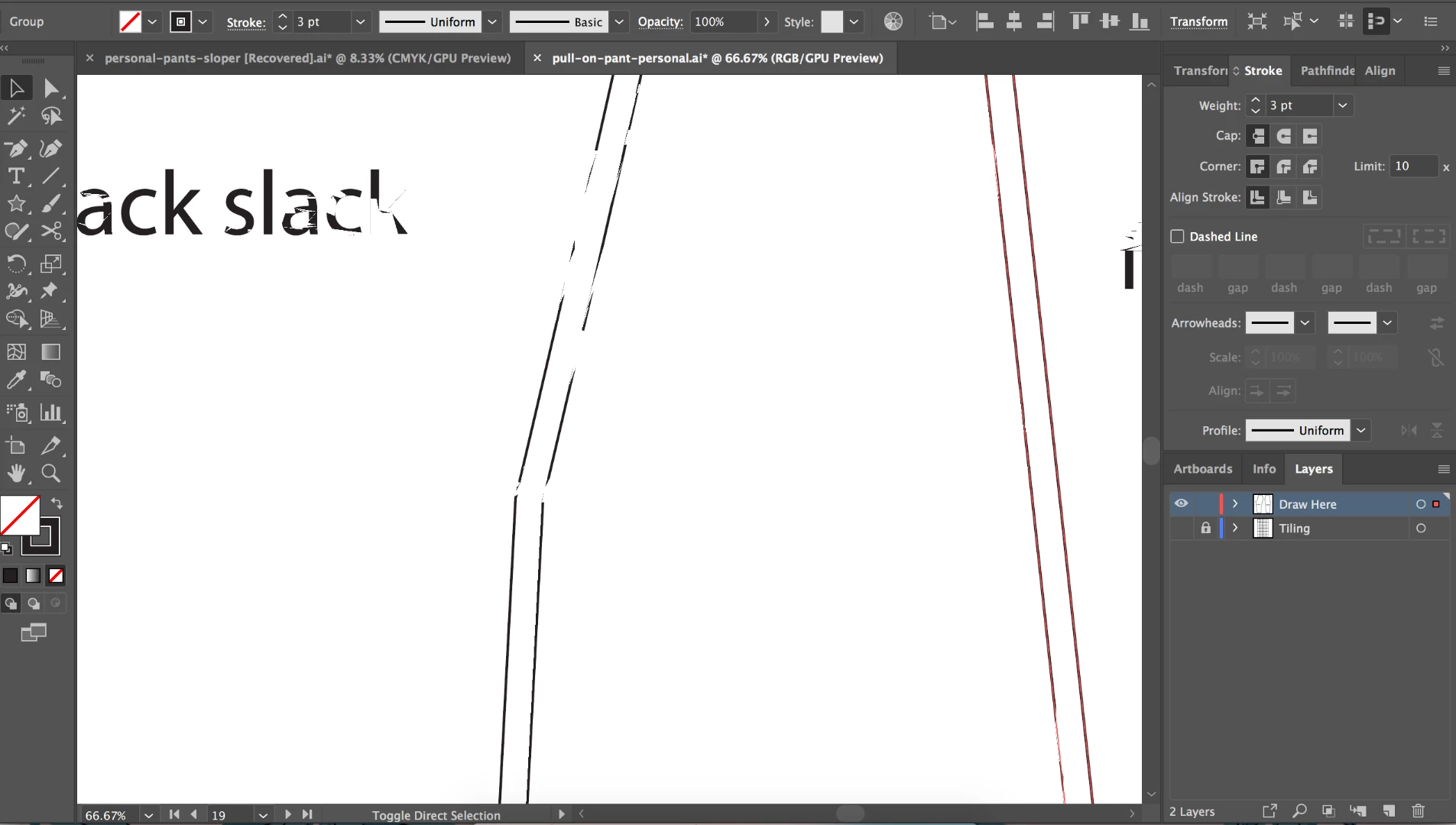 .
.
[Here is the list of all Adobe forums... https://forums.adobe.com/welcome]
[Moved from generic Cloud/Setup forum to the specific Program forum... Mod]
 AdChoices