
Participant
January 4, 2025
Question

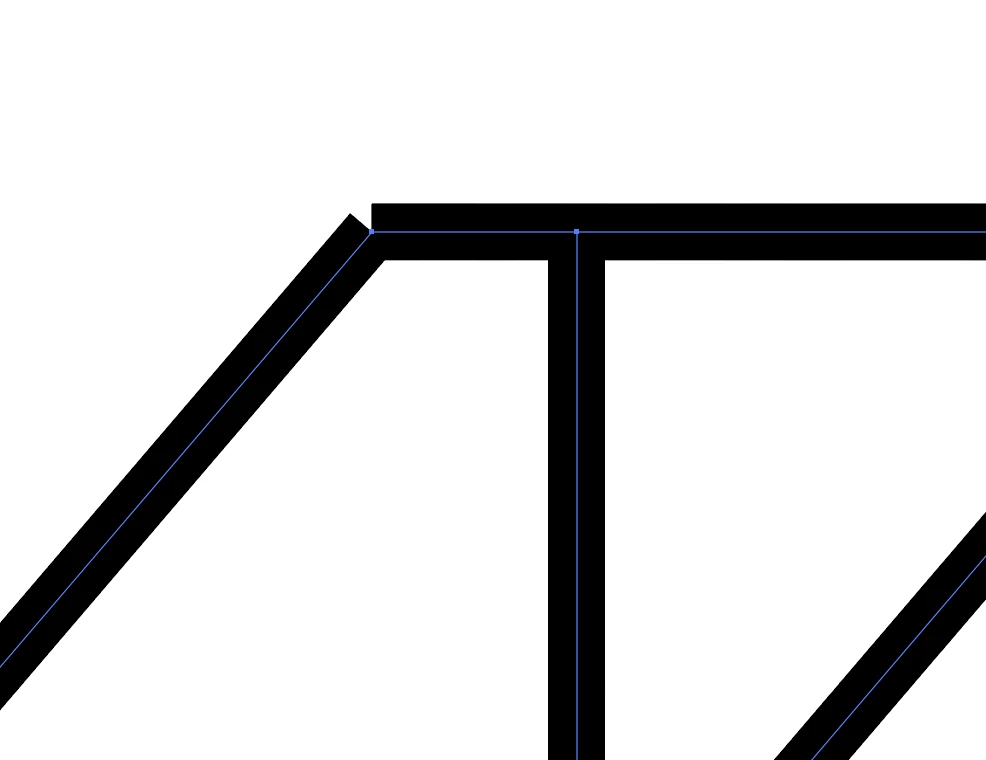
Why do my lines look like this after using the shape tool?

  • January 4, 2025
  • 5 replies
  • 1651 views

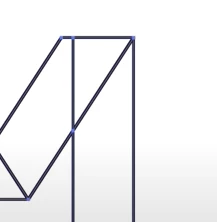
So I'm currently watching and following along with the Envato Tuts+ Adobe Illustrator for Beginners Course and I'm stuck on the custom logo section. I am following the video EXACTLY and get to the point where I select the shape builder tool to delete unnecessary lines, however when I do that the lines don't join up properly. I've started from the beginning multiple times but the lines always look the same and I don't understand what I am doing wrong. I have made sure that the paths intersect at the correct points and experimented with different capping options to no avail. The first screenshot is how it looks on my computer and the second is the tutorial. I would be very grateful if anyone had any suggestions as to why mine doesn't look right. Thanks.
5 replies

Participant
January 5, 2025

Hi sopie

so if you put your mouse inicator in the line you want to connect it to you see al little blue line with little point at each side so you have to connect the end of the left line with the little point on the beginning op th eother line.

i hope this helped you out because i dont know how to hwlpl oyu with a different anwser 

and btw im just 13

barbara_a7746676
Community Expert
Community Expert
January 5, 2025

With the Direct Selection tool, select only the 2 points that you want to join.

Then choose Object > Path > Average. That will ensure that both anchor points are directly on top of each other.

With the 2 anchor points still selected, choose Object > Path > Join.

pixxxelschubser
Community Expert
Community Expert
January 4, 2025

Another option:
Select and use the Join tool.


Monika Gause
Community Expert
Community Expert
January 4, 2025

Better not use the Join tool with straight lines.

They might not be straight anymore afterwards.

pixxxelschubser
Community Expert
Community Expert
January 4, 2025

Interesting, Monika.
I have never had such problems. Do you have an example, please?

Ton Frederiks
Community Expert
Community Expert
January 4, 2025

If they look like that they are not connected. Try Object > Path >Join

Monika Gause
Community Expert
Community Expert
January 4, 2025

When you double click the shapebuilder tool: is the gap detection turned on?

Participant
January 5, 2025

Hi, yes, gap detection is on.