

Chris  P.  Bacon
Inspiring
November 24, 2022
Question

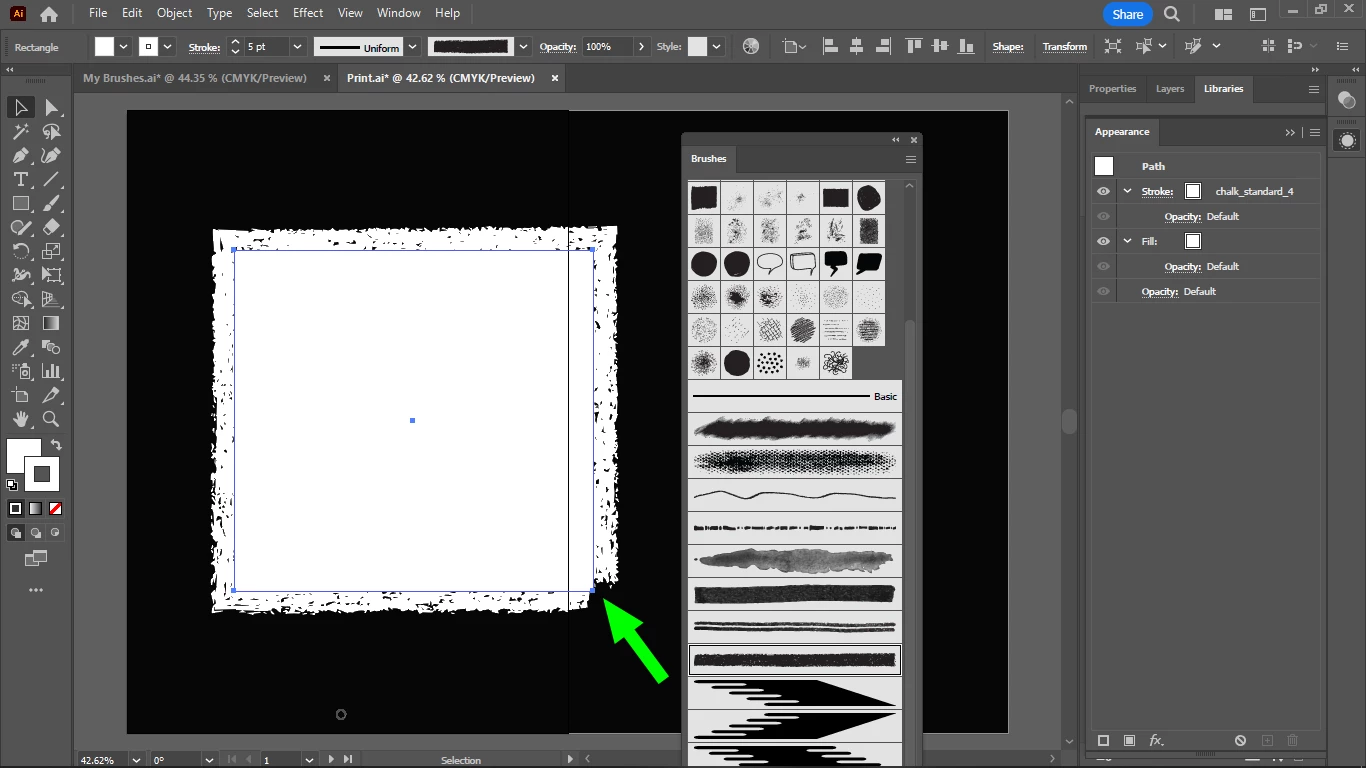
Why do the start and end section of some strokes are missing or thinning out?
  • November 24, 2022
  • 2 replies
  • 661 views

I couldn't find any stroke settings to set the full stroke lenght to uniform width, indifferently of stroke pressure (obviously, I don't use a digitizer and pen, only a touchpad / mouse), or stroke speed.

It seems that some strokes simulate stroke pressure, or are they only affected by stroke speed?

I want strokes of uniform width, only, for the full lenght of strokes.

Can this be set universally for all strokes in Illustrator?

This topic has been closed for replies.

2 replies

Doug A Roberts
Community Expert
Community Expert
November 24, 2022

As that's an art brush, created from a finite object, it has a start and an end which must appear on the path somewhere.

Chris  P.  Bacon
Inspiring
November 24, 2022

But the brush stroke starts and ends after the corner, that's the issue. They should start at the 0 coordinate point, exactly at the corner, and they should overlap in a seamless way.

Chris  P.  Bacon
Inspiring
November 24, 2022

On the  screenshot that is a frame actually, but the same is true for hand drawn strokes.