dublove
Legend
June 15, 2026
Answered

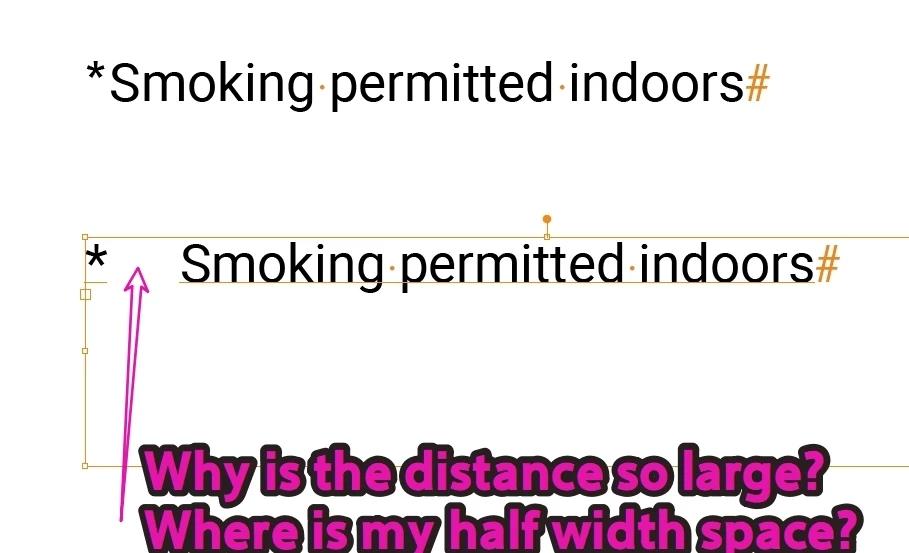
Why does the half-width space after the * disappear, and why is the spacing so wide?

I typed a space after the *, but the spacing became really wide and hard to control.
The space also disappeared.
I copied a half-width space and pasted it after the *, and now it looks normal.

 

Doug A Roberts
Doug A RobertsCorrect answer
Community Expert
June 15, 2026

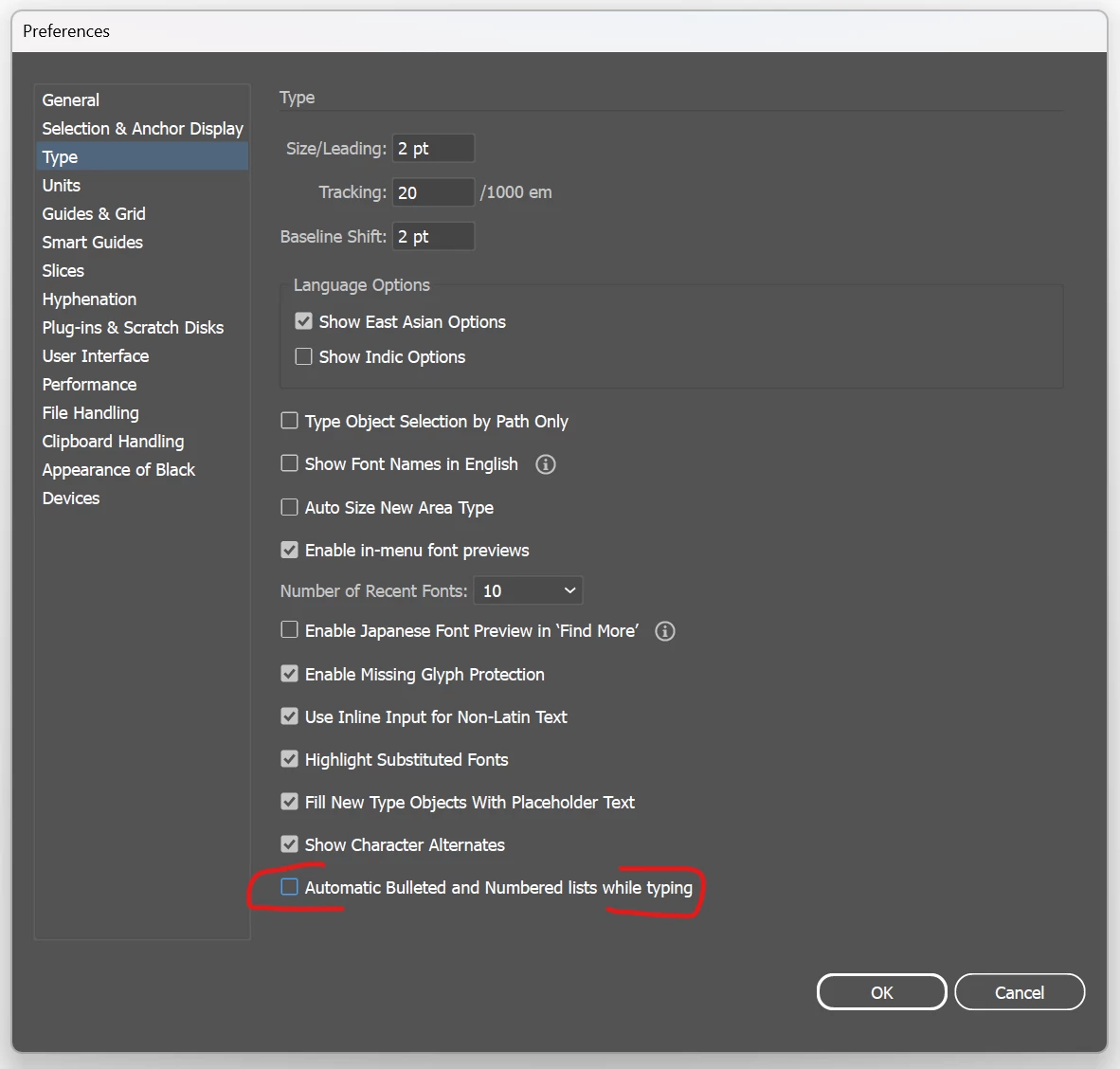
I am not sure why asterisks trigger automatic bullets, but you can turn them off in preferences > type:


3 replies

justlearnskills
Community Expert
Community Expert
June 15, 2026

​@dublove that’s Illustrator’s automatic bulleted list indentation at work. Open the Paragraph Panel, Command Option T (Mac) or Control Alt T (PC). Click on the bullet options and the three dots…


Click on the first line indent, click up to lower the indentation. Click OK when you think you have enough spacing between the bullet and bullet point


Translate
m
dublove
dubloveAuthor
Legend
June 15, 2026

So if I put an asterisk at the beginning of a line, it automatically turns into a bullet point?
That doesn't make sense...

Translate
Doug A Roberts
Community Expert
Doug A RobertsCommunity ExpertCorrect answer
Community Expert
June 15, 2026

I am not sure why asterisks trigger automatic bullets, but you can turn them off in preferences > type:


Translate