
Participant
November 28, 2024
Question

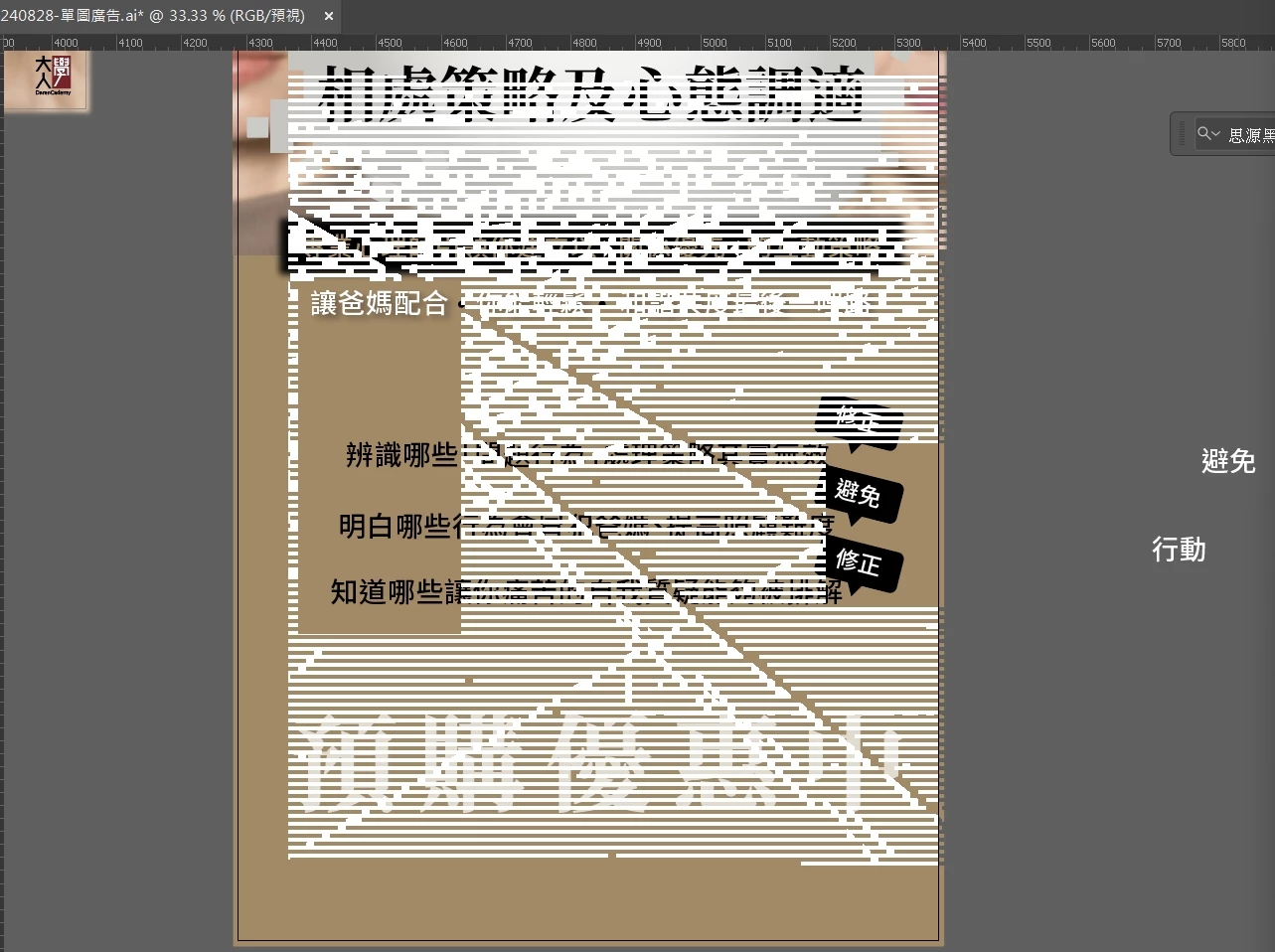
Why does the Illustrator perform worse after the laptop upgrade?

  • November 28, 2024
  • 3 replies
  • 999 views

I upgraded to a higher-end laptop, but the following screen appears during use, and the software won’t run. I’ve already had an engineer check it, and they confirmed that the motherboard, memory, and graphics card are all fine. What else could be causing this?
Laptop: ThinkPad / AMD PRO7
 

This topic has been closed for replies.

3 replies

Mike_Gondek10189183
Community Expert
Community Expert
November 28, 2024

What version OS & Illustrator are you combing?

https://helpx.adobe.com/illustrator/system-requirements.html#ai-on-the-desktop


Updrade your video card driver if needed.

_scott__
Legend
November 28, 2024

I'm no engineer, but it looks like bad RAM to me... GPU/CPU preview would show you which.

Anubhav M
Community Manager
Community Manager
November 28, 2024

Hello @Incredible_friends5F87,

I'm sorry to hear about the trouble you're having with Illustrator. Would you mind confirming the exact version of the OS/Illustrator installed and if Illustrator behaves this way with a particular file or with a specific workflow?

Also, try performing a clean reinstallation of the GPU drivers (Intel / NVIDIA / AMD) and setting the Graphics Preference to High-Performance for Illustrator (https://adobe.ly/3Zp92vt) and share your observations.


Looking forward to hearing from you.


Anubhav

Participant
November 29, 2024

Hi, Anubhav

Thank you for your response.

Here are the details of the system and Illustrator version:
OS:Win 11 home 23H2
CPU:AMD Ryzen 7 PRO 7840U w/ Radeon 780M Graphics 3.30 GHz
RAM:32G on board
GPU driver: 31.0.22048.10001
illustrator:29.1

The issue is not specific to any particular file. It typically occurs when I’m moving objects or typing in Illustrator. Even after the motherboard was replaced by the engineer, the problem still persists......


Community Expert
November 28, 2024

What are the full hardware specs on the notebook computer? I assume it has an AMD Ryzen CPU. But what kind of GPU does the computer have? How much RAM is installed? Also, what kind of computer were you upgrading from?

Participant
November 29, 2024

Thank you for your response.

Here are the details of the system and Illustrator version:
OS:Win 11 home 23H2
CPU:AMD Ryzen 7 PRO 7840U w/ Radeon 780M Graphics 3.30 GHz
RAM:32G on board
GPU driver: 31.0.22048.10001
illustrator:29.1

The issue is not specific to any particular file. It typically occurs when I’m moving objects or typing in Illustrator. Even after the motherboard was replaced by the engineer, the problem still persists......

Anubhav M
Community Manager
Community Manager
November 29, 2024

Hello @Incredible_friends5F87,

Thanks for sharing the details. Would you mind sharing a screen recording of your exact workflow and the problem so I can try and replicate this on my end?

Also, try the suggestions shared in this help article (https://adobe.ly/3AUhUQp) and share your observations.

Looking forward to hearing from you.


Anubhav