

Why does the selection path come out crooked when sheared ellipse is duplicated? Illustrator 2019
I am trying to create an slanted custom "o" for a company logo. I've sheared the first ellipse to the perfect slant, and next I am trying to duplicate the ellipse, scale down, and manually adjust the points for "minus front" to cut out the negative space inner "o".
I've attached screenshot below.
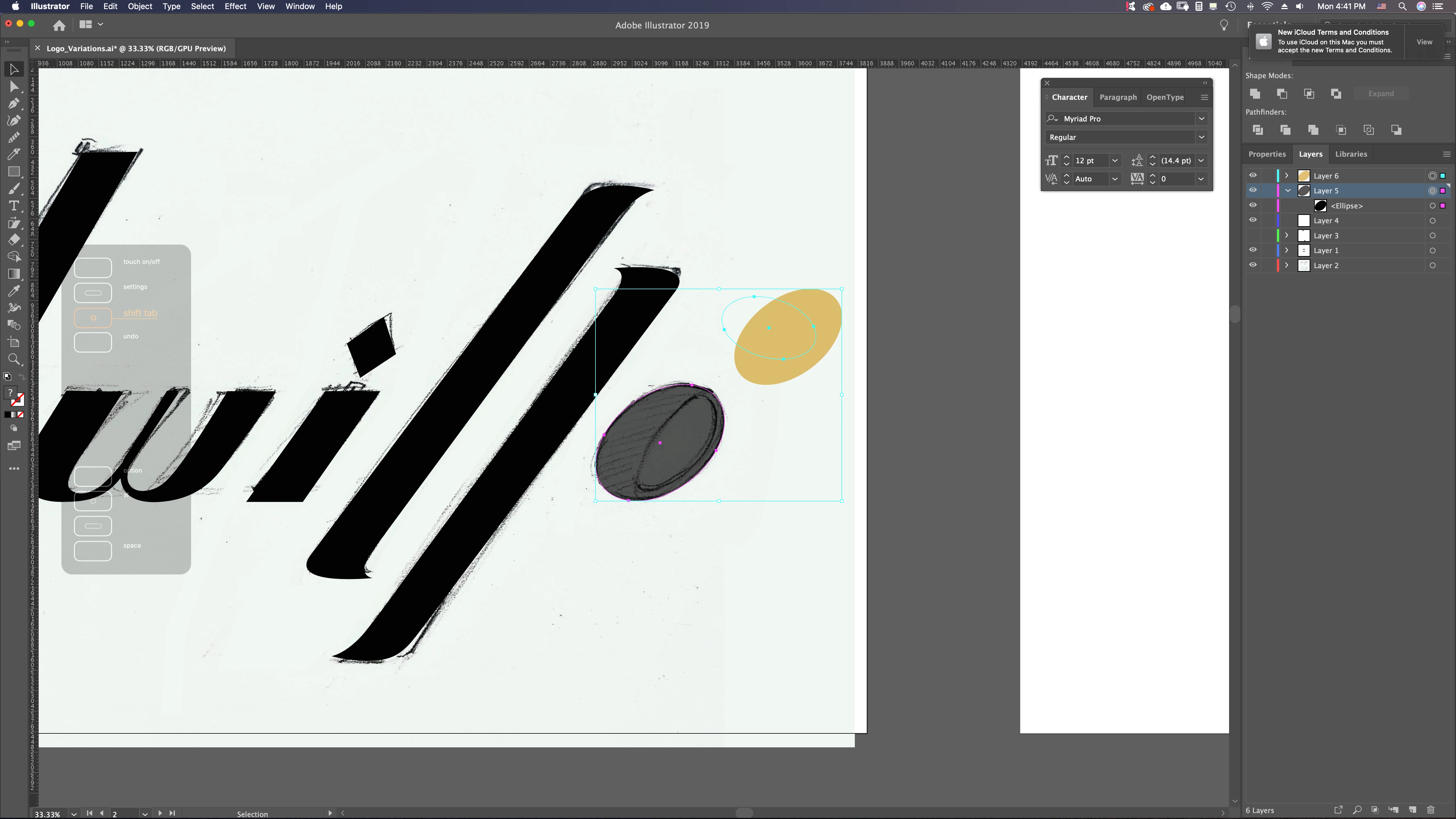
However, as you can see, the selection path for the orange inner "o" came out offset when I (copy + paste duplicated cmd C/V), and so when I am to move the individual points using selection tool (A), I'm stuck because the path is not aligned with the shape (would be really inefficient to manipulate like this). How do I align the selection path to the shape again, or am I to use a different duplicating method?
Note: I am used to using Photoshop, coming from a concept designer background.
Answers would really help, thanks so much.
 AdChoices