
Inspiring
February 9, 2024
Answered

Why doesn't the pathfinder add separate shapes together as one shape?

  • February 9, 2024
  • 2 replies
  • 1097 views

Hello everyone,


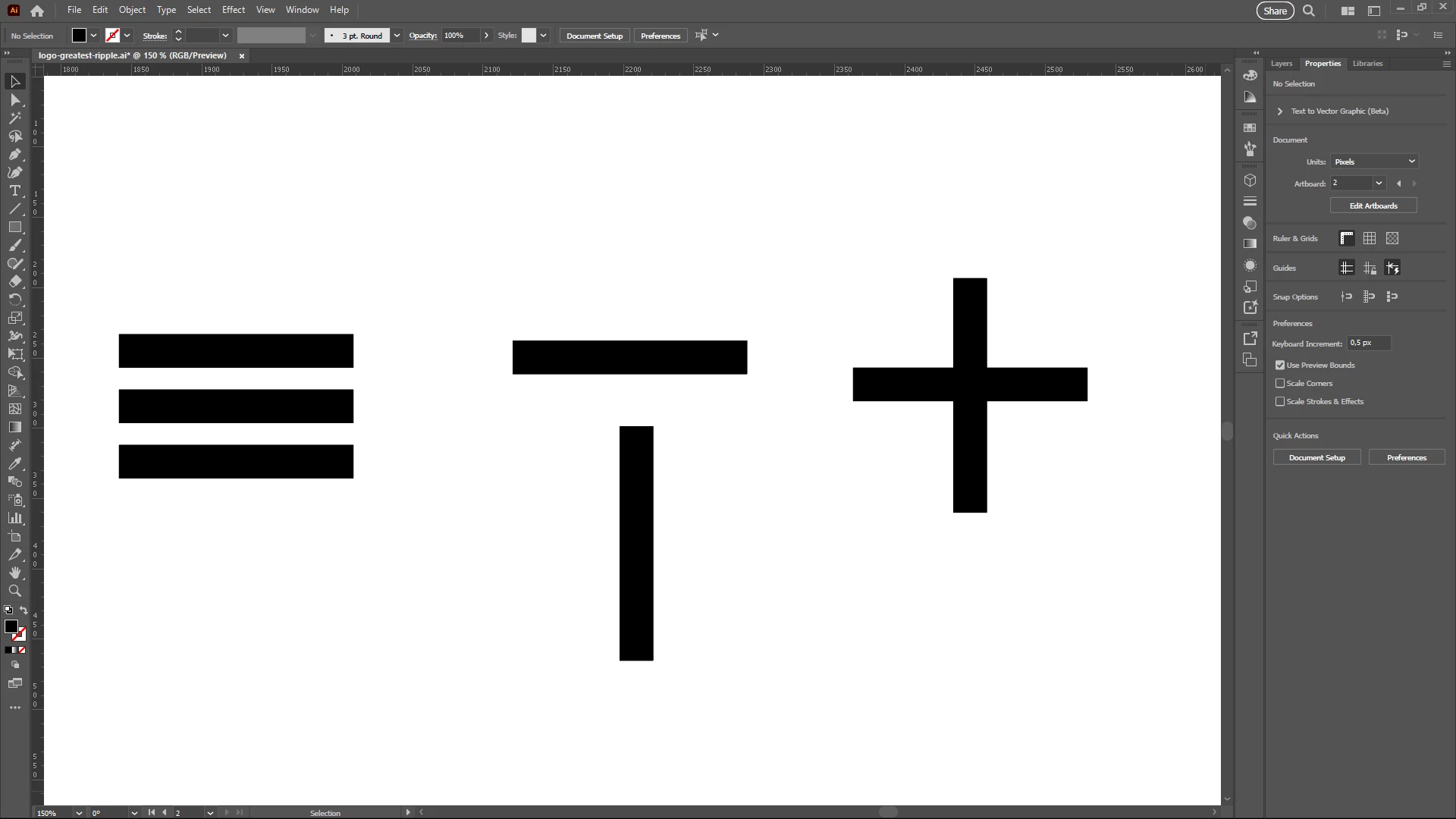
Why doesn't the pahtfinder make one shape out of separate shapes? If I try to make one shape out of the three separate lines in the example beneath, then it automatically groupes them together, like a compound path. But I don't want them to be a group, I want them to be one shape. When the shapes overlap, it does merge them together, so the pathfinder is working. 


Is there another way to make one shape out of separate shapes? Or is there some kind of setting I have to change? Would love to hear about it. In other design software I use, this is no issue. 
 

This topic has been closed for replies.
Correct answer marlies_tulp

Thank you for responding so quickly. Too bad it's not possible.

2 replies

Jacob Bugge
Community Expert
Community Expert
February 9, 2024

tulp graphics,


I believe that other software turns the paths into the equivalent of the Compound Path that Monika mentions, maybe even by doing something that correponds to Ctrl/Cmd+8 (hold Ctrl or Cmd and press 8).


Inspiring
February 9, 2024

Hi Jacob, 


Thanks for your comment. I don't know which software you are referring to, but in Affinity Designer it is possible to make one actual shape out of separate shapes. You also have the option to make a compound path. Before using Illustrator, I started out with Affinity, so I guess I was automatically expecting that it would work the same way. 

Monika Gause
Community Expert
Community Expert
February 9, 2024

If the shapes do not cros, then either a group or a compound path are your only options.

marlies_tulpAuthorCorrect answer
Inspiring
February 9, 2024

Thank you for responding so quickly. Too bad it's not possible.

Monika Gause
Community Expert
Community Expert
February 9, 2024

It's generally not possible to make one shape out of multiple unconnected paths. Wenn you do that in Affinity Designer the object is shown in the Layers panel as  "Curves", but actually it is a compound path. You can see that when opening the menu (see that "Separate Curves" menu item?)


The exact same happens in Illustrator. Just select them and Object > Compound path > Make.