Participant
October 17, 2017
Answered

Why Gradient tool creates Lines instead of Smooth Transition?

  • October 17, 2017
  • 2 replies
  • 12606 views

Hi!
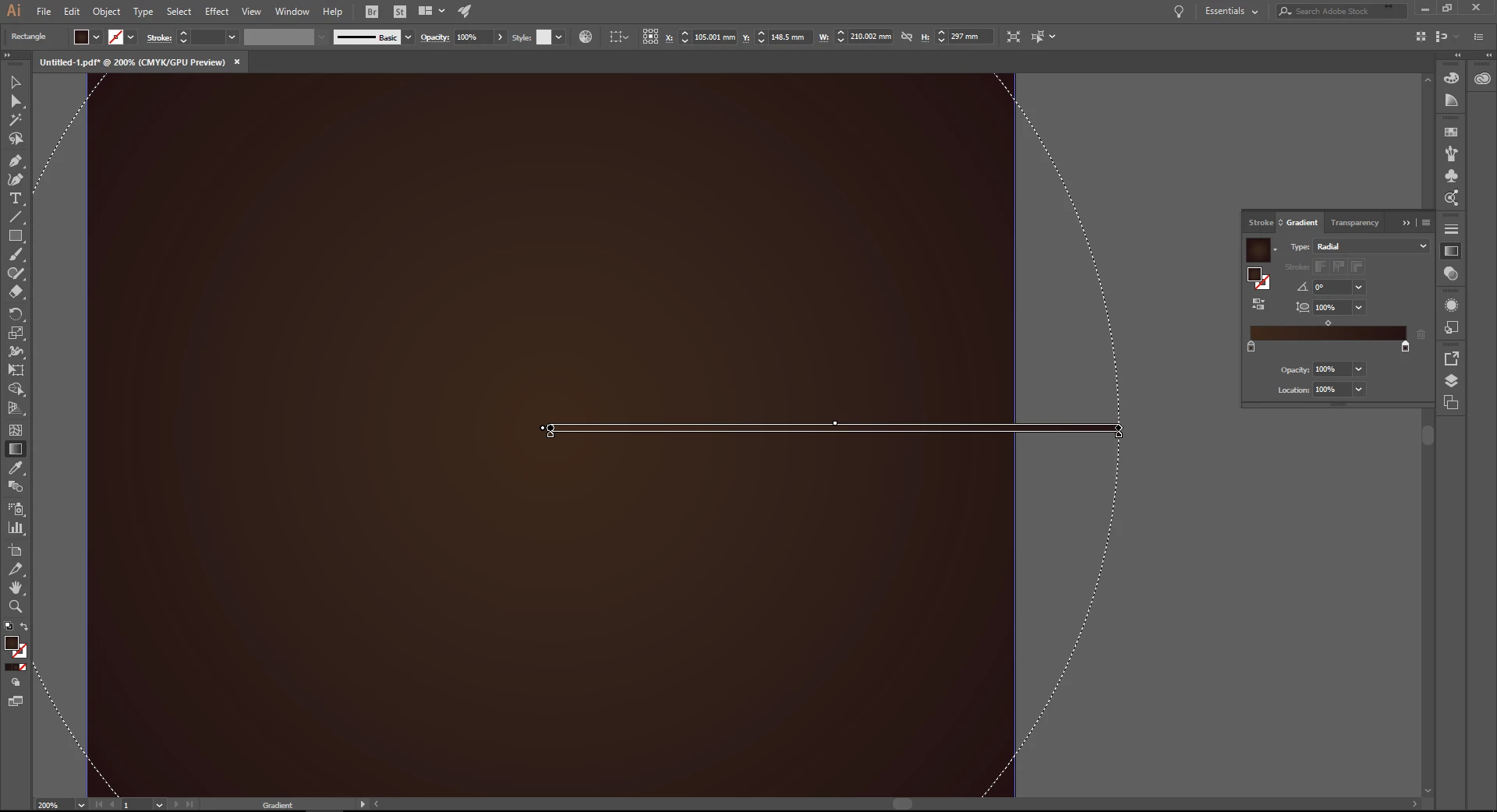
got a problem – today I have noticed that Gradient tool creates lines as on screenshot instead of Smooth Transition. Does anyone know why it’s happening?

Correct answer Mike_Gondek10189183

That happens over a long distance with a small  change in color. Is this project for print or digital image?

You would have to make the gradient in Photoshop and add some spatter for variability to hide the optical jump, so the eye is not drawn to symmetrical lines.

2 replies

Participating Frequently
March 15, 2024

Hi all is there a fix for this, within illustrator?

Monika Gause
Community Expert
Community Expert
March 15, 2024

Please post a screenshot of the issue.

Maybe View > Preview on CPU can help.

Participating Frequently
March 15, 2024

Hi thanks for the swift response, i can see something is moving but its the same when exporting, i ll share the Screenshot, this is when exported you see the background, thats the problem, can you tell me a fix for this, thanks


Mike_Gondek10189183
Community Expert
Mike_Gondek10189183Community ExpertCorrect answer
Community Expert
October 17, 2017

That happens over a long distance with a small  change in color. Is this project for print or digital image?

You would have to make the gradient in Photoshop and add some spatter for variability to hide the optical jump, so the eye is not drawn to symmetrical lines.

Le oNAuthor
Participant
October 18, 2017
  1. Thanks for such a fast reply and solution !


Yes that project is for print.

So as I understood there’s nothing that I have incidentally pressed to make it create lines and it is a normal behavior of Gradient tool and I can’t do anything about it in AI if I need specifically those colors for the gradient and minimalist design?

Doug A Roberts
Community Expert
Community Expert
October 18, 2017

if this is for print, the banding you see on screen won't necessarily reflect what you get (although there may be banding, depending on the colours involved).