
Known Participant
January 16, 2019
Answered

Why is my exported JPG in CMYK have color shift/change?

  • January 16, 2019
  • 6 replies
  • 4935 views

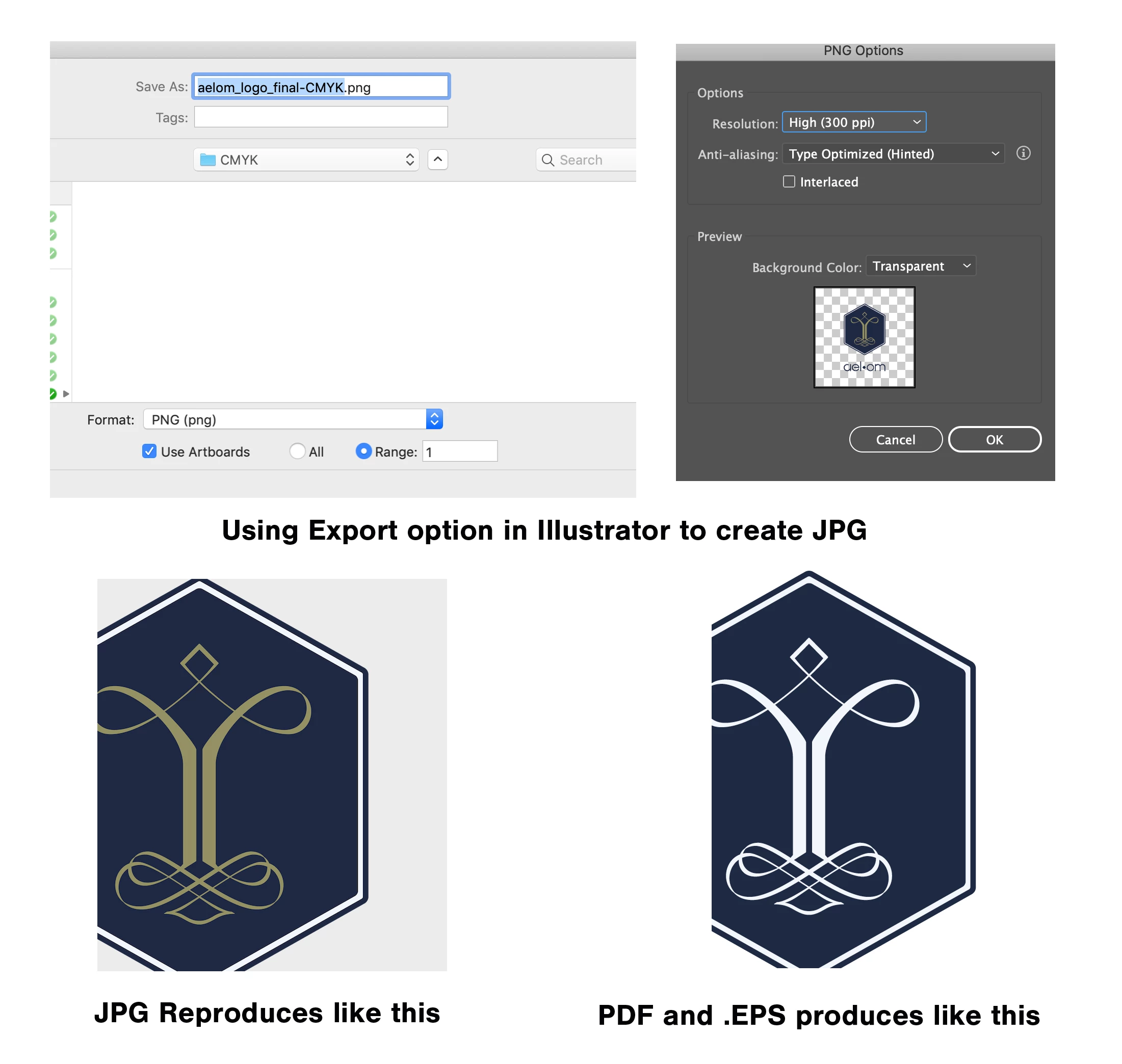
I am exporting a vector image, set to CMYK document color mode, to make a JPG. I am getting a huge color shift. It works fine for PDF and EPS. Any thoughts? I don't have spot color selected and the colors in my swatches are CMKY mix. THANK YOU!
This topic has been closed for replies.
Correct answer Ton Frederiks

Ok, I decided I don't have the luxury to ask permission so I removed what I thought could be a Trademark/Copyright security issue and am enclosing dropbox link to a modified file which includes only the image that I cannot render as a CMYK JPG without a color shift.

Dropbox - Liz - Simplify your life

THANKS SO MUCH FOR YOUR HELP.


thanks, I see that the Pale Blue (the problem color) is set to Overprint in the Attributes panel.

If you turn Overprint off the color shift goes away.

And I see the same logo 2 times on top of each other, does not seem nessecary to me.

6 replies

Ton Frederiks
Community Expert
Community Expert
January 16, 2019

What system are you using and what application to view the jpeg?

Some Windows viewers do not support CMYK jpegs.

Kevin Stohlmeyer
Community Expert
Community Expert
January 16, 2019

Based on the screenshots provided - it is a Mac OS.

Ton Frederiks
Community Expert
Community Expert
January 16, 2019

Yes I see.

Maybe sharing the file (using Dropbox, CC file sharing or other filesharing options) would give more info.

Looking at the fractional CMYK percentages, it came from (or still is) an RGB document.

Kevin Stohlmeyer
Community Expert
Community Expert
January 16, 2019

Go to Edit/Color Settings

lizaludcAuthor
Known Participant
January 17, 2019

Here's my color settings. Thank you!

lizaludcAuthor
Known Participant
January 16, 2019

Here are my setting to the best of my understanding

lizaludcAuthor
Known Participant
January 16, 2019

Ok, here is the JPG export (apologies for the above) and my color palettes. I confirmed the JPG has the wonky color shift (so does the PNG but I suspect that is because PNGs are RGB always). THANK YOU ALL!!!!!

Kevin Stohlmeyer
Community Expert
Community Expert
January 16, 2019

what is your color settings for your individual applications? Are you using the same color space?

CMYK - NA General Purpose, etc.

Kevin Stohlmeyer
Community Expert
Community Expert
January 16, 2019

You mention jpg but your screenshots show you are exporting out as a transparent PNG file. Two different formats...

lizaludcAuthor
Known Participant
January 16, 2019

oops. Yes I will show JPG export and color swatch. 3 min.

JonathanArias
Legend
January 16, 2019

can you show that color swatch so we can see that color you are applying?