


Participant
August 20, 2022
Question

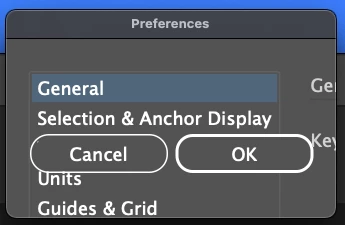
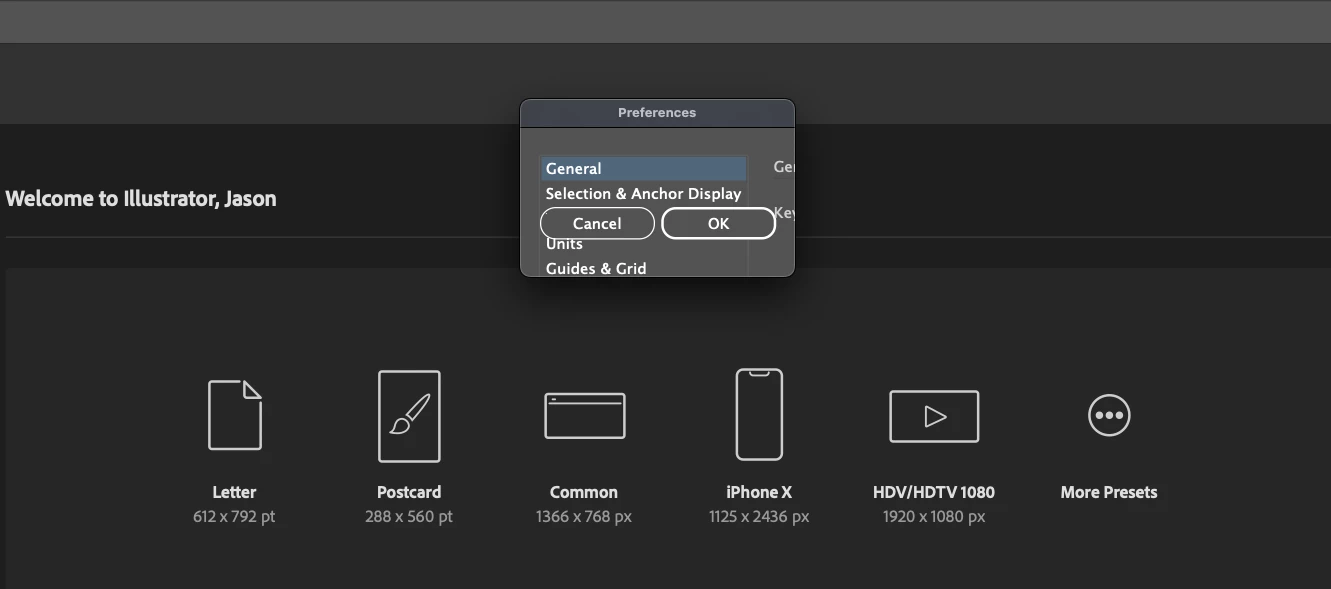
Why is my preference menu so small that I can't change anything?

  • August 20, 2022
  • 2 replies
  • 165 views

I was trying to make some changes to my preferences and every time I open the menu all I can really see is "cancel" and "ok." The pop up isn't large enough for me to see any of the settings and I can't resize the window. There's some kind of glitch happening and I don't see any other references to this online anywhere. HELP!
 

This topic has been closed for replies.

2 replies

Anshul_Saini
Community Manager
Community Manager
September 20, 2022

Hi @Jason25733256jkjf,


We are sorry for the trouble and delayed response. I agree with Mylenium that it could be happening due to system display settings. Would you mind checking if setting your Macbook as Main display in System Preferences > Dsipalys > Display Settings > "Use as: Main Display" helps or not?


If it doesn't help, would you mind sharing your system specification and the exact version of Illustrator & macOS?


Kindly update the discussion if you still need assistance with it. We'd be happy to help.


Thanks & Regards,

Anshul Saini

Mylenium
Legend
August 20, 2022

Without any system info it's hard to be sure, but the first thing to do is to check your system's screen settings. This issue typicalyl crops up when the Adobe apps cannot recognize the system DPI setting and/ or you have instated an unusual screen resolution with multiple screens or extended/ virtual desktops and AI referencing the wrong one for the dialog. In the latter case reverting to automatic settings and unplugging secondary monitors may already fix it.


Mylenium