


Known Participant
December 20, 2024
Answered

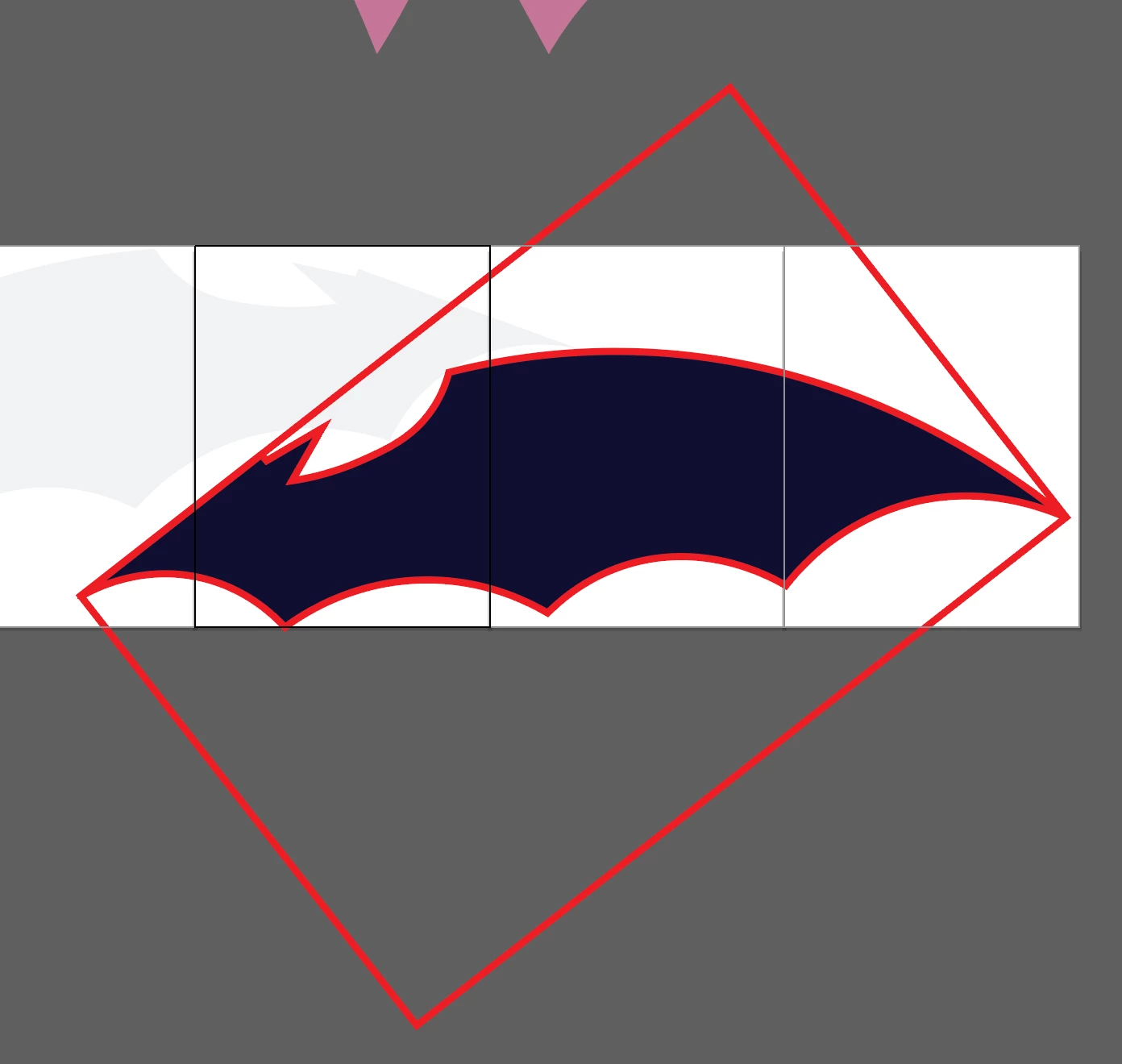
Why is my stroke applying to a bounding box?
  • December 20, 2024
  • 2 replies
  • 1458 views

I've tried expanding, isolating the mask, grouping, ungrouping, and yet this box won't go away. I had to add fill and stroke back in via the appearance panel, but it just applies to absolutely everything in the bounding box. Oddly, I can still edit the individual vertices.

Correct answer Ton Frederiks

Try:

Ungroup All>

Clipping Mask > Release

Delete the clipping mask rectangle.

2 replies

Ton Frederiks
Community Expert
Ton FrederiksCommunity ExpertCorrect answer
Community Expert
January 2, 2025

Try:

Ungroup All>

Clipping Mask > Release

Delete the clipping mask rectangle.

Known Participant
January 2, 2025

That's done it! Thank you! Do you have any idea what could have caused this in the first place?

Ton Frederiks
Community Expert
Community Expert
January 2, 2025

Not really, but there were a lot of groups.

Monika Gause
Community Expert
Community Expert
December 20, 2024

Please show the layers panel with the objects in it and the Appearance panel for all the relevant objects. Better: share the file.

Known Participant
December 20, 2024

It won't let me send the file, but here is a screenshot 


Monika Gause
Community Expert
Community Expert
December 20, 2024

Please change the file extension to .pdf then you can upload it.