Participant
July 6, 2024
Answered

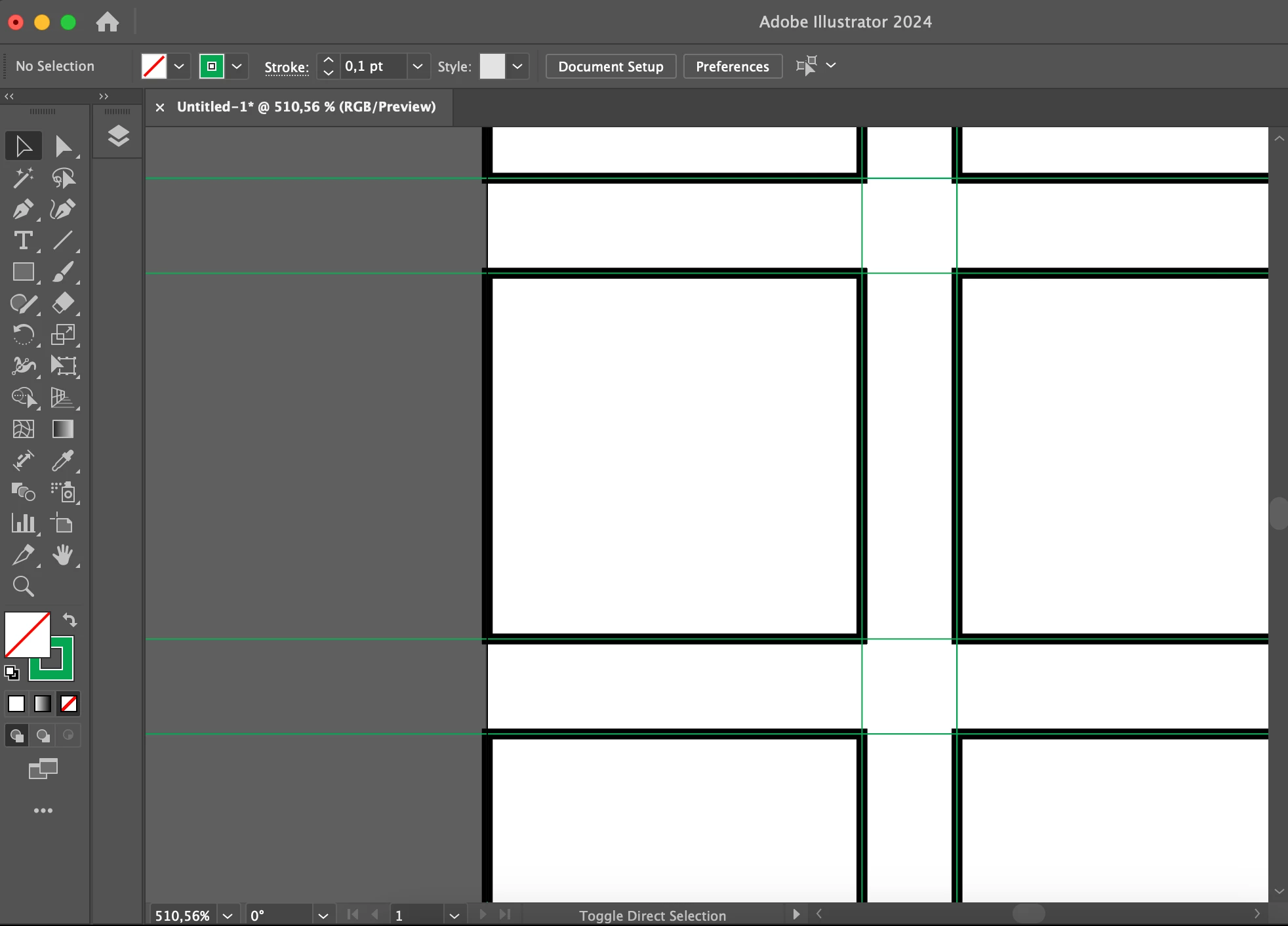
Why is the grid color black, not like the second picture? How can I fix this?

  • July 6, 2024
  • 1 reply
  • 447 views

This topic has been closed for replies.
Correct answer Kurt Gold

Select all green lines and go to View menu > Guides > Make Guides.

1 reply

Community Expert
July 6, 2024

Hei nuriddin,
could you give us some more information by arguing your problem in detail? Thank you very much

nuriddinAuthor
Participant
July 6, 2024

Hi Gianvitualno! 
The grids in the second picture are from the tutorial video. I made a grid according to object > path > split into grid as in the tutorial. but the color of my grid is black and there is a light green grid on it. how can i make the grid with the same color as the second image? 

Kurt Gold
Community Expert
Kurt GoldCommunity ExpertCorrect answer
Community Expert
July 6, 2024

Select all green lines and go to View menu > Guides > Make Guides.