Participant
February 9, 2021
Question

Why is there a thin white between textured shapes in Illustrator?

  • February 9, 2021
  • 2 replies
  • 261 views

I've separated the limbs for animating but, whenever I add the grain photoshop effect in illustrator, this thin line pops up. It doesn't go away when I drag my illustrations into a composition. Any suggestions?
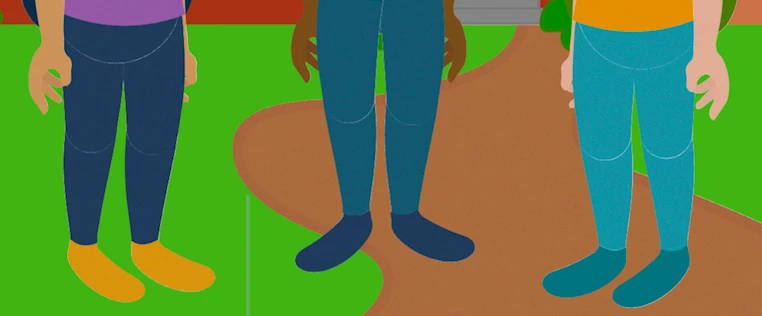


[ attachment inserted as inline image by moderator ]

This topic has been closed for replies.

2 replies

Anna Lander
Inspiring
February 10, 2021

such effects work better when yo apply them directly in AfterEffects. I would suggest to remove effect from illustration and then apply Noise effect in AE. If you want the noise on all elements, just create an Adjustment layes with this effect above all animated layers.

Myra Ferguson
Community Expert
Community Expert
February 10, 2021

The Photoshop effects are raster effects, so that's likely an anti-aliasing artifact. You can minimize it by adding a stroke set to Apply Gradient Across Stroke with both color stops of the gradient set to the color of the shape, but set the Opacity of the color stop affecting the outside edge to 0%. Increase the size of the stroke until the edge isn't noticeable.