Question
Why isn't this working for me?
Hey, why isn't the background layer above the penguin? It's not working for me and I don't know why - I tried to make it like the tutorial I watched on YouTube.
please help
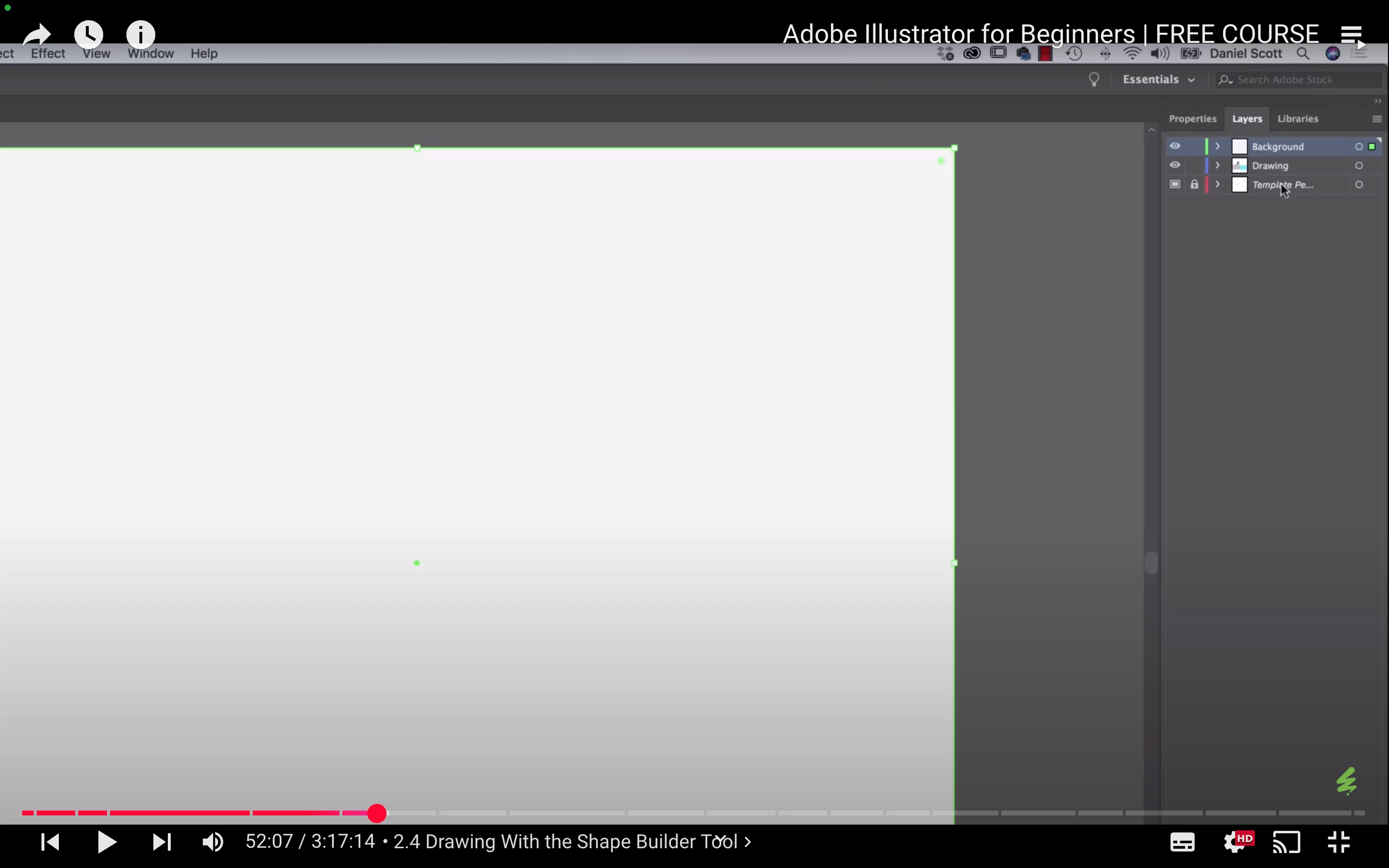
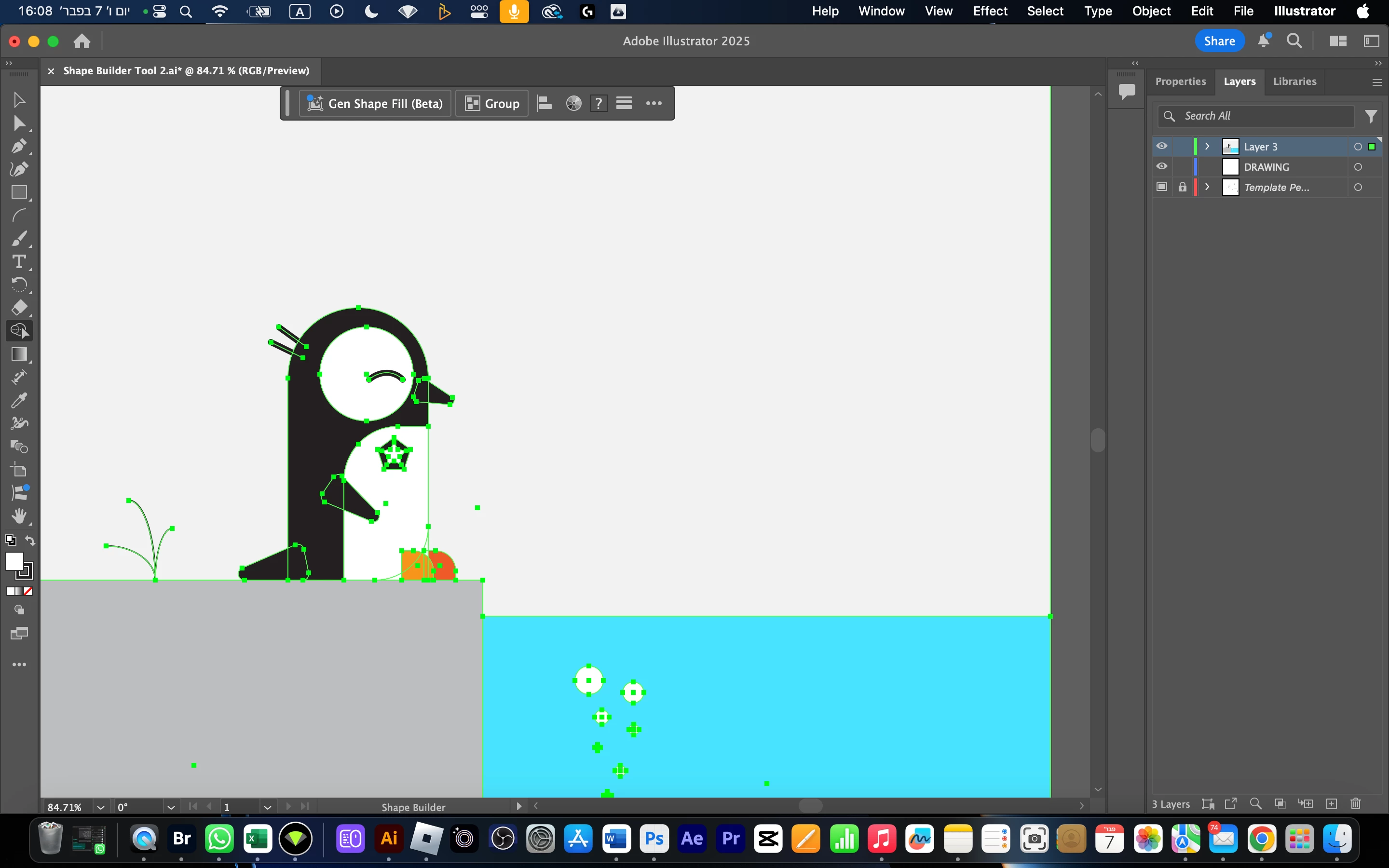
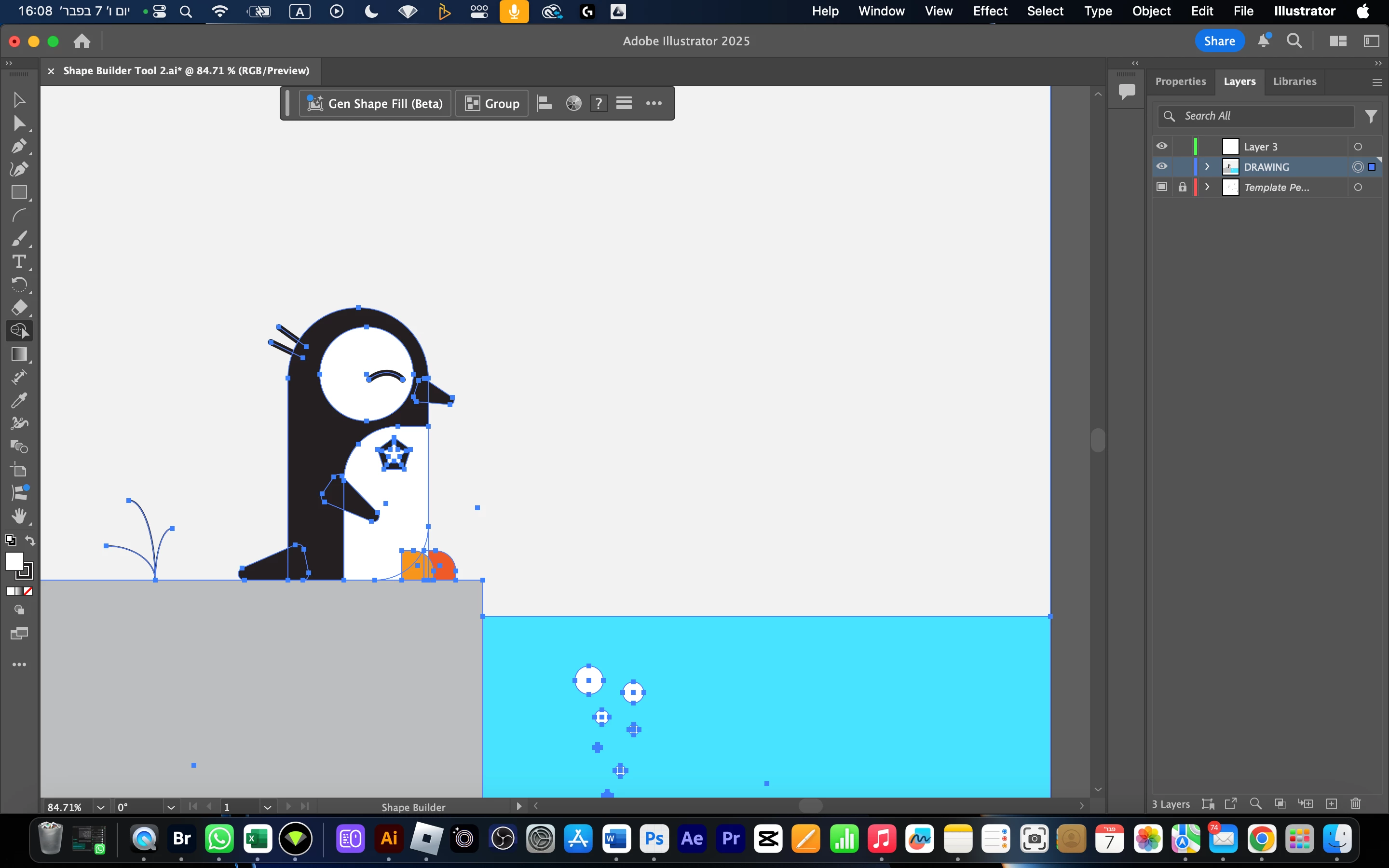

Hey, why isn't the background layer above the penguin? It's not working for me and I don't know why - I tried to make it like the tutorial I watched on YouTube.
please help
Already have an account? Login
No account yet? Create an account
Enter your E-mail address. We'll send you an e-mail with instructions to reset your password.


 AdChoices