


Inspiring
September 4, 2025
Question

Why scaling when on custom paper size?

  • September 4, 2025
  • 2 replies
  • 274 views


 The print on the right is scaled as expected... the image was printed on US Letter paper


The print on the left is printing the same image on 2.5x3.5 inch paper... note that it for some reason I don't understand it has scaled up a bit.. how do I figure out why this is happening and stop it so it prints unscaled. 
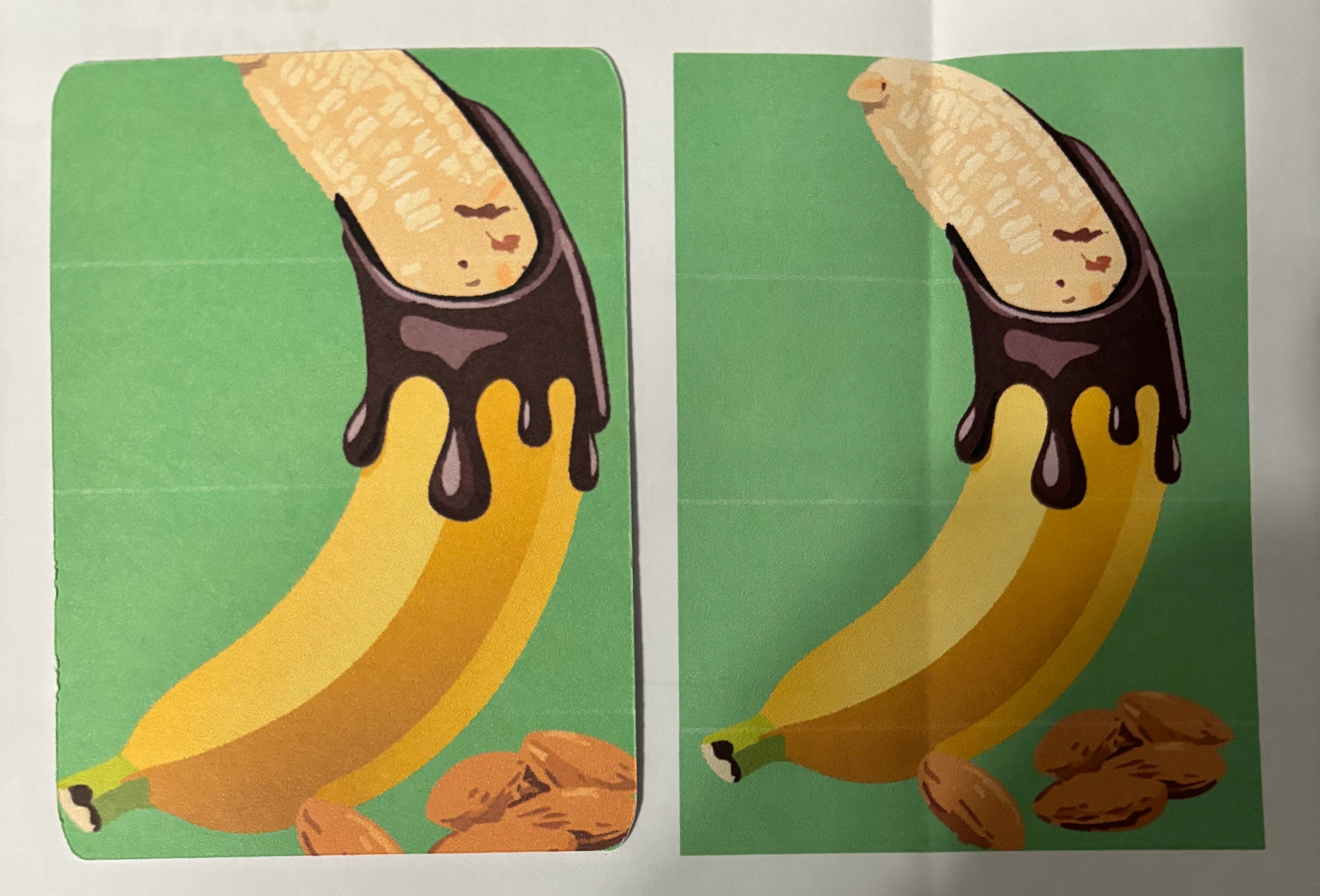
 

2 replies

Inspiring
September 5, 2025

So I found a way to get it the 'right' size... but it involves reverse engineering that it scaled up by 10%... but why?

The only changes are from US Letter in Main Tray to Custom 2.5"x3.5" in the Rear tray.


Tina_Irvine
Community Expert
Community Expert
September 5, 2025

Hi @DoYouLikeHam,


It's great that you've found a workaround...but you shouldn't have to "reverse engineer" it. Since it's printing correctly on 8.5x11, but not 2.5x3.5 media, try changing Media Size (in Print settings) to "custom" size and type in your exact size: 2.5 x 3.5. You can also click on the "Page Setup..." and "Setup..." buttons on the bottom left of your Print settings. Ensure the paper size, etc, is all input consistently.


Let us know if this helps at all.

Inspiring
September 5, 2025

seems to not be specific to Illustrator... I have the same issue when printing from Snagit... and 91% also solves the problem there.

I suspect it is either the printer driver or the printer doing the scaling.


Tina_Irvine
Community Expert
Community Expert
September 4, 2025

Hi @DoYouLikeHam,

This seems like a print setting. I would double-check those settings first.

Inspiring
September 4, 2025

anything in particular @Tina_Irvine ?  The preview in the print window looks correct...  not sure what would be causing this.