daitranthanhoa
Inspiring
November 13, 2023
Question

Why Text auto apply other font ?

  • November 13, 2023
  • 1 reply
  • 263 views

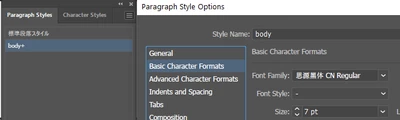
I have a TextFrame setting Font ="思源黑体 CN Regular"
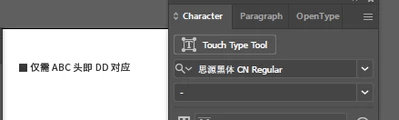


Character Style and Paragraph Style setting font = "思源黑体 CN Regular":
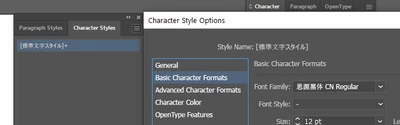


But If I apply Character Style  to Text of TextFrame.

Font of  Some Text auto apply ="HiraKakuStd W3*"
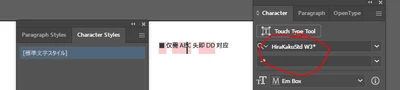


Where  is This Font?

Why can auto apply to Text?


Sample Data:

https://drive.google.com/file/d/13_cV5RQ3SBNkjkI8r6-UlesoAPpR1qve/view?usp=sharing

This topic has been closed for replies.

1 reply

Anshul_Saini
Community Manager
Community Manager
November 16, 2023

Hi @daitranthanhoa,


I tried replicating the issue, but couldn't encounter the same problem. It might be related to font cache or Illustrator preferences.

Could you try the following steps:


1. Reset Font Cache: Follow the steps outlined in the Helpx article to troubleshoot font issues, including resetting the font cache.

2. Reset Illustrator Preferences: Resetting Illustrator preferences might also help. To do this, press and hold Shift + Ctrl + Alt (Windows) or Shift + Command + Option + Control (Mac) while launching Illustrator. A dialog box will appear, asking if you want to delete the preferences. Click "Yes" to confirm.


After performing these steps, check if the issue persists. Let me know if this helps or if you have any other questions.


Best,

Anshul Saini

daitranthanhoa
Inspiring
November 22, 2023

Yes, I can't replicating this problem both, But Exist Data occur this problem. So I research the cause of the problem.