


Participating Frequently
February 25, 2025
Question

Why won't my black brush stay black

  • February 25, 2025
  • 2 replies
  • 380 views

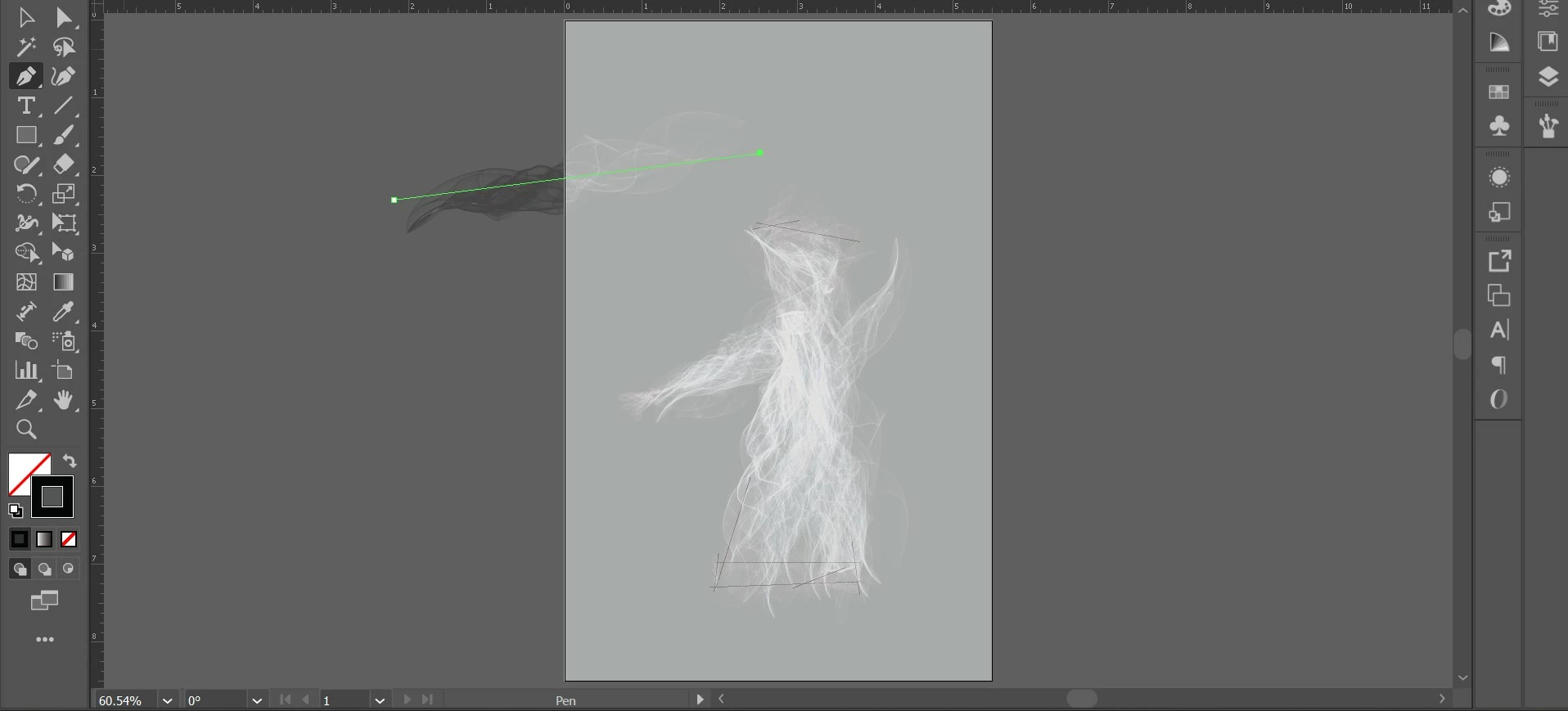
Okay so the problems comes with a smoke brush I made for a project, I changed the color to black smoke and it works...until I put it on a gray background. When I put it on a gray background the smoke turns white and the stroke color is black and the smoke is black whenever it isn't on the gray background. I can't figure out how to make it stay black. I've changed the colorization method from tints and shades to none, hue, or just tints nothing works that way. I've changed the document color settings that didn't work. I have looked up vidoe after video and nothing works.
2 replies

ava_7911Author
Participating Frequently
February 26, 2025


Monika Gause
Community Expert
Community Expert
February 26, 2025

Please share the Illustrator file.

ava_7911Author
Participating Frequently
February 26, 2025

This is the accepted file type unfortunatly it has to be a png I tried a pdf and it doesn't accept the ai file.

Monika Gause
Community Expert
Community Expert
February 25, 2025

Do you have any blend mode applied to the brushstroke?

Or probably to the brush shape?

ava_7911Author
Participating Frequently
February 25, 2025

Yes I'm pretty sure I do it's been a while since I made it.

ava_7911Author
Participating Frequently
February 25, 2025

I think I have a blend on the brushstrokes sorry I thought I had typed that but I didn't.