

kellyishikawa
Participating Frequently
December 30, 2022
Answered

Width Tool Changing Width in Additional Areas

  • December 30, 2022
  • 1 reply
  • 433 views

Happy New Years to All!

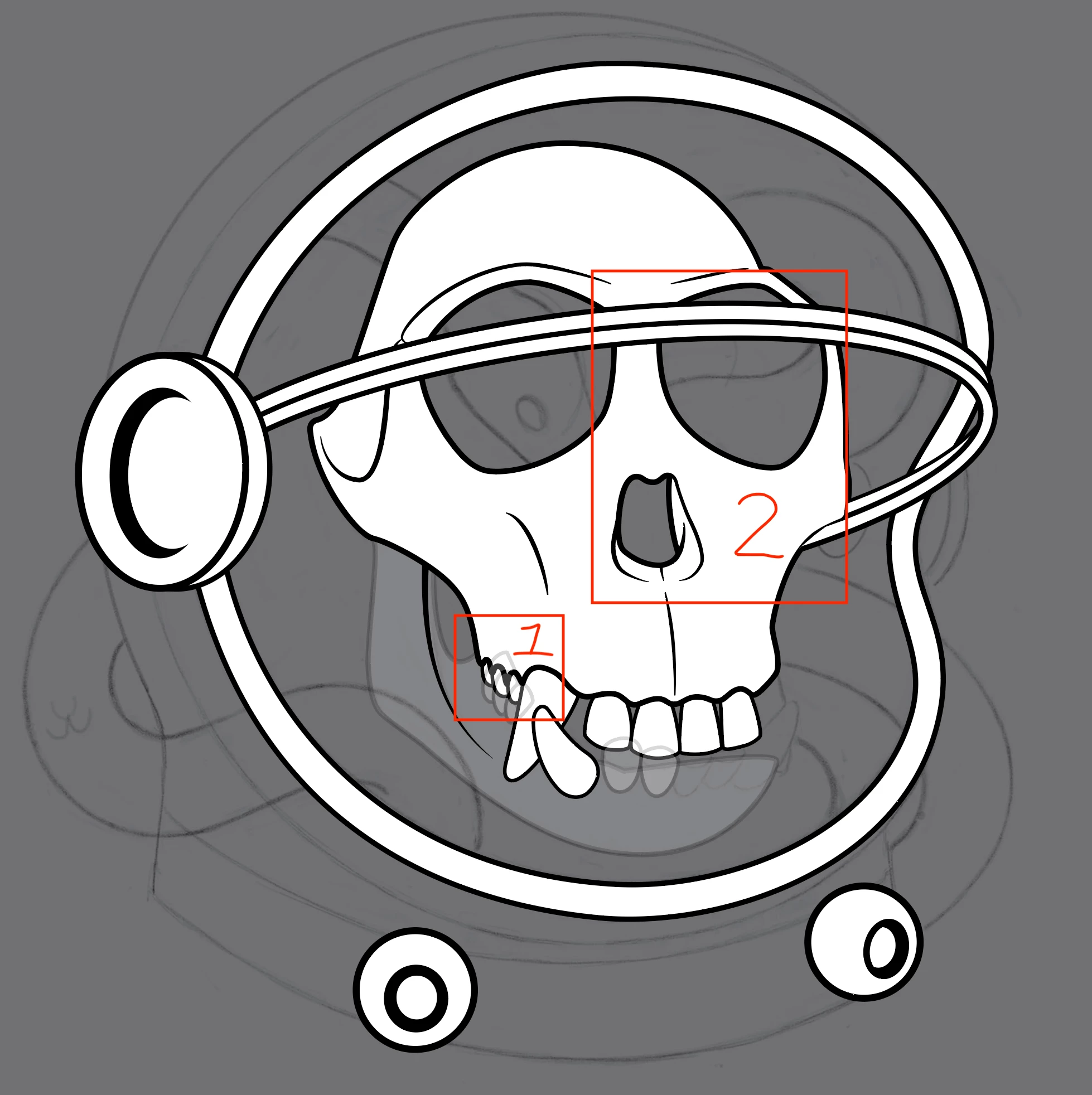
In "square 1", I'd like to use the Width Tool to make the lines a tiny bit slimmer.

For some reason, when I accomplish this, the lines in "square 2" also seem to slim down. I can see all sorts of 'width tool' points that I never put down. Can anyone shed light on this?


THANKS SO MUCH! Best wishes,
This topic has been closed for replies.
Correct answer Monika Gause

Can you please show the Layers panel? I suspect that this is a compound path. And then the same width points would be applied to all paths in that compound path.


In that case your only option would be to duplicate that path and then release the  compound path and apply just a stroke, no fill. On the compound path, you will then have the fill, but no stroke

1 reply

Monika Gause
Community Expert
Monika GauseCommunity ExpertCorrect answer
Community Expert
December 30, 2022

Can you please show the Layers panel? I suspect that this is a compound path. And then the same width points would be applied to all paths in that compound path.


In that case your only option would be to duplicate that path and then release the  compound path and apply just a stroke, no fill. On the compound path, you will then have the fill, but no stroke

kellyishikawa
Participating Frequently
December 30, 2022

Thank  you so much @Monika Gause ! Yes, it was a compound path. Very much appreciated!!

Monika Gause
Community Expert
Community Expert
December 30, 2022

Glad you could solve it!