

Participant
March 3, 2025
Answered

Width tool mess

  • March 3, 2025
  • 3 replies
  • 393 views

Hello,

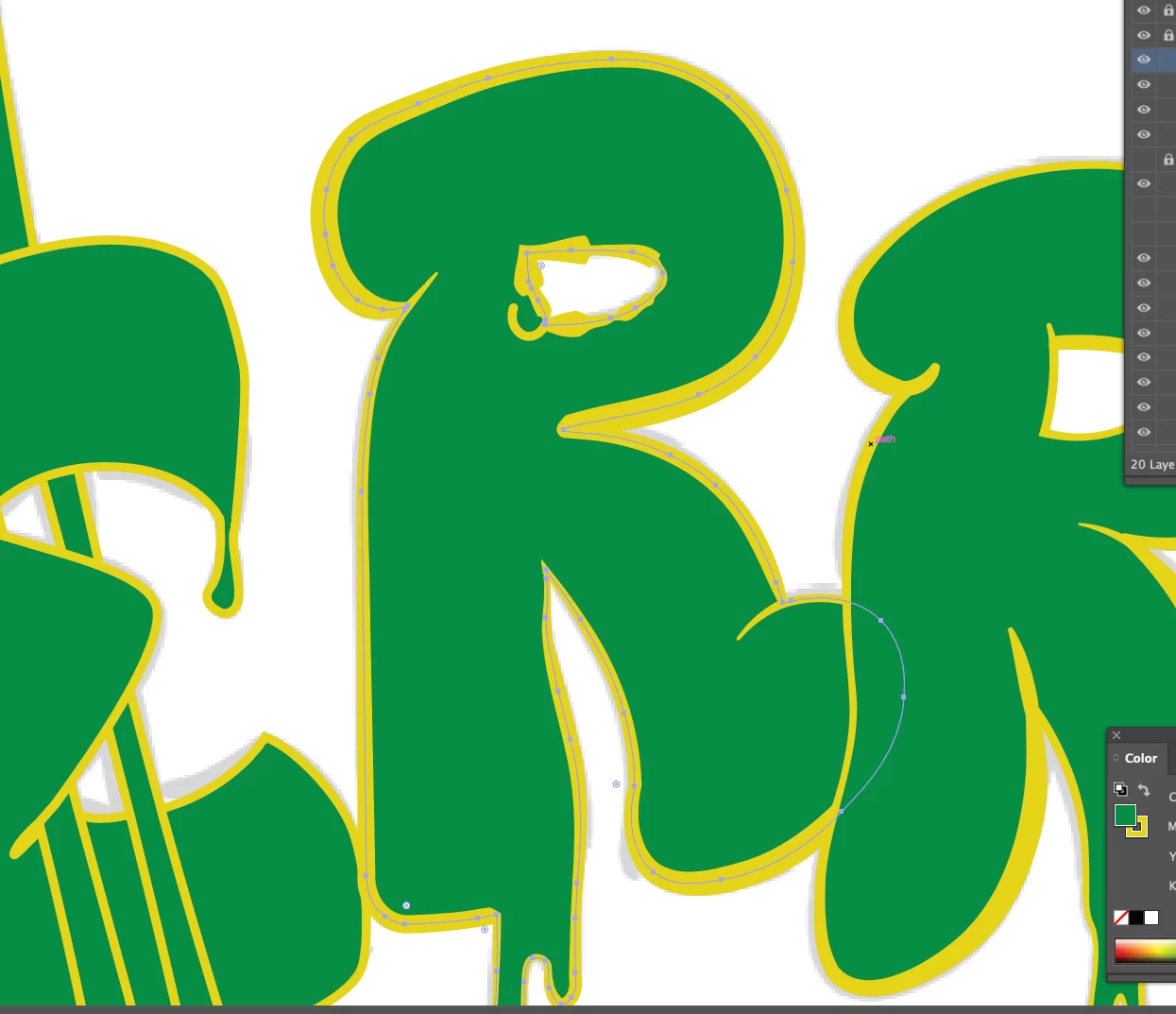
Width tool is giving me a hard time. I edit lines/path on the outer ring of letter "R" and for some reason width tool is applying changes to the inner ring also.  Any idea how to prevent this?

Thanks for reply 🙂

Correct answer Monika Gause

To work around it, you probably would need to separate stroke from fill and put the stroke on paths that are not compound.

3 replies

barbara_a7746676
Community Expert
Community Expert
March 3, 2025

Even as a compound path, the width tool should work properly, unless the inner and outer paths on the 'R' are somehow connected to each other; in other words, if they are actually a single path. 

Did  you deselect everything when you use the Width tool?

barbara_a7746676
Community Expert
Community Expert
March 3, 2025

Are you able to post the file so that we can examine it?

Monika Gause
Community Expert
Community Expert
March 3, 2025

It's a compound path?

Participant
March 3, 2025

yeah, it's comound

I found similar post about it, so I know that's beacause of it, but  I don't understand why it works like that and how to work around it. Sorry for the spam.  

Monika Gause
Community Expert
Monika GauseCommunity ExpertCorrect answer
Community Expert
March 3, 2025

To work around it, you probably would need to separate stroke from fill and put the stroke on paths that are not compound.
