
Width Tool with Stroke Aligned Inside
Hi community!
I'm trying to do something relatively simple, and can do it in a very jerry-rigged way, but I'm wondering if there's a much easier way to do it.
To explain what I want, see this first image with the two "h"-looking shapes: I want to to adjust the thicknesses of the strokes, but I want all the stroke to be alligned on the INSIDE of my line. 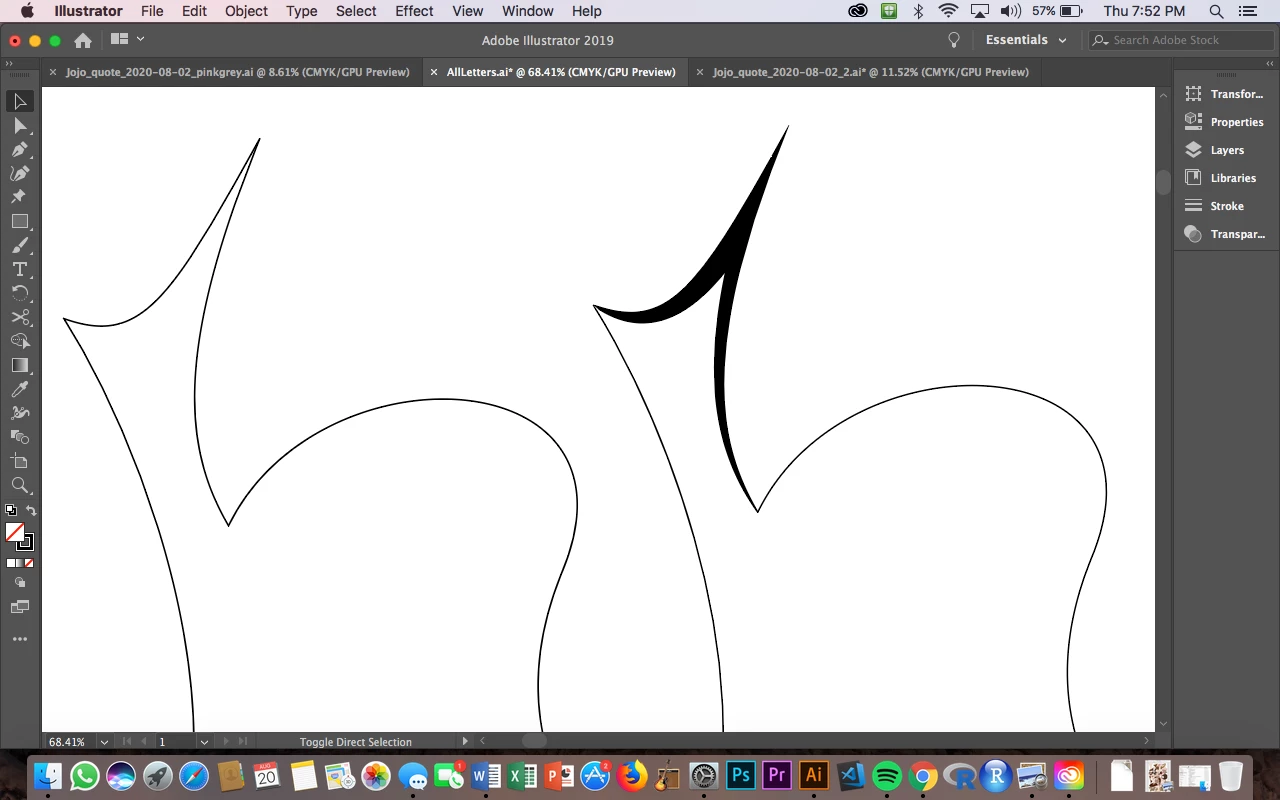
The problem is that I have to use the width tool in the "hidden" or "overlapping" parts of the strokes many times and taper down so that the vertex can stay a point. See the width-tool's many blue anchor points in the image below.
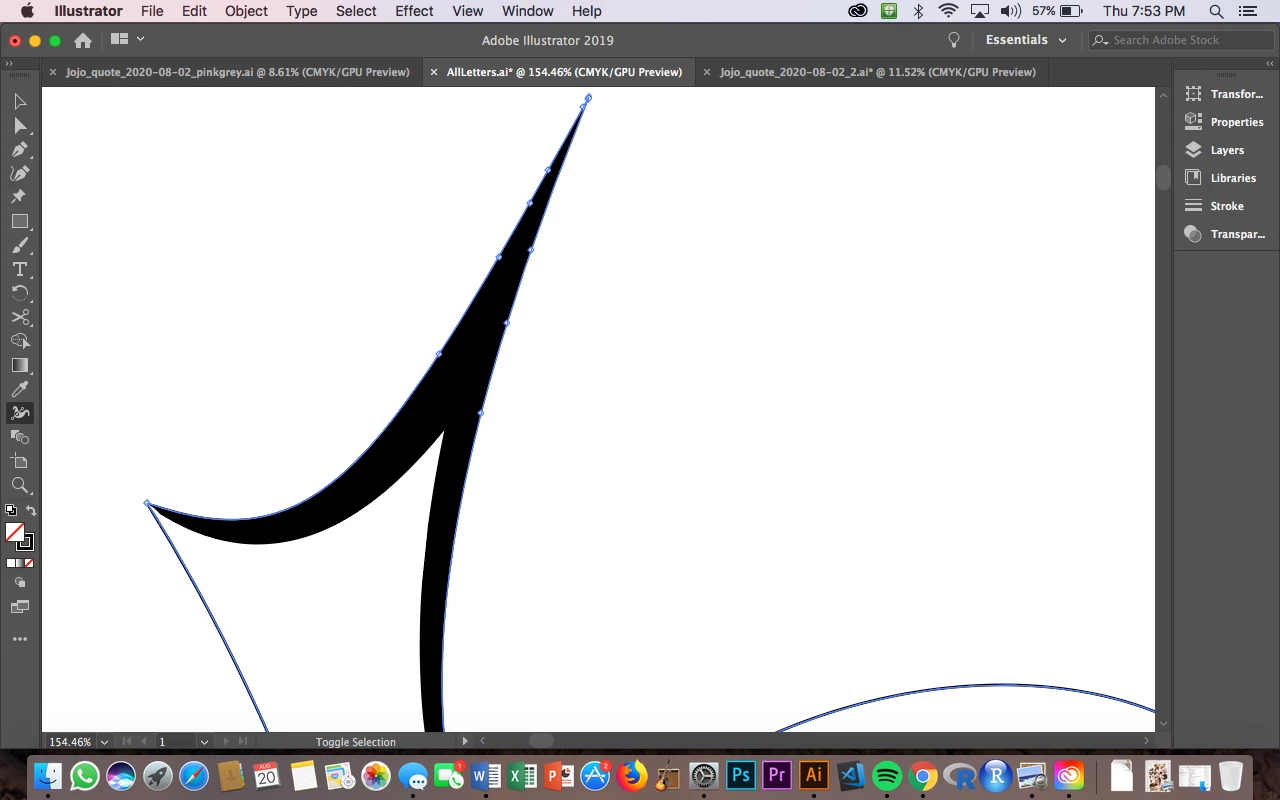
If I don't have all those on the lines, I end up with this kind of image here where the strokes pop out on the "outside" of the line/shape.
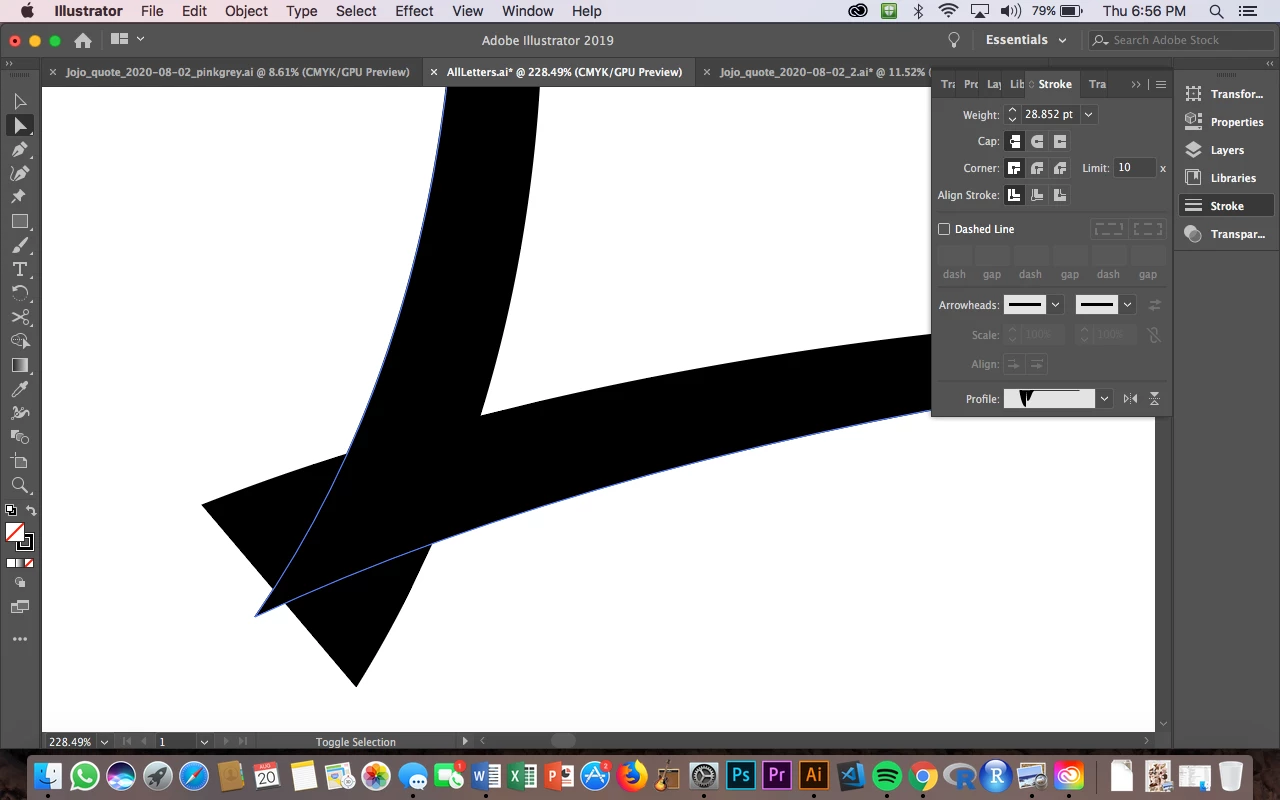
SO I would think this should be possible just by using the width tool while having "align stroke to inside" selected, but that's not an option.
Does anyone know how to do this more simply without just adding in another polygon?
Thank you!
 AdChoices