

Hony_Mannheim
Participating Frequently
May 20, 2024
Answered

Wie würdest du beim erstellen dieses Musters vorgehen?

  • May 20, 2024
  • 1 reply
  • 312 views

Wie würdest du vorgehen um folgendes Muster zu erstellen?:

https://stock.adobe.com/de/images/abstract-geometric-pattern-with-stripes-lines-a-seamless-vector-background-white-and-black-ornament-simple-lattice-graphic-design/203365965


Ich habe mir unzählige Videotutorials zum Erstellen von Mustern angeschaut und Ewigkeiten in Illustrator mit Probieren verbracht.

Ich habe es geschafft, ein ähnliches Muster zu erstellen, bin aber nicht damit zufrieden, vor allem mit dem Prozess der Herstellung.

Alles war ein bisschen mühsam und manuell.


So sieht mein Ergebnis aus:
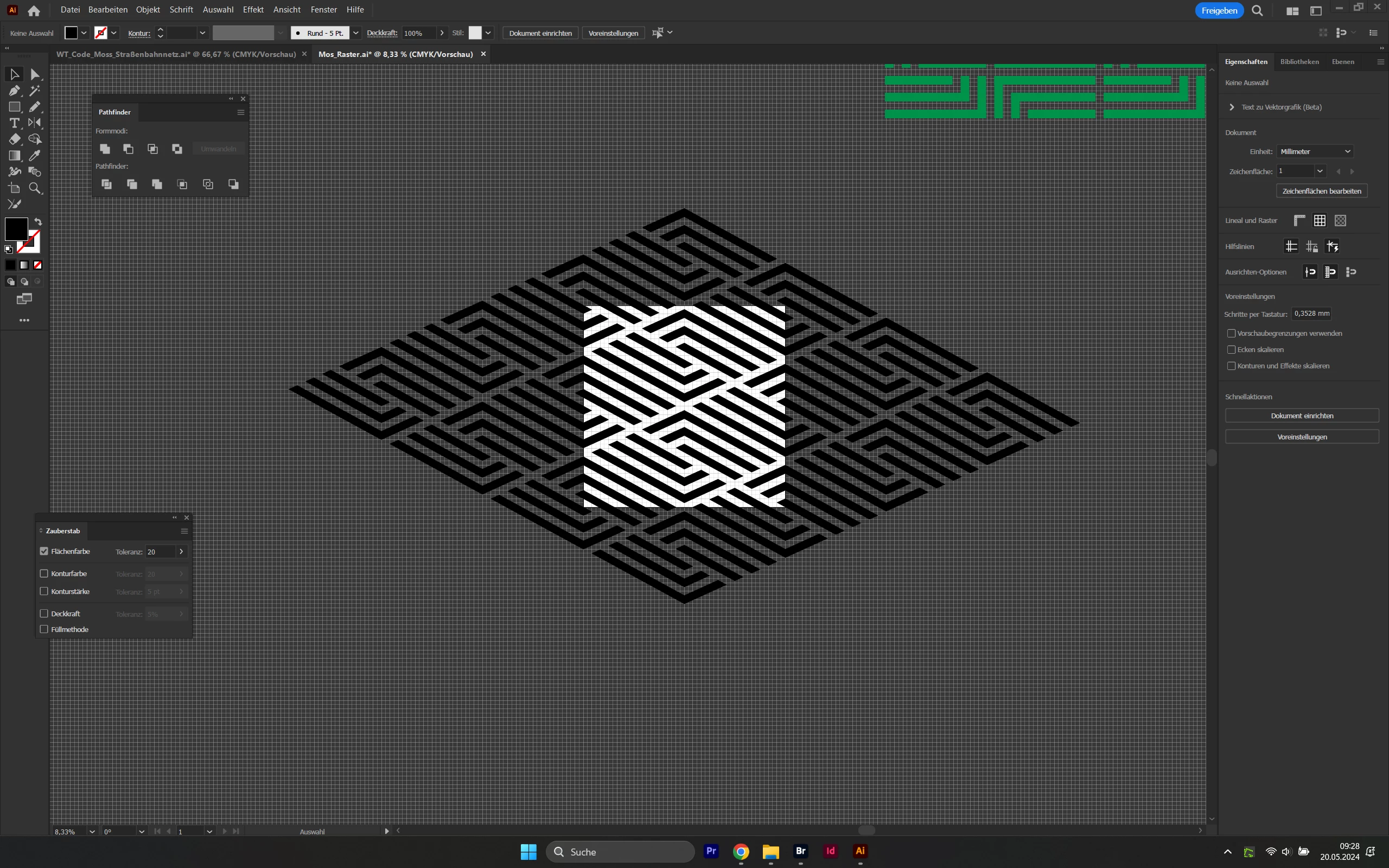
 

Auf YouTube gibt es unzählige Videos zu symmetrischen Mustern, aber ich habe keines gefunden, mit dem man dieses hier erstellen kann.

Über einen Tipp wäre ich mehr als dankbar!!
This topic has been closed for replies.
Correct answer Ton Frederiks

You could try this:

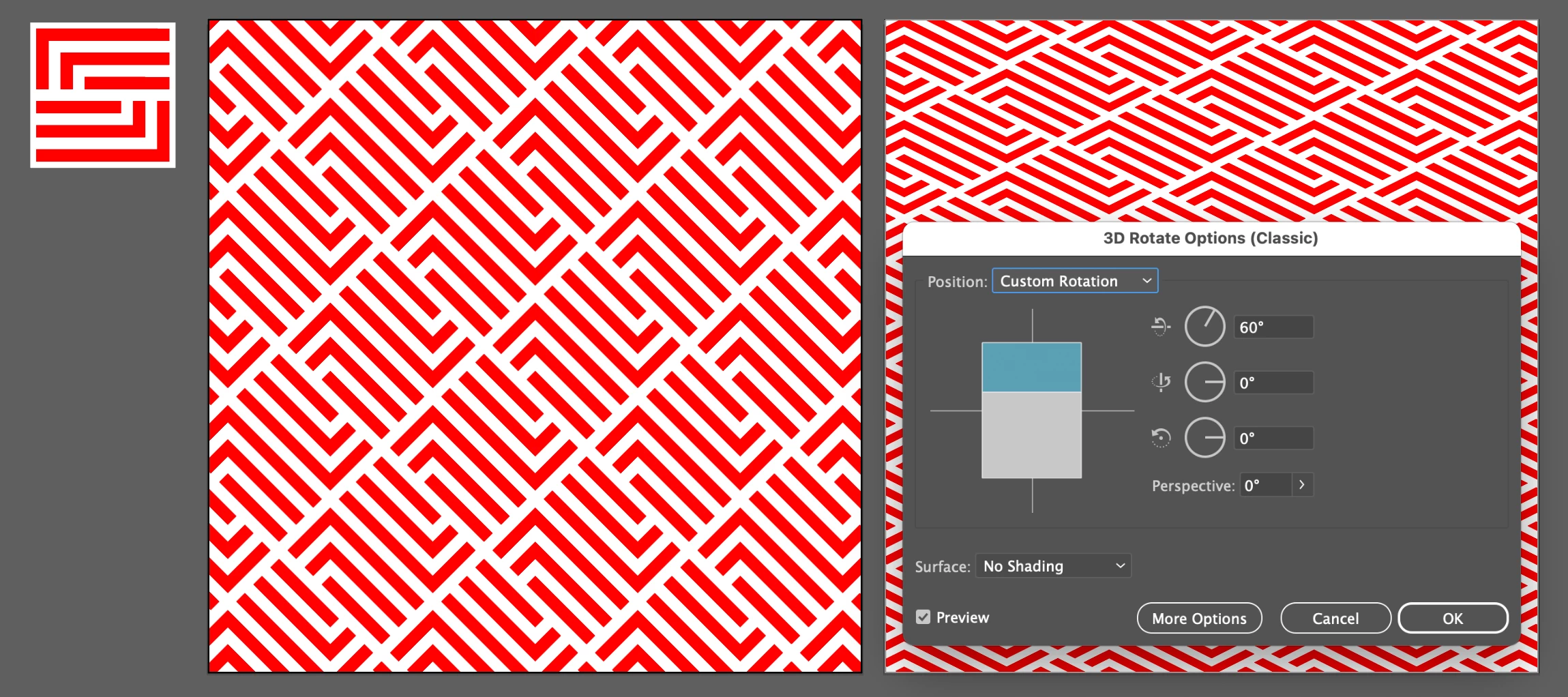
Create a rectangle and use Object > Path > Split into Grid (I kept the stroke to better see what I am doing).

Object > Live Paint > Make and drag the Live Paint Bucket (K) to color the cells.

Object > Live Paint > Expand 

Deleted the Stroke group in the Layers Panel.

Object > Pattern > Make

Fill a rectangle with the Pattern.

Double click the Rotate tool and rotate the Pattern only.

Use the Classic 3D Effect to Rotate the Object.


1 reply

Ton Frederiks
Community Expert
Ton FrederiksCommunity ExpertCorrect answer
Community Expert
May 20, 2024

You could try this:

Create a rectangle and use Object > Path > Split into Grid (I kept the stroke to better see what I am doing).

Object > Live Paint > Make and drag the Live Paint Bucket (K) to color the cells.

Object > Live Paint > Expand 

Deleted the Stroke group in the Layers Panel.

Object > Pattern > Make

Fill a rectangle with the Pattern.

Double click the Rotate tool and rotate the Pattern only.

Use the Classic 3D Effect to Rotate the Object.


Hony_Mannheim
Participating Frequently
May 21, 2024

Wow wow wow, Ton, thank you so much! It looks really great. I can't wait to try it out this afternoon. Thank you for your effort!

Hony, Grafikkünstler aus der Pfalz, der gerade in der Quadratestadt Mannheim sein Unwesen treibt.
Ton Frederiks
Community Expert
Community Expert
May 21, 2024

Thanks, let us know if it works for you.