Smash87
Participant
July 24, 2026
Question

Would someone explain to me why my illustrator colors in any imported images are always dull?
  • July 24, 2026
  • 4 replies
  • 53 views
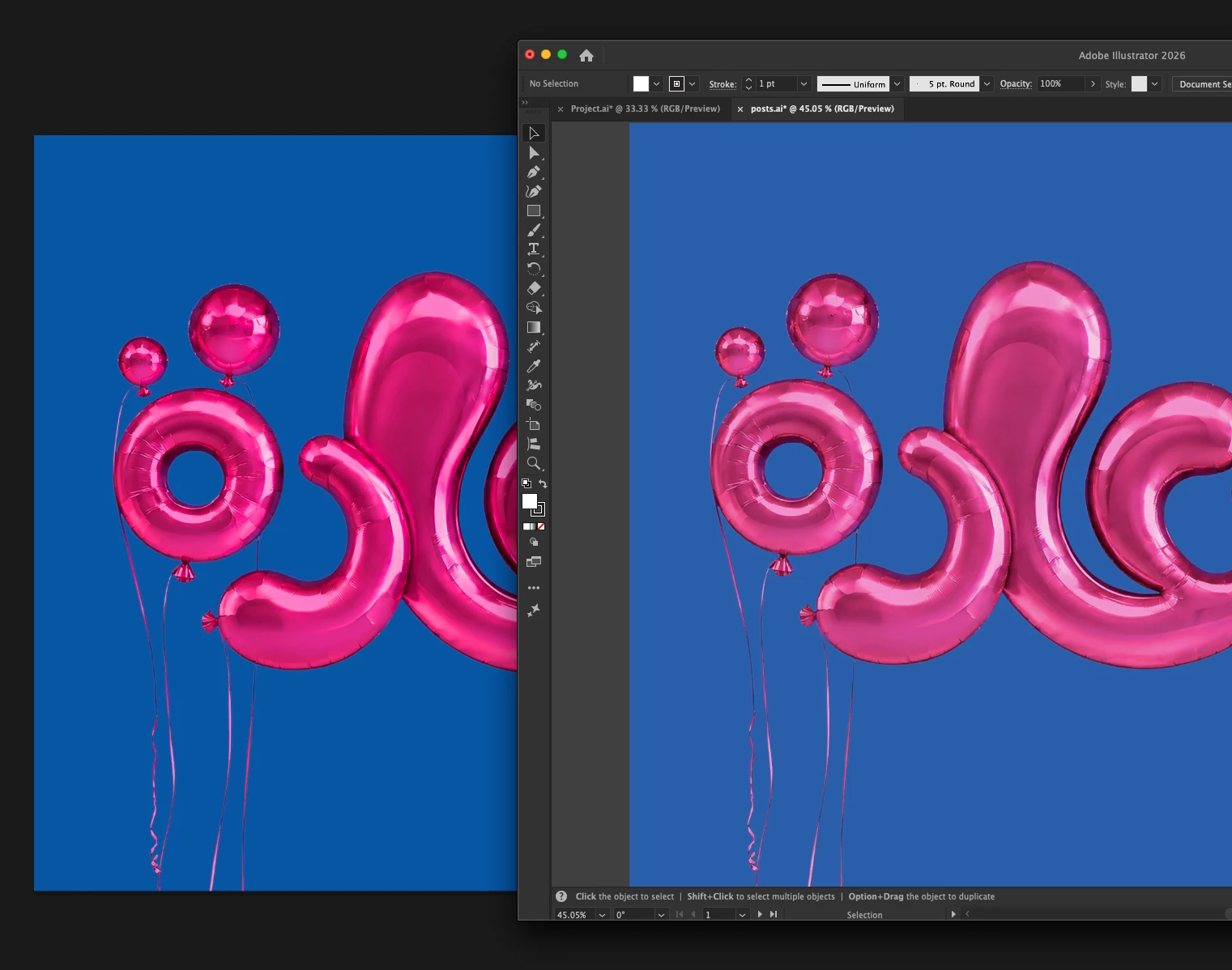
This is a comparison between Illustrator & Photoshop...same image
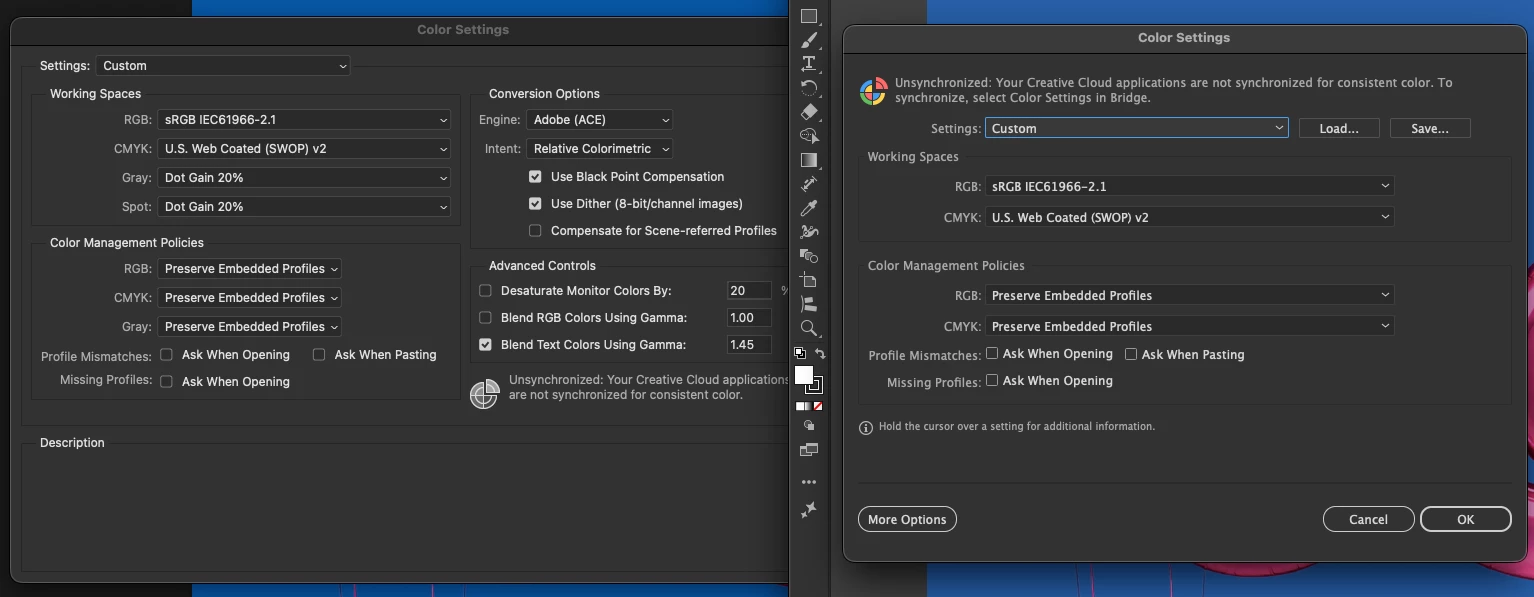
this a comparison between the color profile settings in AI and PS
Both modes are RGB

The saturated image is the original

Please help because this problem got me into troubles in my work, I usually finalize design in AI as a final stage 😕

creative suit 2026
and this is a native screenshot of a personal artwork
Mac OS Tahoe 26.1

    4 replies

    chrisg11235813
    Participating Frequently
    July 29, 2026

    I see that your colour settings are “Unsynchronized” across your Adobe applications. (use bridge to do this across all Adobe applications). Your Illustrator document says “RGB/Preview” (in the Tab label) this would indicate that you have “Proof Colours” turned off.  Under View>Proof Setup choose the profile of your linked file. does that improve the expected colour? that might give a slightly more accurate representation of your colours.

    Harshika Verma
    Community Manager
    Community Manager
    August 6, 2026

    Hi Smash87,

    We would like to follow up on your issue. Are you able to resolve the issue by following the suggestion shared by chrisg11235813 and also by our community experts? Please feel free to update the discussion if you need further assistance.


    We would be happy to help.


    Thanks,

    Harshika

    Dave Creamer of IDEAS
    Community Expert
    Community Expert
    July 24, 2026

    What happens if you change your RGB to Adobe RGB? 

    sRGB is barely better than CMYK...

    David Creamer: Community Expert (ACI and ACE 1995-2023)
    Ton Frederiks
    Community Expert
    Community Expert
    July 24, 2026

    @Smash87 Can you turn on the Profile Mismatch and Missing Profiles checkboxes in your Color Settings? It will warn and give you options when profiles are different.