
Participant
September 1, 2023
Question

Write colour name as text on the selected text box

  • September 1, 2023
  • 2 replies
  • 663 views

Hello!

I've found similar solutions around but not what I exactly need.

These colours are in my swatches. I was wondering if there's any way of creating a script that tells illustrator: "grab the name of this colour and write it on the text box next to it"
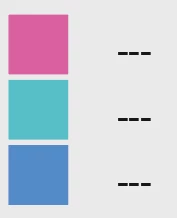
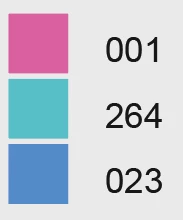
 

Maybe that's too complicated?
I would be happy if I can click the colour and then Illustrator creates a text box next to it instead of using the one already existing as long as it looks similar to the picture above. I think that might be easier?

I have 89 colours in total so this could help me a lot instead of manually looking for the name and writing it everytime I create a new detailed artwork.

Thank you so much! 

This topic has been closed for replies.

2 replies

femkeblanco
Legend
September 1, 2023

If I understand correctly, you want to select the colored squares, run the script and have it write the names of the corresponding swatches to the right of the squares. 


var doc = app.activeDocument;
var targets = doc.selection;
for (var i = 0; i < targets.length; i++) {
    var size = targets[i].height / 2;
    var text = doc.textFrames.pointText( [
        targets[i].left + targets[i].width * 1.5,
        targets[i].top - targets[i].height * 0.75 + size * 0.2,
        ] );
    text.textRange.characterAttributes.size = size;
    for (var j = 0; j < doc.swatches.length; j++) {
        if (areEqual(targets[i].fillColor, doc.swatches[j].color)) {
            text.contents = doc.swatches[j].name;
        }
    }
}

function areEqual(o1, o2) {
    for (var k in o1) {
        if (o1.hasOwnProperty(k)) {
            if (!o2.hasOwnProperty(k)) return false;
            if (o1[k] != o2[k]) return false;
        }
    }
    for (var k in o2) {
        if (o2.hasOwnProperty(k)) {
            if (!o1.hasOwnProperty(k)) return false;
            if (o1[k] != o2[k]) return false;
        }
    }
    return true;
}


GerssonDelgado
Inspiring
September 1, 2023


check out this Post , 


Natasha7Author
Participant
September 1, 2023

Thank you for this, I have just tried but it's not what I'm looking for. What you shared is directly creating a library of my swatches.
I need to create a square with X colour, click on it and then run the script so it creates the name next to it.

I need it like this because everytime I create a new artwork I use different colours from that swatch and I only need to show the ones that are used, not the whole swatch. I have 89 colours and some of them are very similar, that script would help me not having to check the swatch everytime and write it manually.

Thank you anyway!

GerssonDelgado
Inspiring
September 1, 2023

what about the following snippet code

function main() {
  var obj = {
    dialog: "dialog",
    w_name: "Create swatch",
    orientation: "orientation",
    column: "column",
    row: "row",
    statictext: "statictext",
    Panel: "panel",
    group: "group",
    edittext: "edittext",
    listbox: "listbox",
    actDoc: app.activeDocument,
    copyright: "Gdelgado2023 | version 1.0 | ",
  };
  var doc = obj.actDoc;
  var swatNames = Array();
  var contSwatc = doc.swatches.length;
  for (var i = 2; i < contSwatc; i++) {
    swatNames.push(doc.swatches[i].name);
  }
  var w = new Window(obj.dialog, obj.w_name);
  var Pnl1 = w.add(obj.Panel, undefined, "Color 1");
  Pnl1.orientation = obj.row;
  var grp1 = Pnl1.add(obj.group);
  grp1.orientation = obj.column;
  var entryPC = grp1.add(obj.edittext, [0, 0, 140, 20], "");
  entryPC.active = true;
  var myList = grp1.add(obj.listbox, [0, 0, 140, 100], swatNames.sort());
  w.add(obj.statictext, undefined, obj.copyright);
  entryPC.onChanging = function () {
    var temp = this.text.toLowerCase();
    myList.removeAll();
    for (var i = 0; i < swatNames.length; i++) {
      if (swatNames[i].toLowerCase().indexOf(temp) == 0) {
        myList.add("item", swatNames[i]);
      }
    }
  };

  myList.onChange = function () {
    var doc = app.activeDocument;
    var selText = this.selection.text;
    entryPC.text = selText;
    var w = 100;
    var h = 100;
    var top = 0;
    var left = 0;

    var rect = doc.pathItems.rectangle(top, left, w, h);
    rect.fillColor = doc.swatches[selText].color;
    var mylabel = doc.layers[0].textFrames.add();
    mylabel.contents = doc.swatches[selText].name;
    mylabel.left = left += w + 10;
    mylabel.top = top -= h / 2;

    close();
  };
  function close() {
    w.close();
  }
  w.show();
}
try {
  main();
} catch (e) {
  alert(e.message + "\n" + "error on line " + e.line, "\u274c", true);
}