

Answered
X and Y values showing stroke position instead of path position
Hello, everyone.
I'm used to work with line paths with stroke applied, and when I position the object within the document, the X and Y values only ever refer to those of the path. A few days ago it started showing me the positioning of the stroke edges though. For example, if I position the object at X 0 Y 0 (upper left reference point applied), this is what I get:
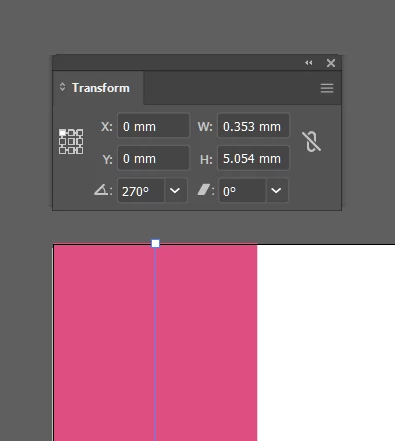
What I wanted — what used to happen — is for the path to be aligned at 0, 0.
I'm not sure if I accidentaly turned something on/off that changes this behaviour, but I can't figure it out what is different. Can someone help me out? Thanks!
 AdChoices