
fl0645
Known Participant
October 9, 2020
Answered

zero point problem

  • October 9, 2020
  • 1 reply
  • 1043 views

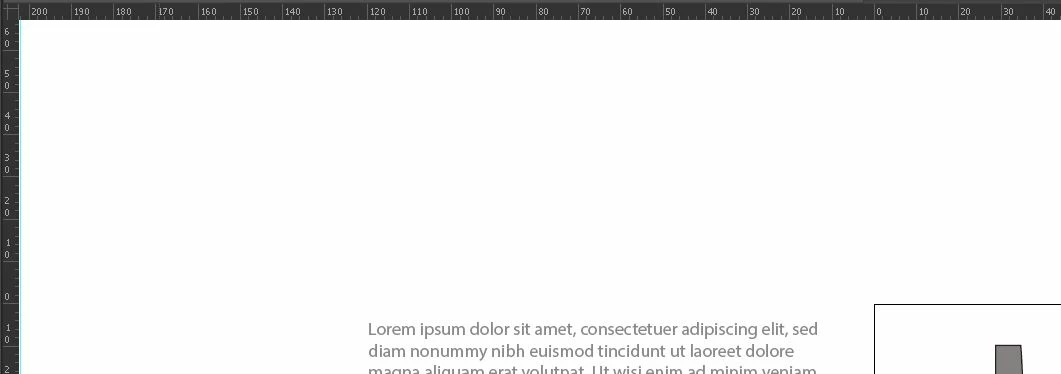
Hello, I have moved the zero point of the measurements at the top of the page and to the left, (I find that the figures are written small but I do not see where to be able to enlarge them.), On the other hand by double clicking on the origin from point zero does not return to its initial place; If you have any idea about this problem? Thank you in advance !!


[ attachment inserted as inline image by moderator ]
This topic has been closed for replies.
Correct answer Ton Frederiks

For the zero point, I have a part of AI that works: the origin of the planes, on the other hand when I ask to be on the global origin the double click no longer works, it displays the origin of one of the plans present but it does not return to zero of the document. What am I doing wrolink to AI zero point ng? Thank you !!


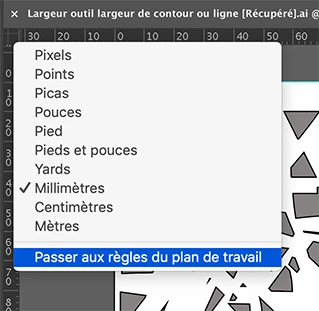
If you select this option, each artboard will get its own zero point.

1 reply

tromboniator
Community Expert
Community Expert
October 9, 2020

Please read the information here: https://helpx.adobe.com/illustrator/using/rulers-grids-guides-crop-marks.html 

If you still have questions, let us know and we can discuss it further.


Peter

fl0645
fl0645Author
Known Participant
October 9, 2020

Thanks, for me what dosen't work is : To restore the default ruler origin, double-click the upper-left corner where the rulers intersect.

*when i double clic in the intersect nothing happend...

Ton Frederiks
Community Expert
Community Expert
October 9, 2020

When you Ctrl or right click the intersection of the rulers you can switch between Global and Artboard rulers. Does that make a difference?