Participant
August 24, 2026
Answered

アンカーポイントの操作ができない

  • August 24, 2026
  • 9 replies
  • 52 views

少し前からですが、アンカーポイントが使えません
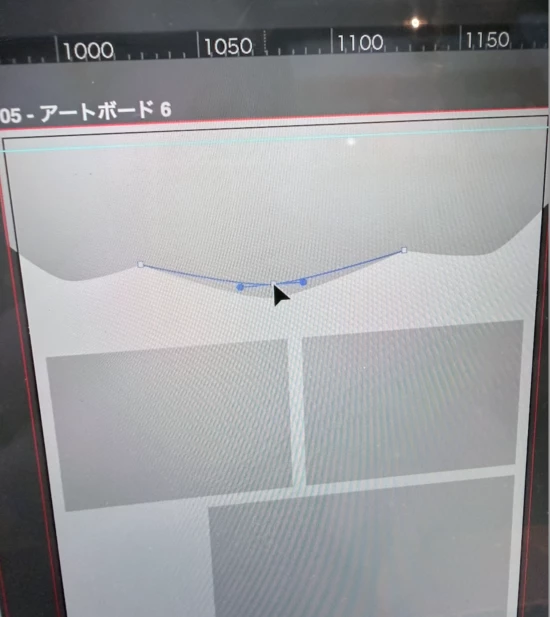
丸みを調整したいのですが、調整する線(棒?)が出て来ず困っています。

↓現状
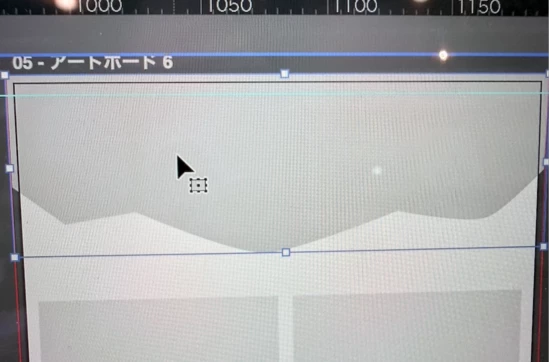
・パスをクリックしてもアンカーポイントが表示されない
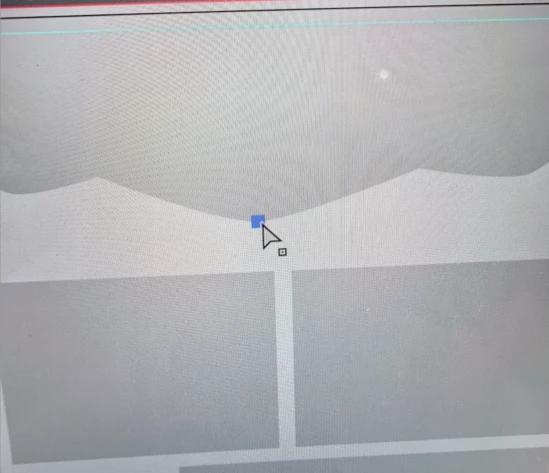
・ダイレクト選択ツールをアンカーポイント上に持ってくるとそこだけ表示される
・ダイレクト選択ツールでクリックしても調整の線が出てこない
・ダイレクト選択ツールでアンカーポイントを動かすと調整の線が出てくるが、離すと消えるので使えない

バグなのか、何か間違えて設定してしまったのか分からず、どなたか解決方法ご存知の方がいらっしゃいましたら教えていただけますと幸いです。
 

Correct answer Ton Frederiks

@momoka23072008jqqb  Are the edges turned on? View > Show Edges (Cmd H or Ctrl H)

9 replies

Ton Frederiks
Community Expert
Ton FrederiksCommunity ExpertCorrect answer
Community Expert
August 24, 2026

@momoka23072008jqqb  Are the edges turned on? View > Show Edges (Cmd H or Ctrl H)

Participant
August 24, 2026

Cmd Hで表示されるようになりました!
助かりました!
本当にありがとうございます🙇

Ton Frederiks
Community Expert
Community Expert
August 24, 2026

@momoka23072008jqqb Good to hear that helped.

creative explorer
Community Expert
Community Expert
August 24, 2026

@momoka23072008jqqb is the ‘Show Bounding Box’ under view on?


m
Participant
August 24, 2026

コメントありがとうございます。
無事解決しました!
本当に助かりました、ありがとうございました🙇

creative explorer
Community Expert
Community Expert
August 25, 2026

@momoka23072008jqqb what was the solution for future users and solutions? Was it the Show bounding box or Show Edges? 

m