



Share & engage in collaborative work using Illustrator cloud documents on Illustrator on web (beta)

Collaborating in a team with Illustrator is a breeze. Thanks to the capabilities of cloud documents, you can effortlessly share document links with your team to make edits directly within the application. You have the option to send invitations, edit, and provide comments on the shared documents.
|
Explore new features and share your thoughts.
|
|
 Illustrator on the web (beta) is now available as part of your Illustrator subscription for testing and feedback.
 Note:
Note:
Just like in Illustrator desktop, inviting collaborators to edit a document in Illustrator on the web (beta) is a user-friendly process.
To begin, click on the Share button at the top right of the application's user interface and click  Invite people. This action will open the "Invite to Edit" panel, allowing you to add collaborators by entering their Adobe ID (email address).
To enable others to work on the document, it's essential to save it as a Cloud Doc and then close it. If the document remains open on your end, it will prevent other team members from making edits, and they will receive an in-app message notifying them of this.
Additionally, other collaborators within the team also have the ability to invite individuals to edit the document.
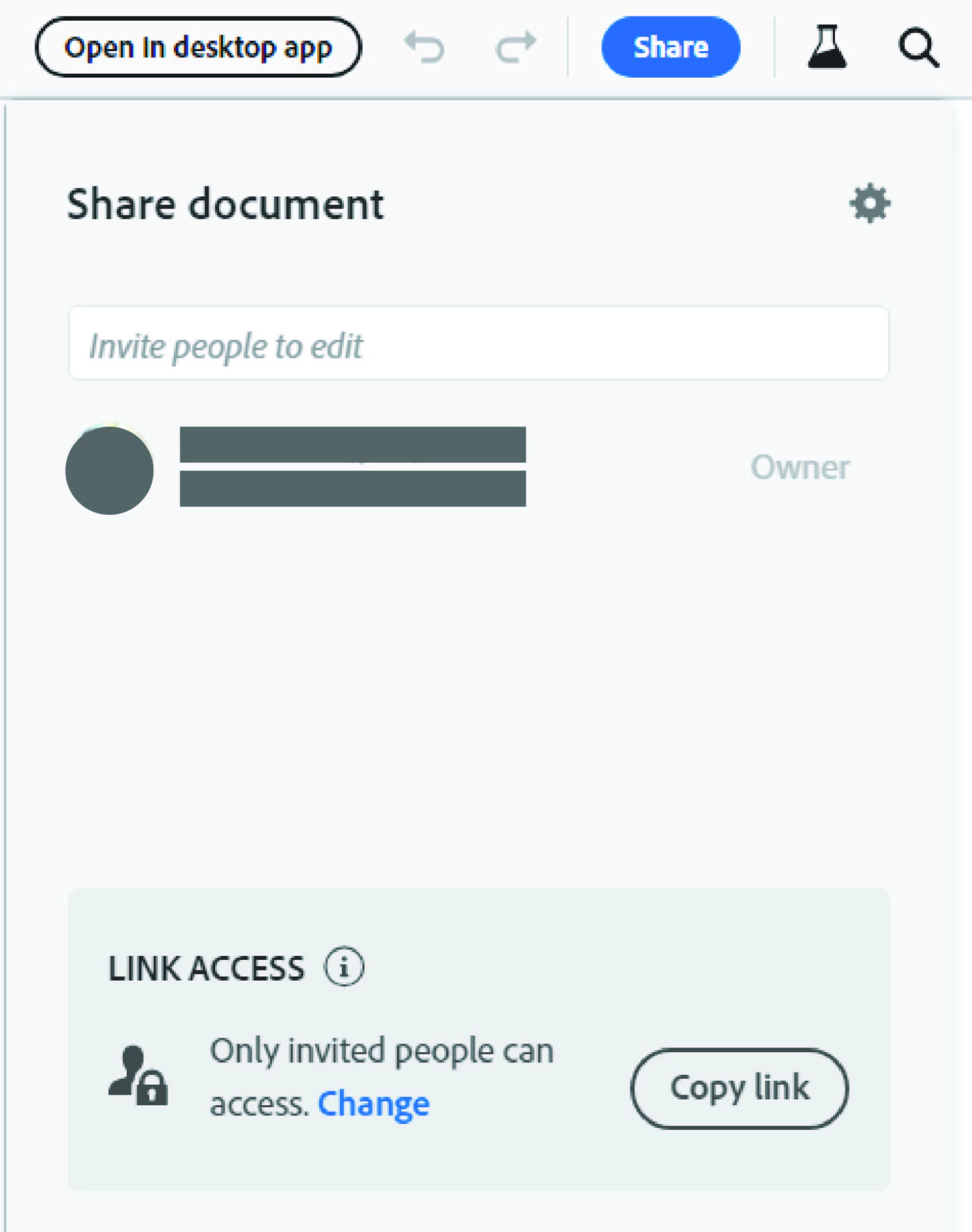
If you are the owner of the document, you can add and remove members authorized to edit the document.
Check this link for more details about the Invite to Edit feature.
Regards,
Harshika

 AdChoices